
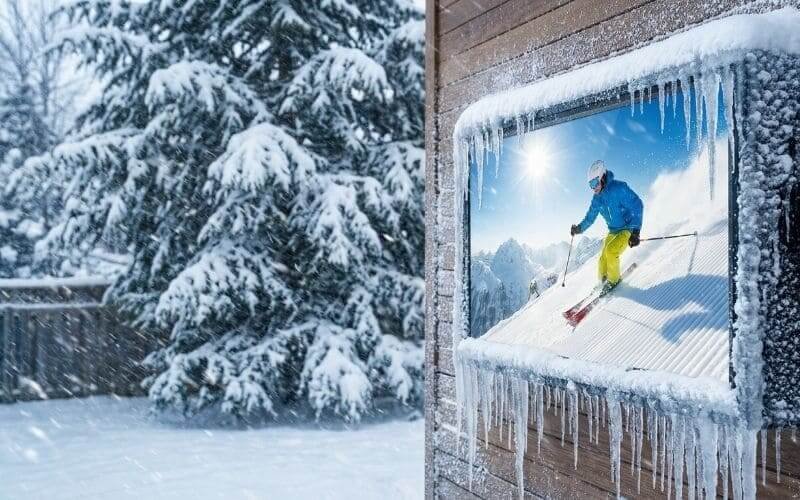
It happens every November. The air turns crisp, the first snowflake drifts lazily from the sky, and a deep, existential dread settles in the pit of your stomach.
It is time for the “TV Walk of Shame.”
You know the drill. You have to go out to the patio, climb a ladder with freezing fingers, wrestle with frozen bolts, and unmount the 60-pound beast of a television you installed in June. Then, you have to awkwardly carry it through the house, dodging the dog and the doorframe, and shove it into a closet for the next five months. The patio looks naked. The vibe is dead. You spend the winter staring at an empty bracket, dreaming of spring.
But what if you didn’t have to?
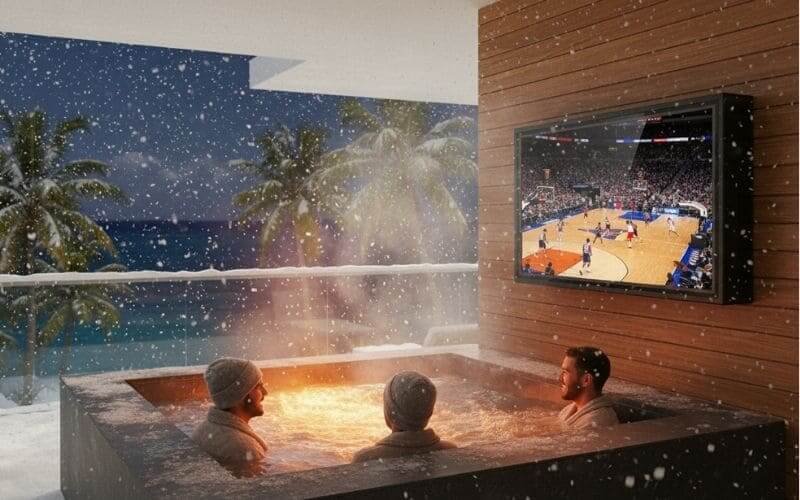
What if you could just… leave it there? What if, instead of hibernating, you could be the legend watching the New Year’s Day game from your hot tub while snow piles up around you?
Yes, you can leave a TV outside in freezing winter, but NOT a naked one. Standard TVs will suffer “Liquid Crystal Sluggishness” and potential cracking if left exposed. However, when placed inside an IP65 Outvion Enclosure, the TV creates its own “Micro-Climate.” By trapping the TV’s natural standby heat, the enclosure acts like an igloo, keeping the internal electronics safe and operational down to -22°F (-30°C) without manual intervention.
Last Updated: JAN 27th. 2026 | Estimated Reading Time: 9 Minutes
The Science of “Freezing”: Why Indoor TVs Die in the Cold
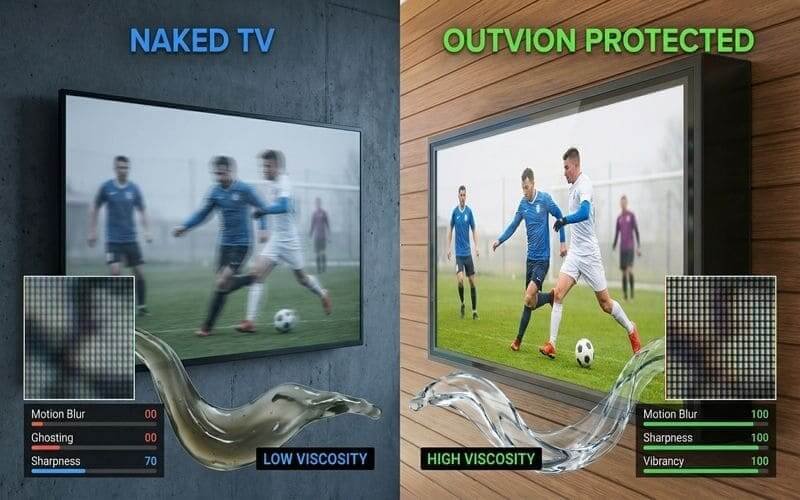
The “L” in LCD stands for Liquid. Physics dictates that liquids become viscous (thick) in the cold. If you run a naked TV at -10°C, the pixels physically cannot move fast enough to change colors, resulting in “ghosting.” Worse, the rapid thermal expansion of turning a frozen TV “ON” can snap the microscopic solder joints on the motherboard.
Let’s put on our lab coats for a moment. Why exactly do electronics hate the cold? It’s not just “shivering.” It’s material science.
1. The “Sluggish” Pixel (Viscosity)
Your TV screen is a sandwich of glass and Liquid Crystals. These crystals twist and untwist to let light through.
- The Physics: Think of Liquid Crystals like maple syrup. At room temperature, it pours easily. At -20°F, it turns into sludge.
- The Result: When you try to watch a football spiral across the screen on a frozen TV, the pixels are too thick to change state quickly. The ball leaves a blurry trail behind it. This is called “Ghosting.” In extreme cases, the crystals can freeze solid, expanding and cracking the glass substrate. Game over.
2. Thermal Shock (The “Snap” Effect)
This is the silent killer. Imagine your TV has been sitting at -15°F all night. The metal traces on the circuit board have contracted and tightened.
- The Event: You walk out and press POWER.
- The Shock: Electricity surges through the board. Components heat up from -15°F to +80°F in seconds.
- The Failure: Metal expands when heated. Because it heats unevenly, the expansion creates mechanical stress. Snap. A solder joint connecting the CPU to the board fractures. The TV turns on for a second, then dies forever.
3. The “Thaw” Killer (Condensation)
Ironically, freezing isn’t the biggest danger; melting is.
When snow lands on a warm, naked TV, it melts. Water runs down the screen and pools in the bezel. When the TV turns off and cools down, that water re-freezes, expanding and popping the plastic frame or cracking the screen edge. Or, it seeps into the vents, shorting the power supply.
The Outvion Solution: The “Igloo Effect”
You don’t need a heater that burns electricity; you need insulation that traps it. The Outvion Enclosure works on the principle of the “Igloo.” It captures the waste heat generated by the TV to keep the internal environment just warm enough to survive.
How do Inuits stay warm in an igloo made of ice? They trap body heat.
How does your TV stay warm in an Outvion box? It traps “Standby Heat.”
Insulation Physics
The Outvion enclosure is made of High-Density Polycarbonate or ABS. Plastic is a natural thermal insulator (unlike metal, which conducts cold). The air gap between the TV and the enclosure wall acts like the dead air space in a double-pane window. It creates a thermal buffer zone.
The “Standby” Secret
Modern TVs are never truly “Off.” They are in “Standby Mode,” waiting for a remote signal or checking for updates.
- The Heat Source: This standby mode generates roughly 5 to 15 Watts of heat continuously.
- The Trap: In a living room, this heat dissipates. In a sealed Outvion enclosure, this heat is trapped.
- The Result: Even if it is -10°F outside, the internal temperature of the enclosure often hovers around +15°F or +20°F. This is well within the safe storage temperature range for LCDs.
The “Defroster” Mode
We also solve the visibility problem. If you have a TV in a box, won’t the glass fog up or frost over?
- Active Airflow: The enclosure has fans. When the TV is ON and generating more heat, the fans circulate that warm air across the inside of the front shield.
- The Analogy: It works exactly like the defroster in your car. The moving warm air prevents ice crystals from forming on the viewing window, ensuring you can see the game clearly even if there is frost on the outside of the box (which you can just wipe off).
The Heater Debate: Do You Need Supplemental Heat?
Geography dictates gear. If you live in London or Seattle, the standard enclosure is fine. If you live in Winnipeg or Minnesota, where -30°F is a Tuesday, you need the optional Thermostatic Heater.
I get asked this constantly: “Do I need the heater upgrade?”
The honest answer is: Probably not, but maybe.
Zone A: The “Chilly” Zone (UK, Germany, Pacific NW)
- Typical Lows: 20°F to 32°F (-5°C to 0°C).
- Verdict: No Heater Needed. The standard Outvion enclosure with the “Igloo Effect” is perfectly sufficient. The TV’s own heat will keep it happy.
Zone B: The “Freezing” Zone (NYC, Chicago, Boston)
- Typical Lows: 0°F to 20°F (-18°C to -6°C).
- Verdict: Borderline. Generally, you are safe without a heater IF you keep the TV plugged in 24/7. However, if you want peace of mind for those rare Polar Vortex weeks, a small heater adds insurance.
Zone C: The “Arctic” Zone (Canada, Norway, Minnesota)
- Typical Lows: -20°F to -40°F (-30°C to -40°C).
- Verdict:Heater Recommended. At these temps, the liquid crystals are in real danger of freezing solid. The Outvion Thermostatic Heater Module is a small ceramic heating element that plugs into the internal power strip.
- How it works: It has a thermostat set to ~40°F. If the internal temp drops below that, the heater kicks on, warming the box. Once it hits 50°F, it shuts off. It uses minimal power but guarantees survival.
Climate Zone Heater Guide
| Zone | Region Examples | Lowest Temp | Heater Required? | Protocol |
|---|---|---|---|---|
| Zone A | UK, France, Seattle, CA | > 20°F (-6°C) | NO | Keep TV plugged in. |
| Zone B | NY, PA, Midwest, Germany | > -5°F (-20°C) | Optional | Recommended for peace of mind. |
| Zone C | Canada, Sweden, ND, MN | < -20°F (-30°C) | YES | Mandatory for liquid crystal safety. |
Extreme Weather Protocol: Surviving the Blizzard
Don’t fight the snow; manage it. The enclosure is designed to be buried. Your job is just to clear the view.
So, the weatherman says “Bomb Cyclone.” 24 inches of snow are coming. Do you run outside and panic? No. You pour a cocoa and relax.
The “Buried” Scenario
It is perfectly fine if snow piles up on top of the Outvion enclosure. In fact, snow is an excellent insulator (that’s why igloos work!). A layer of snow on the roof of the box actually helps retain heat.
- The Seal: The IP65 gasket prevents the melting snow from seeping into the seams.
- The Vents: The air intake vents are baffled and downward-facing. Snow cannot fall up into them.
Snow Removal 101
When it’s time to watch TV, you need to clear the screen.
- DO NOT: Use a hard plastic shovel or a metal scraper. You will scratch the polycarbonate shield.
- DO: Use a soft-bristle brush (like a car snow brush) or a broom wrapped in a towel. Gently sweep the snow off. If there is ice stuck to the front, do not chip it. Turn the TV on. The internal heat will melt the ice from the inside out within 15-20 minutes.
The “Warm Up” Routine
In Zone C (-30°F), don’t expect the TV to be instant-on like it is in July.
- The Procedure: Turn the TV on 15-20 minutes before kickoff.
- The Reason: This allows the internal components to warm up gradually. It reduces the viscosity of the liquid crystals, eliminating the “ghosting” effect before the game starts. Think of it like idling your diesel truck on a cold morning. Let it warm up.
Enclosure vs. “Outdoor TV”: The Wallet Battle
Winter is risky. Why would you put a $4,000 asset (Samsung Terrace) in the line of fire of a snowplow or falling ice, when you could use a $300 “disposable” asset?
Let’s talk financial risk management.
A dedicated “Outdoor TV” (like a SunBrite or Terrace) is rugged, yes. But it is also incredibly expensive—often $3,000 to $6,000.
- The Winter Risk: If an icicle falls from your roof and cracks the screen of your $4,000 Terrace, that is a $4,000 tragedy. Repairs are impossible.
- The Disposable Strategy: With Outvion, you are using a standard indoor TV (say, a $300 TCL or Hisense).
- The “Old TV” Advantage: Ironically, older, thicker, cheaper LCD TVs are better for winter than ultra-thin OLEDs. Older TVs generate more waste heat (inefficiency), which helps keep the enclosure warm!
- The Failure Calculation: If, by some act of God, the extreme cold kills your $300 TV… you just go buy another $300 TV. The Outvion enclosure (the expensive part) survives. You are risking pennies, not dollars.
Winter Survival Cost Analysis
| Feature | Specialized “Outdoor TV” | Outvion Enclosure + Cheap TV |
|---|---|---|
| Initial Cost | $3,500+ | ~$900 ($600 Box + $300 TV) |
| Impact Risk (Ice) | Screen breaks = Total Loss | Shield breaks = $100 Replacement Part |
| Heat Generation | Low (Efficient) | High (Good for winter warmth) |
| Replacement Cost | $3,500 | $300 |
| Stress Level | High | Zero |
The Pre-Winter Checklist: 5 Steps Before the First Snow
The Prep: Winterizing isn’t about taking the TV down; it’s about tightening the defenses. Do these 5 steps in November, and you won’t have to touch the TV until April.
Don’t wait for the blizzard to hit before you check your gear. Nobody wants to be adjusting screws at -10°F with no gloves on.
Step 1: The Deep Clean
- Why: Once the snow starts, you won’t want to clean the inside of the enclosure.
- Action: Open the front bezel. Wipe down the TV screen with a microfiber cloth. Check for any spider webs or dust bunnies in the fans. Close it up tight.
Step 2: Seal Check
- Why: Rubber gaskets can dry out over summer.
- Action: Inspect the black rubber gasket around the rim. Is it cracked? Is it seated properly? If it looks dry, rub a tiny bit of silicone grease on it to keep it supple and watertight.
Step 3: The Plug Protocol
- Why: Standby heat is your lifeline.
- Action: Verify that the TV is plugged into a “Hot” outlet (not a switched outlet that you might accidentally turn off). Ensure the fans are plugged into the USB port. Turn the TV on and off to confirm the fans spin up.
Step 4: Battery Swap
- Why: Alkaline batteries die fast in the cold.
- Action: Swap the batteries in your remote control for Lithium batteries. Lithium handles freezing temperatures much better than standard alkaline.
Step 5: The Anti-Fog Spray
- Why: Visibility.
- Action: Apply a coat of automotive anti-fog or rain-repellent spray (like Rain-X for plastic) to the outside of the polycarbonate shield. This helps melting snow slide off faster and prevents external frost buildup.
The “Winterize Your TV” Checklist
| Task | Tool Needed | Estimated Time | Purpose |
|---|---|---|---|
| Clean Screen | Microfiber Cloth | 5 Mins | Visibility before lockdown. |
| Check Gaskets | Silicone Grease | 2 Mins | Ensure IP65 seal integrity. |
| Verify Power | None | 1 Min | Confirm “Standby Heat” is active. |
| Remote Batteries | Lithium AA/AAA | 2 Mins | Prevent remote failure in cold. |
| External Coat | Rain-X (Plastic safe) | 5 Mins | Help snow/ice slide off shield. |
Ideal Winter Use Cases: The “Hot Tub Cinema”
Everyone watches TV outside in summer. That’s normal. Watching a movie outside in a blizzard? That is a core memory. Winter is actually the best time for outdoor entertainment because the contrast creates the experience.
The Hot Tub Cinema
This is the holy grail. The air is 20°F. The water is 104°F. You have steam rising around you.
- The Setup: Mount the Outvion enclosure on a privacy wall or pergola post visible from the tub.
- The Experience: There is nothing like watching Game of Thrones or a ski movie while submerged in hot water with snow falling on your head. The enclosure protects the TV from the steam (see our other guide on that!) and the snow simultaneously.
The “Snow Tailgate”
Hosting a Super Bowl party in a cold climate? Lean into it.
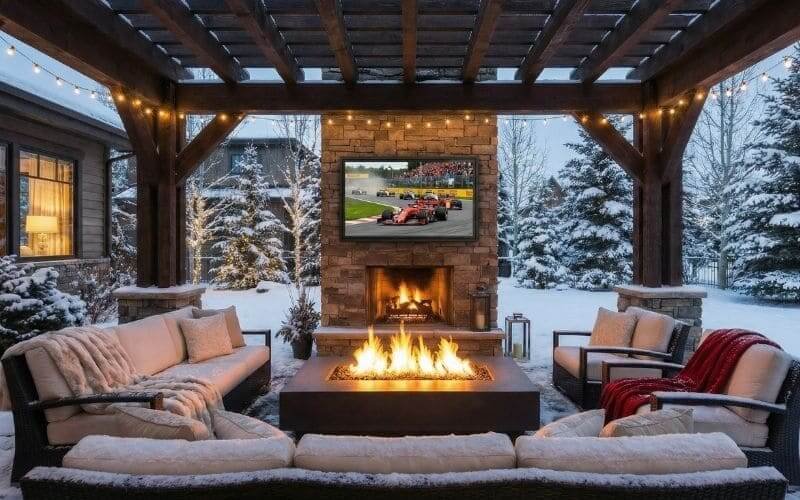
- The Setup: Fire pits. Patio heaters. Heavy blankets. Hot Chili.
- The TV: The TV becomes the hearth. People gather around the fire, watching the game on the big screen. The brightness of the screen cuts through the gray winter light beautifully. It turns a dreary February afternoon into an event.
Conclusion
Winter is not the enemy of technology; laziness and bad preparation are.
The “TV Walk of Shame” is a relic of the past. It belongs in the same category as hand-cranking your car or churning your own butter. We have the technology to defeat the cold.
By wrapping your TV in an Outvion Enclosure, you create a permanent, 4-season entertainment zone. You stop being a fair-weather host. You gain 5 extra months of usage from your backyard.
Don’t hibernate this year. Let it snow. Let it freeze. Turn the TV on, jump in the hot tub, and enjoy the view.
FAQ
1. Do I need a heater?
Recap: Check your zone.
- Above 20°F (-6°C): No. Standby heat is enough.
- Between 0°F and 20°F: Optional, but recommended for peace of mind.
- Below 0°F (-18°C): Yes. We recommend adding a small thermostatic heater pad inside the enclosure to prevent liquid crystal freezing.
2. Can I unplug the TV in winter to save energy?
NO! Absolutely not. You must leave the TV plugged in (Standby Mode) 24/7. That tiny trickle of electricity generates the 5-10 Watts of heat that keeps the interior above freezing. If you unplug it, the TV goes “cold soak,” and you risk thermal shock when you turn it back on.
3. Will the screen crack in the cold?
Not on its own. Cold shrinks materials, but glass and plastic shrink at different rates. In a naked TV, this can cause stress cracks. In an enclosure, the temperature changes are gradual, preventing the “thermal shock” that causes cracks. The only risk is physical impact (ice falling), which the polycarbonate shield protects against.
4. How do I clean ice off the screen?
Use heat, not force. If there is a sheet of ice on the front of the enclosure:
- Turn the TV on.
- Wait 20 minutes.
The internal heat will melt the bond between the ice and the plastic. The ice will slide off. Do not scrape it with a credit card or shovel; you will scratch the shield.
5. Is an old TV better than a new OLED for winter?
Yes, actually. Older LCD/LED TVs are less energy efficient, meaning they “waste” more energy as heat. In winter, this waste is a feature, not a bug! It keeps the box warmer. Ultra-thin OLEDs run very cool and are more fragile. Save your OLED for the living room; put the chunky 2018 Samsung on the patio.
6. Can I install the enclosure during winter?
Yes, but bring a thermos. The enclosure materials (steel/plastic) are fine to install in the cold. The only challenge is your fingers.
- Tip: Assemble the mounting brackets onto the TV inside the warm house. Mount the back box on the wall outside. Then just run out and drop the TV in. Minimize your time with gloves off!
Recommended Technical Reading
- Liquid Crystal Physics:ScienceDirect – Low Temperature Behavior of LCDs
- Detailed analysis of viscosity and phase transition temps in liquid crystals.
- Insulation R-Values:Engineering Toolbox – Thermal Conductivity
- Data on the insulating properties of Polycarbonate vs. Glass.
- Cold Weather Electronics:Popular Mechanics – Gadgets in the Cold
- Consumer-friendly guide to battery and screen life in freezing temps.