
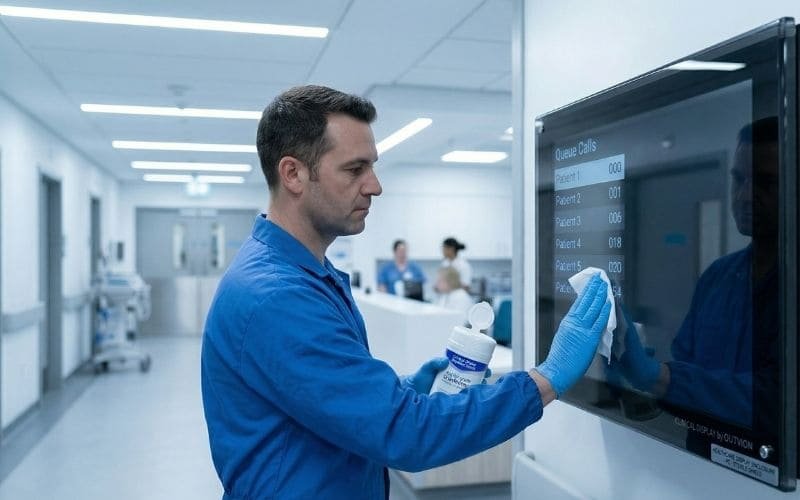
In modern healthcare networks, digital displays are critical assets for patient communication, wayfinding, queue management in emergency rooms (ERs), and therapeutic entertainment in patient wards. However, deploying standard commercial or consumer electronics into a clinical environment introduces unique operational and safety challenges. Hospitals are subjected to rigorous sanitation protocols, stringent safety regulations, and highly unpredictable patient behaviors that require specialized physical protection strategies.
Scope Note: This guide addresses non-diagnostic displays used for patient entertainment, corridor wayfinding, waiting-room messaging, and queue/status communication. It is not intended as a substitute for diagnostic, surgical, or FDA-regulated clinical imaging displays.
Deploying unprotected commercial displays in healthcare facilities exposes them to chemical disinfectants, creates potential harborage points for dust, and introduces physical safety risks in high-stress wards. To support infection-control, cleanability, and physical-environment safety goals, healthcare IT directors should utilize a hardware decoupling strategy. By housing standard commercial screens inside shatter-resistant, lockable IP65 protective display cabinets, hospitals establish a sanitary, impact-resistant barrier that protects the hardware and helps manage patient safety risks.
Unlike climate-controlled corporate offices, a hospital ward is an intensive, highly regulated environment. A digital screen mounted in an ER waiting room or a behavioral health unit is subjected to severe physical stress. More critically, displays mounted in clinical corridors must endure daily wipe-downs with hospital-grade chemical disinfectants. In this comprehensive technical guide, we will analyze the unique environmental and safety considerations of healthcare facilities, review an illustrative clinical deployment scenario, and provide a verifiable engineering blueprint for securing hospital digital signage networks.
How we evaluate healthcare display deployments at Outvion:
- Infection control: Minimizing hard-to-clean dust harborage points
- Chemical compatibility with hospital-grade disinfectants (Quats, bleach, peroxides)
- Kinetic impact resistance to help prevent the weaponization of display glass
- Physical access reduction and cable concealment in behavioral health units
- ADA protruding-object compliance for clinical corridors and circulation paths
Last Updated: March. 25h. 2026 | Estimated Reading Time: 8 Minutes
By Smith Chen, Outdoor TV Enclosure Engineer at Outvion
The Financial Reality of Healthcare IT Budgets
Healthcare facility upgrades are constrained by tight capital budgets balancing clinical equipment against administrative tech. The decoupling strategy separates the heavy-duty physical protection from the digital display, helping hospital networks stretch limited funds across more wards while significantly lowering future replacement costs.
To understand the engineering constraints of hospital hardware, system integrators and procurement officers must evaluate the Total Cost of Ownership (TCO). Hospitals operate under immense financial pressure, balancing the need to purchase life-saving medical devices against the necessity of modernizing facility communications.
The Specialized Medical Hardware Premium
In clinical environments, procurement teams frequently default to evaluating specialized “medical-grade” or “ligature-resistant” psychiatric monitors for all patient rooms and corridors.
- The Procurement Trap: While these specialized units are highly durable and specifically designed for clinical use, they command an astronomical premium. Outfitting a sprawling emergency department with these dedicated monitors drains IT and facility modernization budgets rapidly.
- The Fused Hardware Dilemma: In these specialized units, the heavy-duty protective armor is often permanently fused to the internal LCD panel. When the display eventually fails due to electronic age, the hospital must discard the entire expensive unit, leading to an unsustainable Operational Expenditure (OpEx) for future maintenance.
The Hardware Decoupling Strategy
For non-surgical applications—such as patient entertainment, corridor wayfinding, and ER queue dashboards—the fiscally responsible engineering alternative is the hardware decoupling strategy.
- Separating the Infrastructure: Hospital networks purchase a heavy-duty, permanent Outvion polycarbonate healthcare display enclosure and securely bolt it to the ward wall. Inside, they mount a standard, affordable commercial display.
- Optimized Fleet Pricing: For a 50–55″ patient room or waiting area setup, Outvion enclosure reference pricing typically starts in the mid-$400s for Basic configurations. When combined with a standard commercial display, the total deployment cost is highly optimized, allowing the network to digitize more areas efficiently.
- Protecting the OpEx: If the internal screen requires an upgrade to a newer resolution, the facility’s localized biomedical or IT staff simply unlocks the permanent protective display cabinet and swaps in a readily available replacement screen. This shifts long-term maintenance to a predictable, low-cost consumable swap.
Healthcare Network TCO Financial Modeling
(Illustrative scenario for a 200-unit hospital ward deployment)
| Deployment Strategy | Initial CapEx Burden | Hardware Replacement Mechanism | Long-Term TCO Viability |
| Naked Commercial Display | Low | Discard and replace entire unit frequently due to chemical damage or impact. | Unsustainable. Rapid attrition and elevated physical risks. |
| Specialized Psychiatric Monitor | Very High | Lengthy procurement; requires replacing the entire expensive unit. | Poor. Severely limits the number of wards that can be modernized. |
| Enclosure Decoupling Strategy | Moderate | Unlock display cabinet, swap inexpensive internal screen locally. | Optimal. Maximizes facility budgets; lowest ongoing OpEx burden. |
Modeled Clinical Scenario: Multi-Ward Hospital Deployment
A composite scenario modeled on large regional healthcare networks demonstrates that transitioning to protective polycarbonate enclosures mitigates the attrition caused by chemical cleaning protocols and helps manage physical safety hazards in high-stress departments.
To illustrate the operational impact of this deployment strategy, we examine a modeled, composite scenario based on challenges commonly faced by large regional hospital networks and clinical research centers (similar to the scale of Mayo Clinic or Cleveland Clinic deployments).
The Infrastructure Challenge
In this composite scenario, a regional hospital network initiates a modernization project to deploy new informational screens across three distinct zones: the Emergency Department (ER) waiting areas, the Behavioral Health units, and the high-traffic clinical corridors.
- The Chemical Degradation: Within six months, unprotected screens deployed in the clinical corridors begin exhibiting severe plastic crazing (micro-cracking) on their bezels. Diagnostics reveal that the consumer-grade plastics were not selected for chemical compatibility with the hospital’s quaternary ammonium disinfectants.
- The Physical Incidents: Simultaneously, screens in the ER and high-stress units suffered severe physical abuse. Agitated patients threw objects at the screens, shattering the glass of two displays. This triggered immediate hazardous material protocols and raised severe liability concerns regarding the potential weaponization of the glass shards.
The Retrofit Intervention
Facing regulatory scrutiny and maintenance budget depletion, the facility’s engineering directors implement a network-wide retrofit utilizing IP65 healthcare display enclosures.
- The Execution: The functional screens, alongside new replacements, are housed inside rugged Outvion polycarbonate enclosures. These units are securely anchored to the structural walls using flush-mounting techniques to conceal all cabling.
- The Operational Results: Over the subsequent 24 months, hardware attrition drops significantly. The chemically resistant polymer shells withstand routine sanitation workflows. Concurrently, the polycarbonate shields absorb blunt-force impacts in the ER without shattering, neutralizing the physical safety hazard. The digital network remains functional, supporting physical-environment safety goals and preserving the hospital’s maintenance budget.
Infection Control: Dust Harborage and Chemical Compatibility
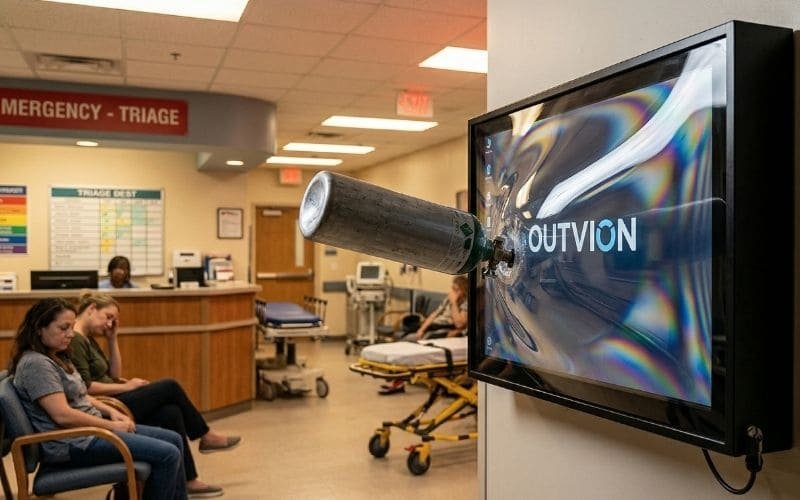
Standard displays have open vents that complicate cleaning, while their plastics may degrade under harsh disinfectants. An IP65 healthcare display enclosure provides a sealed, chemically compatible barrier that supports infection-control, cleanability, and physical-environment risk-management goals commonly reviewed by CDC-guided hospital protocols and Joint Commission survey expectations.
In a healthcare facility, one of the most persistent considerations for electronics is supporting the protocols designed by the environmental services (EVS) team: infection control and routine sanitation.
The Dust Harborage Challenge
Preventing cross-contamination and maintaining cleanable surfaces is a primary directive in clinical settings.
- Vented Pathways: Standard commercial displays rely on passive ventilation slots to cool their internal components.
- Cleaning Complexity: The interior of an open-vent display can become a hard-to-clean dust harborage point that complicates infection control and cleaning workflows. Because the internal circuit boards cannot be effectively sanitized with liquid wipes, they can increase the overall bio-burden and cleaning burden in clinical environments.
Chemical Compatibility with Hospital Disinfectants
To combat surface pathogens, hospitals utilize aggressive, hospital-grade chemical disinfectants.
- Caustic Agents: EVS teams routinely use diluted sodium hypochlorite (bleach), quaternary ammonium chlorides (Quats), and accelerated hydrogen peroxide wipes.
- Material Degradation: Repeated exposure to hospital-grade disinfectants can craze, discolor, or embrittle consumer-grade housings that were not selected for chemical compatibility. This degradation allows liquid to seep into the chassis, which can lead to premature electrical failure or fluid-related damage over time.
The IP65 Enclosure Solution
To survive in a clinical corridor, the display must be physically isolated from both internal dust accumulation and chemical wipe-downs.
- Dust-Tight Isolation (IP6X): By utilizing a sealed IP65-rated display cabinet, facility engineers remove the internal components from the ambient environment. The “6” rating signifies that the unit is “dust-tight,” effectively eliminating the display’s internal cavities as dust harborage points.
- Chemical Cleanability (IPX5): The enclosure’s exterior shell and optical-grade polycarbonate window are designed to be more resistant to standard cleaning agents than consumer TV plastics. The IPX5 rating allows EVS staff to spray or wipe down the exterior of the enclosure with approved hospital-grade disinfectants without risking fluid ingress into the high-voltage components.
ERs & High-Stress Wards: Impact and Glass Weaponization
In high-stress wards, standard display glass can be shattered, creating a severe physical hazard. Outvion enclosures utilize an optical-grade polycarbonate shield engineered to yield elastically, absorbing kinetic energy to prevent glass fragmentation and protect patients and staff.
Emergency departments and behavioral health units are highly unpredictable, high-stress environments. Patients may be experiencing acute crises, extreme pain, or substance-induced agitation. Mounting brittle electronics in these zones introduces severe physical safety liabilities.
The Risk of Silicate Glass
The viewing surface of standard commercial monitors is constructed from silicate glass.
- Brittle Failure: Glass possesses a very low modulus of elasticity. When subjected to a deliberate impact from a thrown chair or a medical device, the glass cannot flex to disperse the kinetic energy.
- The Physical Hazard: The material suffers catastrophic brittle failure, shattering into razor-sharp shards. In a psychiatric or emergency setting, these shards represent an immediate danger. Patients in distress may weaponize the broken glass to harm themselves or healthcare staff.
The Polycarbonate Yielding Mechanism
To help mitigate this severe liability and protect human life, the physical barrier protecting the screen must be capable of surviving intense blunt-force trauma without fracturing.
- Advanced Material Science: Outvion protective display cabinets feature an optical-grade polycarbonate front window. Polycarbonate is an advanced engineering thermoplastic utilized in heavy-duty security applications, making it substantially more resilient than standard display glass.
- Elastic Deformation: Unlike glass, the molecular structure of polycarbonate allows it to deform elastically under mechanical stress. When struck by a heavy object, the shield acts as a sacrificial protective layer. It flexes inward, absorbs the kinetic energy of the impact, and then rebounds to its original shape.
- Mitigating Harm: While an extreme, malicious attack with a heavy instrument may cause localized scratching or denting on the surface, the polycarbonate resists shattering. By absorbing the destructive energy, the shield protects the delicate LCD panel behind it, drastically reducing the risk of glass weaponization and ensuring a safer environment for both patients and clinicians.
Physical Access Reduction and Cable Concealment
Exposed cables and input ports present safety and tampering risks in patient wards. Outvion enclosures feature secure locking mechanisms and facilitate concealed cable routing, establishing a physical security layer that restricts access to cords and media players.
Scope Note: This guide discusses impact resistance, cable concealment, and physical access reduction; it does not claim formal anti-ligature certification or replace a behavioral-health environmental risk assessment.
When facility engineers design high-stress units, architectural elements must be scrutinized to manage potential hazards, including ligature risks and unauthorized tampering.
Managing Cable Hazards
A standard commercial display mounted on a traditional articulating arm presents a multitude of physical hazards.
- Cable Exposure: Exposed power cords, HDMI cables, and the gaps behind standard tilt-mounts provide accessible anchor points and loose cords that pose safety risks in high-stress patient environments.
- Unauthorized Tampering: Furthermore, exposed input ports (USB, HDMI) allow individuals to unplug vital informational feeds or attempt to cast unauthorized content to the ward’s screens.
Access Denial and Concealed Routing
The Outvion healthcare display enclosure is engineered to help neutralize these physical vulnerabilities when installed correctly.
- Concealed Routing: The enclosure is designed to be securely flush-mounted (or mounted on dedicated standoffs) with data and power cables routed directly through the rear backplane straight into the wall receptacle. This design helps reduce cable-based ligature opportunities when installed with concealed routing and appropriate project review.
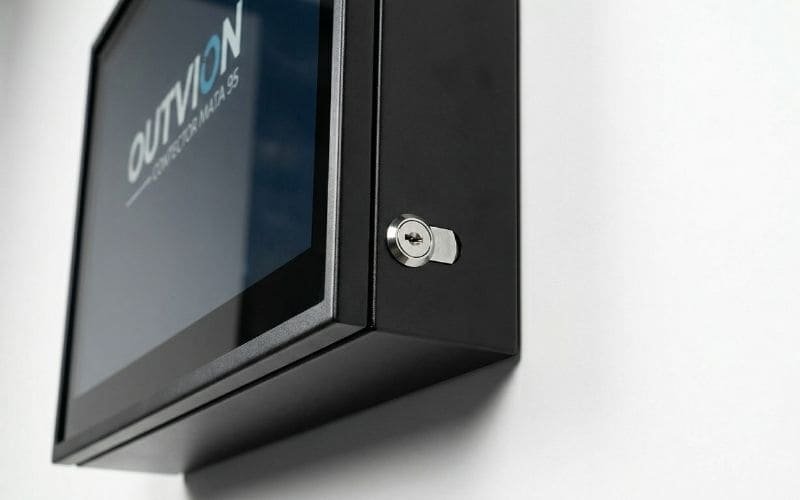
- Keyed Locking Mechanisms: The heavy-duty polycarbonate front bezel is secured to the steel rear backplane utilizing integrated keyed side locks.
- Access Control: When the cabinet is locked, the internal television, the media player, and all input ports are inaccessible to unauthorized individuals. This establishes a robust physical security layer, ensuring the system remains configured precisely as intended by hospital administration.
Thermal Sizing for Clinical Micro-Climates
While hospitals are climate-controlled, sealing an operating display inside an IP65 box creates trapped heat. To prevent component failure, larger displays require ventilated configurations sized to the internal heat load to actively exhaust waste heat from the enclosure cavity.
A sealed IP65 display cabinet successfully isolates the display from external chemical disinfectants and biological dust, but it introduces a critical secondary engineering challenge: thermal management. An operational commercial display generates continuous internal waste heat from its power supply and backlight array.
The Thermodynamic Challenge
While hospital corridors and patient rooms are strictly climate-controlled by advanced HVAC systems, the micro-climate inside a completely sealed polycarbonate and steel box is entirely different.
- Heat Accumulation: If the waste heat generated by the television is trapped within the enclosure, the internal ambient temperature will rapidly escalate, regardless of how cold the hospital corridor is.
- Hardware Strain: If this heat exceeds the operational threshold of the display, it causes thermal stress, which can result in premature capacitor degradation, screen darkening, or sudden logic board failure.
Active Airflow Sizing
To combat elevated thermal loads, the installation must utilize active, forced-air ventilation to stabilize the micro-climate inside the cabinet.
- Configuration Sizing: The cooling capacity must scale with the physical volume of the cabinet and the size of the internal display. In the current Outvion line, ventilated configurations strictly adhere to specific airflow sizing: they use 2 fans for 28–55″ models and 4 fans for 60″+ models.
- Thermal Relief: Ventilated versions use active fan airflow that helps remove waste heat from the enclosure cavity, drawing cooler ambient hospital air in and forcefully exhausting the heated air out. This engineered airflow ensures that the internal components remain within safe operating parameters.
ADA Compliance and Corridor Mounting Protocols
Hospital installations must adhere to strict safety codes regarding circulation paths. Under ADA protruding-object guidance, wall-mounted objects with leading edges between 27 and 80 inches above the floor generally may not protrude more than 4 inches into a circulation path.
When deploying heavy architectural hardware in healthcare facilities, the installation must strictly comply with building safety regulations, most notably the Americans with Disabilities Act (ADA) and specific local fire codes ensuring clear pathways for emergency gurneys.
A critical factor in hospital AV deployment is the physical footprint of the hardware in pedestrian and emergency pathways.
- The Hazard: If a cabinet protrudes too far from the wall, a visually impaired visitor using a white cane may not detect the object before striking it. Furthermore, a protruding object can obstruct the rapid movement of hospital beds and emergency crash carts.
- The ADA Standard: Objects with leading edges between 27 inches and 80 inches above the floor generally may not protrude more than 4 inches into a circulation path.
Architectural Solutions for Enclosures
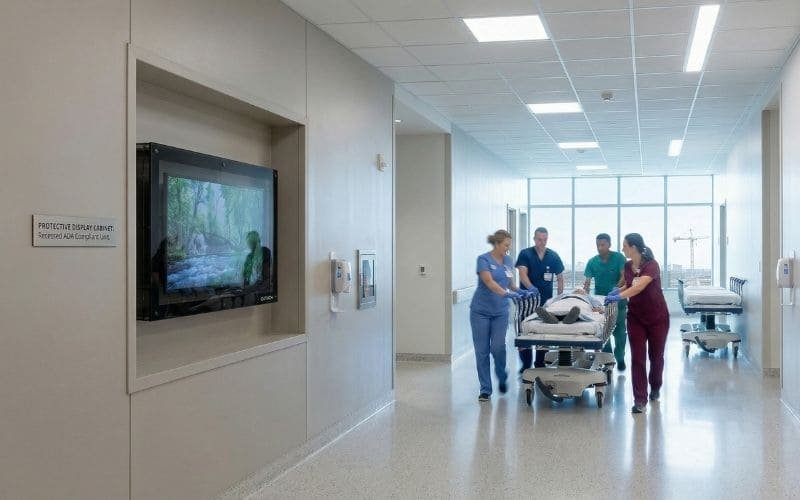
Because protected cabinets often exceed that depth, corridor deployments typically require recessing, cane-detectable design below, or mounting outside the protrusion zone after project-specific review.
- Mounting Above the Zone: The enclosure can be mounted so its lowest edge is strictly above the 80-inch height threshold, ensuring ample head clearance for all staff and preventing obstruction of gurneys.
- Structural Recessing: The cabinet can be structurally recessed into the wall architecture (creating an alcove) so that the front face of the enclosure does not violate the 4-inch protrusion limit.
- Cane-Detectable Barriers: If the screen must be mounted lower than 80 inches, facility managers can install a permanent, cane-detectable element directly beneath the enclosure that extends to the floor, allowing a sweeping cane to detect the barrier safely.
Conclusion: Supporting Clinical Operations
In modern healthcare networks, digital displays are indispensable tools for patient wayfinding, queue management, and therapeutic entertainment. However, treating a high-stress hospital emergency room or a chemically sanitized clinical corridor like a corporate boardroom by deploying unprotected, fragile commercial screens is a critical failure of facility management. It exposes the hardware to chemical disinfectants, creates dust harborage points, and introduces severe physical safety risks to vulnerable patient populations.
Relying on naked commercial displays is a liability, while purchasing specialized, all-in-one medical monitors for every non-diagnostic application restricts budget flexibility. By utilizing the decoupling strategy with an IP65 protective display cabinet, healthcare IT and facility directors achieve an optimal balance. This strategy provides rugged physical protection against patient impacts, establishes a chemically compatible exterior for cleaning workflows, and helps reduce cable-based hazards. Implementing this engineered barrier helps ensure that critical communication networks remain operational, lifecycle costs are minimized, and the uncompromising risk-management goals of the healthcare environment are supported.
Healthcare Display Protection FAQ
1. Does the enclosure block WiFi signals for digital medical dashboards?
Wireless players often work normally inside this type of enclosure, but actual Wi-Fi/Bluetooth performance still depends on wall construction, radiology shielding, access-point density, and device placement. Generally, hospital IT departments can confidently use wireless digital signage players locked safely inside the box behind the TV, pending site-specific signal testing.
2. Can we clean the polycarbonate window with hospital bleach wipes?
While the polymer housing is designed to be highly resistant to chemical degradation, the clear optical-grade polycarbonate window requires specific care to maintain transparency. EVS staff should verify that the specific brand of disinfectant wipes used (whether Quats, hydrogen peroxide, or diluted bleach) is chemically compatible with polycarbonate. Highly abrasive scouring pads must be strictly avoided to prevent scratching the clear shield.
3. Is the enclosure certified as an “anti-ligature” psychiatric device?
No. This guide discusses impact resistance, cable concealment, and physical access reduction; it does not claim formal anti-ligature certification or replace a behavioral-health environmental risk assessment. The enclosure helps reduce cable-based ligature opportunities when installed with completely concealed routing (such as flush-mounting), but facility risk managers must evaluate the design against their specific unit requirements.
4. How quickly can a biomedical tech swap a failed screen in a patient room?
The primary operational advantage of the decoupling strategy is localized serviceability. If the internal commercial display eventually fails, the hospital’s on-site IT or biomedical technicians can simply unlock the cabinet bezel, unbolt the failed display from the internal mount, and install a new screen. It requires no specialized tools and minimizes downtime in patient wards.
Recommended Technical Reading & Resources
- Infection Control Guidelines:CDC Guidelines for Environmental Infection Control in Health-Care Facilities
- Official guidelines detailing the requirements for cleaning, disinfecting, and managing bio-burden on environmental surfaces in clinical settings.
- Hospital Safety & Compliance:The Joint Commission (TJC) – Physical Environment Standards
- Industry standards for maintaining a safe, functional, and effective physical environment for patients, including environmental risk assessments.
- Material Science of Polycarbonate:Polycarbonate vs. Acrylic Impact Properties (Curbell Plastics)
- A technical breakdown explaining the modulus of elasticity and why polycarbonate yields and absorbs kinetic energy, making it a superior choice for helping prevent glass weaponization.