

Deploying digital signage, production dashboards, and data monitors within an industrial environment introduces severe reliability risks to standard commercial electronics. The rise of Industry 4.0 means that screens are now required on manufacturing floors, active warehouses, and CNC machining shops. However, placing unmodified commercial displays in these zones exposes the hardware to airborne particulates, conductive dust, and kinetic impact risks.
BLUF: In harsh operational zones, standard commercial displays lack the necessary ingress protection and structural integrity, leading to rapid hardware degradation and costly production downtime. To successfully mitigate these specific environmental risks, facility operators should utilize an engineered IP65-rated enclosure equipped with a polycarbonate front window. This approach establishes a controlled, isolated micro-environment that helps preserve the operational lifespan of the internal display technology.
Standard consumer and commercial displays are engineered for climate-controlled offices and living rooms. They rely on passive ventilation and feature fragile glass screens. When these delicate components meet the reality of heavy industry, failure is not a matter of if, but when. To maintain operational visibility and protect hardware investments, facility managers must implement professional protective infrastructure.
How we evaluate industrial monitor protection at Outvion:
- Particulate ingress and conductive dust vulnerability
- Impact resistance against tools, carts, and ambient vibrations
- Active thermal management for high-heat environments
- IP65 sealing compliance and cable routing protocols
Last Updated: Jan 10th. 2026 | Estimated Reading Time: 9 Minutes
By Smith Chen, Outdoor TV Enclosure Engineer at Outvion
The Threat of Particulates: Conductive vs. Non-Conductive Dust
Airborne particulates in industrial settings cause rapid hardware degradation. Non-conductive dust creates thermal blanketing, while conductive dust bridges electrical contacts, which can cause electrical leakage, reduced insulation resistance, or shorting under the wrong conditions.
Industrial facilities generate a massive volume of airborne particulate matter. Understanding the physical properties of this dust is critical for protecting sensitive electronics. Standard commercial displays utilize passive or active ventilation slots to draw in ambient air for cooling. In an industrial setting, these vents function as intake pathways for hazardous materials. We categorize these particulate threats into two distinct engineering challenges.
The Threat of Non-Conductive Dust (Thermal Blanketing)
Non-conductive particulates include materials such as wood dust, textile fibers, flour, and cardboard pulp. While these materials do not conduct electricity, they pose a severe threat to the thermal management of the display.
-
The Insulation Effect: When non-conductive dust is drawn into the chassis of a monitor, it settles directly onto the internal heat sinks, the power supply unit, and the LED backlight array. This layer of dust acts as a highly effective thermal blanket.
-
Reduced Convective Surface Area: By coating the grooved aluminum heat sinks, the dust reduces the surface area available for convective heat transfer, effectively trapping the heat generated by the components.
-
The Hygroscopic Complication: Many organic dusts (like wood or paper) are hygroscopic, meaning they absorb ambient humidity. When this damp dust settles on warm electronics, it can bake into a hard, insulating crust that is incredibly difficult to remove during standard maintenance.
-
System Failure: As the thermal insulation layer thickens, the internal components experience severe thermal strain, eventually exceeding their maximum safe operating temperatures and triggering system failure or premature capacitor degradation.
The Threat of Conductive Dust (Electrical Bridging)
Conductive particulates pose an acute threat to the electrical continuity of the motherboard and power supply.
-
Hazardous Environments: Facilities that engage in CNC machining, metal fabrication, welding, or carbon fiber processing produce microscopic airborne shavings and graphite dust.
-
Component Bridging: When conductive particulates bypass the exterior casing of a standard monitor, they settle across the densely packed surface-mounted components on the logic board.
-
Electrical Leakage: Because these particles can conduct electrical current, they bridge the microscopic gaps between designated circuits. The moment the display is powered on, the current travels across these unintended pathways.
-
The Result: This can cause electrical leakage, reduced insulation resistance, or shorting under the wrong conditions, rendering the display instantly inoperable.
To help ensure continuous operation, the display must be physically isolated from the ambient factory air. By utilizing a sealed enclosure system, facility managers remove the display’s internal components from the direct particulate path entirely.
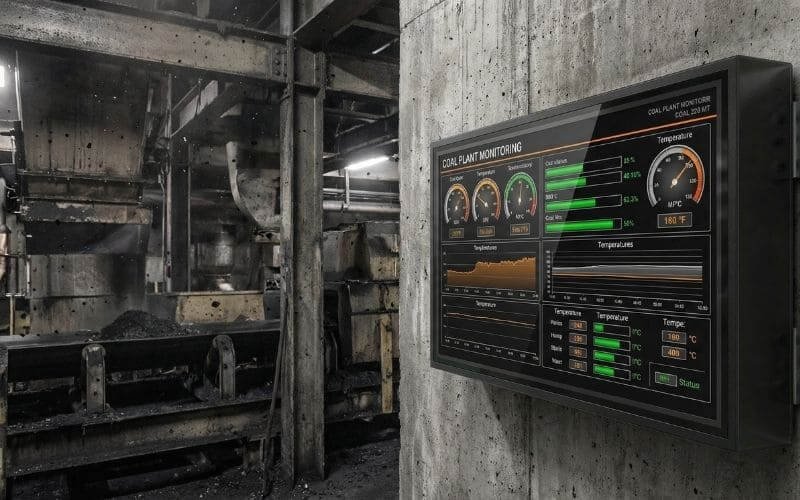
Demystifying Ingress Protection: The Value of IP65
For industrial display deployments, IP65 is a practical target for many industrial display enclosures because it combines dust-tight protection with resistance to low-pressure water jets, allowing for both rigorous environmental isolation and necessary active ventilation.
When evaluating enclosures for industrial applications, procurement engineers rely on the IEC 60529 standard, universally recognized as the Ingress Protection (IP) code. This standard provides a quantifiable, objective measurement of a mechanical casing’s ability to exclude solid objects and liquid water. Vague terms such as “weather-resistant” hold no weight in an industrial facility; only specific IP ratings guarantee a verified level of environmental isolation.
The Solid Ingress Standard: The “6” (Dust-Tight)
The first digit in the IP code represents protection against solid ingress. For environments fraught with industrial dust, a rating of “6” is a highly recommended baseline.
-
The Testing Methodology: An IP6X certification dictates that the enclosure is evaluated as “dust-tight.” During standardized testing, a vacuum is applied to the enclosure while it is suspended in a testing chamber filled with circulating, fine talcum powder for up to 8 hours.
-
The Pass Criteria: To achieve the certification, there must be no measurable ingress of dust inside the enclosure cavity.
-
Industrial Application: This indicates that microscopic metal shavings, welding fumes, and insulating fibers present on a factory floor are blocked from penetrating the outer barrier and reaching the electronics.
The Liquid Ingress Standard: The “5” (Water Jets)
The second digit in the IP code represents liquid ingress protection. A rating of “5” signifies protection against low-pressure water jets.
-
The Testing Methodology: The enclosure is tested to withstand water projected by a 6.3mm nozzle from any direction, at a rate of 12.5 liters per minute, for at least 3 minutes, without suffering harmful effects.
-
Industrial Application: In a manufacturing or food processing facility, equipment must often be cleaned during routine maintenance shifts. An IP65 rating allows sanitation crews to safely wash down the exterior of the enclosure using standard low-pressure hoses without risking water damage to the internal electronics.
IP65 is a practical target for many industrial display enclosures because it strikes the perfect engineering balance. It provides strict dust exclusion and washdown compatibility while still permitting the integration of filtered, active air exchange systems necessary to cool the internal hardware.
IP Rating Comparison for Industrial Use
| IP Rating | Solid Ingress Protection | Liquid Ingress Protection | Industrial Suitability |
| IP44 | Objects > 1mm (Wires, screws) | Splashing water | Poor. Vulnerable to fine airborne factory dust. |
| IP54 | Dust protected (Limited ingress) | Splashing water | Moderate. Acceptable for clean, dry indoor warehouses. |
| IP65 | Dust-tight (No ingress) | Water jets (Hose down) | Optimal. Balances severe dust protection and serviceability. |
| IP66/67 | Dust-tight (No ingress) | Heavy seas / Submersion | Specialized. Often restricts active ventilation designs due to hermetic sealing requirements. |
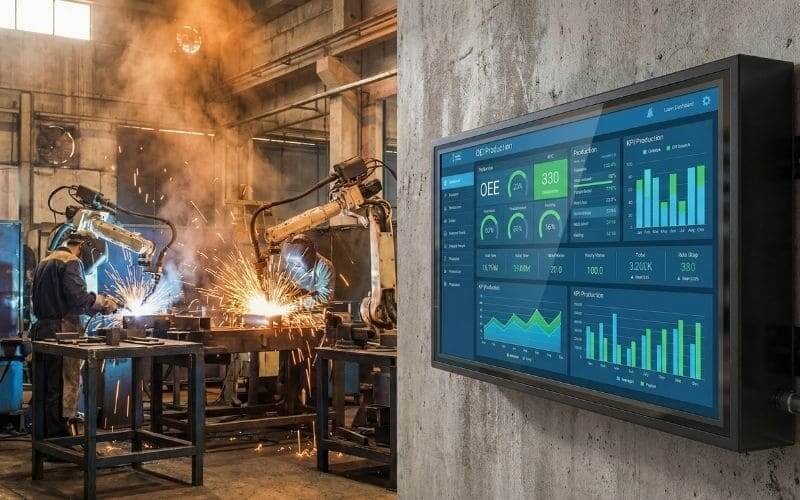
Impact Resistance: Forklifts, Tools, and Safety
Standard display glass shatters under minor impacts, creating safety hazards on the factory floor. Outvion enclosures utilize an optical-grade polycarbonate shield engineered to yield, flex, and absorb kinetic energy, acting as a critical sacrificial barrier.
The modern manufacturing floor is a kinetic environment defined by moving material carts, forklifts, overhead cranes, and workers handling heavy tools. In this setting, the physical fragility of a standard commercial display is a significant operational liability.
The Fragility of Commercial Display Glass
The viewing surface of a standard television or monitor is constructed from silicate glass or basic acrylic.
-
Brittle Failure: These materials possess a very low modulus of elasticity and are highly brittle. When struck by a swinging tool lanyard, bumped by a passing cart, or hit by a dropped component, standard glass suffers catastrophic brittle failure.
-
Secondary Hazards: Shattered glass on a production line is an immediate safety violation. Glass shards can contaminate production materials, injure personnel, and require a complete halt of the manufacturing line for hazardous cleanup protocols.
-
Total Asset Loss: Once the glass fractures, the LCD or OLED panel behind it is irreparably destroyed, requiring immediate replacement of the entire unit.
The Polycarbonate Solution
To deploy screens safely in high-traffic zones, the physical barrier must be capable of surviving blunt force trauma without fracturing. Outvion addresses this kinetic risk by utilizing an optical-grade polycarbonate front window.
-
High Ductility: Polycarbonate is an advanced thermoplastic polymer renowned for its extreme impact resistance and ductility. Unlike silicate glass, the molecular structure of polycarbonate allows it to deform elastically under mechanical stress.
-
Kinetic Energy Dispersion: When a blunt object strikes the polycarbonate shield, the material flexes inward, absorbing the kinetic energy of the impact, and then rebounds. It effectively disburses the localized force across a wider surface area.
-
The Sacrificial Layer: In industrial safety engineering, this polycarbonate window acts as a sacrificial protective layer. If a severe impact from a dropped tool strikes the enclosure, the polycarbonate may suffer localized denting, deep scratching, or structural crazing.
-
Safety Compliance: Crucially, its primary function is to avoid shattering into dangerous shards. By absorbing the destructive energy, the polycarbonate shield protects the delicate LCD panel housed safely behind it. This maintains the structural integrity of the display unit and protects the surrounding personnel from flying debris.
The Decoupling Strategy in Manufacturing (CapEx vs. OpEx)
Pairing a standard commercial display with an IP65 enclosure lowers initial CapEx and drastically simplifies future hardware replacements compared to purchasing specialized industrial all-in-one NEMA monitors.
When tasked with digitizing a factory floor, procurement teams traditionally look toward dedicated industrial monitors. These are heavy, specialized units housed in custom stainless steel enclosures with integrated display panels. While highly durable, these all-in-one units present significant financial and operational drawbacks.
The Hidden Costs of Specialized Industrial Monitors
Purchasing dedicated NEMA-rated or all-in-one industrial monitors introduces heavy burdens on a facility’s budget and maintenance timeline.
-
High Capital Expenditure: These units require a massive initial Capital Expenditure (CapEx). Because they are niche, low-volume products, the markup is substantial.
-
The Fused Hardware Trap: The protective housing is permanently fused to the display panel. If the internal screen fails, the facility loses the entire expensive unit.
-
Extended Downtime: Replacing a specialized monitor usually involves sending the heavy unit out for a lengthy Return Merchandise Authorization (RMA) process or waiting weeks for freight shipping on a specialized replacement.
The Decoupling Advantage
The engineered alternative is the hardware decoupling strategy. By separating the protective infrastructure from the digital display, facility managers gain total control over their AV budget and maintenance timelines.
-
The Setup: The strategy involves purchasing a heavy-duty IP65 enclosure and mounting a standard commercial display inside of it. The enclosure acts as the rugged industrial barrier, allowing the commercial screen to function reliably in a harsh environment.
-
Financial Logic: For a 50–55″ setup, Outvion enclosure reference pricing typically starts in the mid-$400s for Basic configurations, with higher-spec Pro or Ultra versions designed for heavier thermal loads priced higher. When combined with a standard commercial display, the total deployment cost is often a fraction of the price of a dedicated NEMA-rated industrial monitor.
-
OpEx Maintenance: When the commercial display inside the enclosure eventually requires replacement, the maintenance protocol is straightforward. The technician simply unlocks the enclosure, unbolts the failed display from the internal VESA mount, and installs a new commercial screen. This shifts the ongoing maintenance from a high-cost CapEx replacement to a low-cost Operational Expenditure (OpEx), which can reduce replacement downtime substantially because the enclosure remains installed and only the display is swapped.
Industrial Display Deployment Options
| Deployment Strategy | Initial CapEx | Hardware Replacement Process | Uptime Impact |
| Naked Commercial TV | Low | Discard and replace entire unit upon failure. | High disruption; frequent replacements needed. |
| Specialized NEMA Monitor | High | Lengthy RMA process or expensive full unit replacement. | High disruption during failure events. |
| Enclosure + Commercial TV | Moderate | Unlock enclosure, swap inexpensive internal screen locally. | Minimal disruption; enclosure remains on wall. |
Site Assessment & Thermal Management
Matching the enclosure’s active ventilation to the specific thermal load of the factory floor is critical. High-heat manufacturing zones require fan-equipped versions sized to flush out waste heat and maintain safe operating temperatures.
A sealed IP65 enclosure successfully blocks external contaminants, but it also traps the internal heat generated by the display. Without an engineered thermal management strategy, the internal temperature of the enclosure can rapidly exceed the operational threshold of the display, causing thermal throttling, color shifting in the LCD panel, or hardware failure. Consequently, selecting the correct enclosure configuration requires a thorough site assessment of the ambient thermal load.
Passive Conductive Cooling (Low-Heat Zones)
In lower-heat indoor zones, lighter-duty configurations may be sufficient.
-
The Mechanism: Models like the Outvion Basic series rely on the conductive heat transfer properties of the enclosure’s outer shell.
-
The Application: The heat generated by the internal display warms the air inside the box, which transfers heat to the enclosure walls. The cooler ambient air of a climate-controlled warehouse then cools the exterior of the enclosure.
-
The Limitation: This passive system is only effective if the ambient environment is consistently cool enough to maintain a significant temperature differential (Delta T).
Active Convective Airflow (High-Heat Zones)
However, heavy manufacturing zones, unconditioned stamping plants, and processing lines situated near curing ovens generate substantial ambient heat. In these hotter areas, passive cooling is entirely insufficient.
-
The Mechanism: Facilities with elevated thermal loads require fan-equipped versions sized for the thermal load. These active ventilation systems continuously draw cooler ambient air into the enclosure and exhaust the heated air out using forced convection.
-
Configuration Rules: In your current line, ventilated configurations use 2 fans for 28–55″ models and 4 fans for 60″+ models.
-
The Benefit: This high-volume air exchange ensures that the internal micro-climate remains stable, even when the factory floor experiences temperature spikes. By choosing a ventilated Pro or Ultra version for higher-heat industrial zones, engineers help prevent thermal strain and prolong the life of the enclosed hardware.
Industrial Thermal Management Matrix
| Environment Type | Thermal Risk Level | Recommended Ventilation Configuration |
| Climate-Controlled Warehouse | Low | Basic Series. (Lighter-duty, passive cooling via shell conduction) |
| Standard Manufacturing (28-55″ screens) | Moderate to High | Pro/Ultra Series. (2-fan active convective air exchange) |
| High-Heat Processing (60″+ screens) | High | Pro/Ultra Series. (4-fan high-capacity forced ventilation) |

Hygienic industrial display enclosure for food factory compliance and safety process visualization
Standard Operating Procedures (SOP) for Factory AV
Maintaining hardware protection requires strict adherence to installation and cleaning protocols, specifically regarding cable exit sealing, preventative maintenance schedules, and using appropriate non-abrasive cleaners on the polycarbonate front window.
Deploying an IP65 enclosure provides a robust physical defense, but the integrity of that defense relies entirely on proper installation and routine maintenance. A sealed enclosure is only as effective as its weakest penetration point. Facility managers must establish strict Standard Operating Procedures (SOP) for the deployment and upkeep of industrial AV hardware.
1. Cable Exit Sealing and Routing
The most critical step during installation is the proper sealing of the cable exit pathways. Data, HDMI, and power cables must exit the enclosure to connect to the facility’s infrastructure.
-
Compression Glands: Technicians must ensure that the provided foam blocks or compression glands are tightly secured around the outer jackets of the routed cables.
-
The Vacuum Effect: If a technician leaves a gap at the cable exit, the active exhaust fans at the top of the unit can create a draft, drawing unfiltered factory dust directly up into the chassis from the bottom.
-
Drip Loops: When routing cables in facilities that undergo washdowns, technicians must implement “drip loops”—allowing the cable to dip below the enclosure exit before routing to the power source, ensuring water drips off the cable rather than running into the unit.
2. Safe Cleaning Protocols for Polycarbonate
The optical-grade polycarbonate window provides immense impact resistance, but it is susceptible to chemical hazing if treated with improper solvents.
-
Prohibited Chemicals: Maintenance crews must never use harsh industrial solvents, acetone, methyl ethyl ketone (MEK), or heavy abrasive scrubbers on the clear front shield. These will permanently degrade the material, strip UV coatings, and cloud the optical clarity.
-
Approved Methods: Cleaning should be performed exclusively with mild, non-abrasive detergents, warm water, and clean microfiber cloths.
3. Preventative Maintenance (PM) Schedules
Finally, the SOP must include routine visual and mechanical inspections to ensure the active ventilation remains unhindered.
-
Airflow Inspections: Maintenance personnel should periodically check the condition of the fan openings, air paths, and any serviceable intake protection included on the selected model to ensure airflow is not obstructed by heavy dust buildup.
-
Barrier Integrity: The sacrificial polycarbonate layer should be inspected for deep gouging or severe crazing resulting from unrecorded factory floor impacts to ensure the structural integrity of the shield remains intact.
Conclusion: Protecting Uptime and Assets
In the modern industrial landscape, digital data visibility is a fundamental requirement for operational efficiency, safety communication, and production tracking. However, deploying sensitive commercial displays into environments defined by conductive dust, extreme temperatures, and kinetic hazards guarantees high failure rates without engineered protection.
Relying on specialized all-in-one industrial monitors restricts budget flexibility and complicates maintenance logistics. By utilizing the decoupling strategy with an IP65 polycarbonate enclosure, facility managers achieve a highly practical balance of rugged environmental protection and operational agility. Implementing this engineered barrier helps ensure that essential production metrics remain visible, hardware lifespans are extended, and costly production downtime is effectively mitigated.
Industrial Display Protection FAQ
1. Can standard indoor TVs handle factory floor vibrations?
A securely mounted enclosure can help protect the display from direct bumps and incidental contact, but suitability for vibration-heavy zones still depends on the wall structure, mount selection, and the severity of machine vibration. For heavy stamping or forging areas, specialized vibration-damping mounts may be required between the wall and the enclosure to prevent mechanical resonance from damaging the display’s internal ribbons.
2. Can we use pneumatic air dusters to clean the enclosure?
Air dusters and compressed air nozzles can be used to clear debris from the solid exterior surfaces of the enclosure. However, maintenance staff must never aim high-pressure pneumatic air directly into the ventilation fan ports or cable exits. High-velocity air can overcome the mechanical seals and force fine particulate matter deep into the internal chassis.
3. Will the enclosure protect against welding sparks?
While polycarbonate is highly impact-resistant, it is a thermoplastic. Direct, sustained contact with hot welding spatter or grinding sparks can cause localized melting, pitting, or surface degradation on the clear shield. Enclosures deployed in active fabrication shops should be installed at a safe, calculated distance from direct welding zones.
4. How quickly can maintenance swap a failed screen?
The primary operational advantage of the decoupling strategy is serviceability. If a commercial display fails, a facility technician can unlock the front bezel, disconnect the cables, and unbolt the display from the internal VESA mount. A replacement commercial screen can be installed into the permanent enclosure, restoring system functionality without needing to uninstall the heavy enclosure from the wall or conduit.
Recommended Technical Reading & Resources
To further understand the engineering standards and material science discussed in this guide, we recommend reviewing the following authoritative resources:
-
Understanding IP65 Standards: IEC 60529: Degrees of Protection Provided by Enclosures
-
The official international standard defining the rigorous testing methodologies (including talcum powder chambers and water jet duration) required to classify an enclosure as “dust-tight.”
-
-
Dust and Electronics Reliability: Effects of Dust on Printed Circuit Board Reliability
-
An academic overview provided by IEEE exploring how airborne particulates cause electrical leakage, reduced insulation resistance, and component overheating on delicate circuit boards.
-
-
Material Science of Polycarbonate: Polycarbonate vs. Acrylic Impact Properties (Curbell Plastics)
-
A technical breakdown explaining the modulus of elasticity and why polycarbonate yields and absorbs kinetic energy, making it the superior choice for high-impact industrial environments.
-