
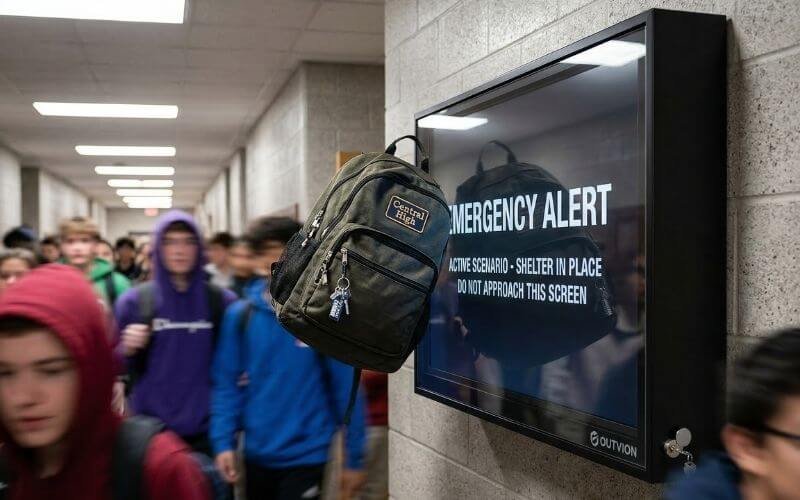
In modern educational facilities, digital signage has evolved from a novelty into a critical infrastructure component. Public school districts and university campuses rely on localized screens for real-time emergency broadcasting, daily student announcements, cafeteria menu boards, and gymnasium scheduling. For school districts, a broken hallway screen is not only an AV issue; it is a communications, safety, and maintenance-budget issue. However, deploying fragile commercial displays into high-traffic, unsupervised student zones creates a massive hardware attrition crisis that rapidly drains specialized educational technology (EdTech) budgets.
Deploying unprotected commercial displays in high-traffic campus zones leads to unsustainable hardware replacement costs due to accidental impacts, deliberate vandalism, and unauthorized tampering. To protect public funding and ensure continuous information broadcasting, school district IT directors should deploy a hardware decoupling strategy. By housing standard commercial screens inside shatter-resistant, lockable IP65 TV cabinets, schools establish a physical security layer that dramatically lowers the Total Cost of Ownership (TCO).
Unlike standard corporate offices, K-12 corridors and university student unions are highly kinetic and unpredictable environments. A screen mounted in a high school hallway is subjected to daily impacts from heavy backpacks, stray athletic equipment, and localized vandalism. Furthermore, exposed input ports present a severe physical network security vulnerability. In this comprehensive technical guide, we will analyze the physical threats specific to educational facilities, review a modeled urban district deployment scenario, and provide a verifiable engineering blueprint for securing campus digital signage while strictly adhering to ADA mounting compliance.
How we evaluate educational and campus TV deployments at Outvion:
- Kinetic impact mitigation against hallway vandalism and sports equipment
- Layer 1 physical security to prevent unauthorized port access and content casting
- TCO optimization aligned with strict K-12 public funding cycles (CapEx vs. OpEx)
- Architectural compliance, specifically ADA protrusion limits for corridors
Last Updated: March. 20th. 2026 | Estimated Reading Time: 8 Minutes
By Smith Chen, Outdoor TV Enclosure Engineer at Outvion
The Financial Reality of Public School AV Budgets
Public school funding operates on rigid Capital Expenditure (CapEx) grants that cannot easily support the continuous replacement of shattered screens. The decoupling strategy separates the protective enclosure from the display itself, helping schools stretch limited EdTech budgets across more sites while lowering future replacement costs.
To understand the engineering requirements for school hardware, facility managers and system integrators must first understand how public education is funded. School districts do not operate with fluid, flexible corporate budgets that easily absorb the cost of replacing broken televisions every semester.
The Capital vs. Operational Budget Trap
In the United States, technology upgrades in public school districts are frequently funded through specific municipal bonds, E-Rate funding, or federal Title I grants.
- The CapEx Limitation: These funds provide a large injection of Capital Expenditure (CapEx) designed specifically to purchase the initial hardware fleet and fund the installation labor. However, once the screens are deployed and the grant cycle closes, the district’s Operational Expenditure (OpEx) budget for ongoing, day-to-day maintenance is notoriously thin.
- The Attrition Drain: In high-traffic secondary schools, repeated breakage and vandalism can quickly turn a low-cost display rollout into an unsustainable maintenance burden. When localized IT funds are depleted, districts are often forced to leave dead, shattered monitors hanging in the hallways for the remainder of the school year, defeating the purpose of the digital communication network.
The Hardware Decoupling Solution
Purchasing dedicated, heavy-duty industrial monitors is financially impossible for most school districts, as these specialized units can consume massive portions of the IT budget per endpoint. The fiscally responsible solution is the hardware decoupling strategy.
- Separating the Asset: Districts purchase a heavy-duty, permanent Outvion polycarbonate TV cabinet and mount a standard, affordable commercial display inside it.
- Optimized Pricing: For a 50–55″ setup, Outvion enclosure reference pricing typically starts in the mid-$400s for Basic configurations. When combined with a standard commercial display, the initial deployment cost is highly manageable under standard bond funding or tech grants.
- Protecting the OpEx: If a screen eventually fails due to natural electronic aging or an extreme power surge, the school’s localized IT staff simply unlocks the permanent protective cabinet and swaps in a cheap replacement screen. This shifts the long-term maintenance from an unsustainable full-hardware repurchase to a highly predictable, low-cost consumable swap.
School District TCO Financial Modeling (100-Unit Fleet)
| Deployment Strategy | Initial CapEx Burden (100 Units) | Hardware Replacement Mechanism | Long-Term TCO Viability |
| Naked Commercial Display | Low | Discard and replace entire unit frequently due to hallway damage. | Unsustainable. Rapid attrition drains localized OpEx budgets. |
| Dedicated Industrial Monitor | Very High | Lengthy procurement; requires replacing the entire expensive unit. | Poor. Impossible to scale across an entire school district. |
| Outvion Cabinet Strategy | Moderate | Unlock cabinet, swap inexpensive internal screen locally. | Optimal. Maximizes grant money; lowest ongoing OpEx. |
Modeled Urban District Scenario: Chicago Public Schools–Style Corridor Deployment
A composite scenario based on large urban school district deployments demonstrates that transitioning from unprotected screens to polycarbonate enclosures drastically reduces screen attrition rates, preserving localized maintenance funds and ensuring continuous emergency messaging.
To illustrate the operational impact of this strategy, we examine a modeled scenario based on challenges commonly faced by large urban districts, such as Chicago Public Schools (CPS) or similar metropolitan educational networks.
The Infrastructure Challenge
In this composite scenario, a massive high school facility serving over 3,000 students initiates a digital modernization project. The IT team deploys 45 commercial displays across primary corridors, the main gymnasium, and the cafeteria. Their goal is to eliminate static paper bulletin boards and provide real-time campus security alerts and bell-schedule updates.
- The Failure Rate: Within the first semester, a significant percentage of the unprotected displays are destroyed. Causes include intentional strikes with combination locks, accidental impacts from overloaded backpacks during crowded class transitions, and stray athletic equipment in the multi-purpose rooms.
- The Network Breach: Furthermore, students frequently unplug the district’s HDMI cables from the hallway screens, connecting their own mobile devices to cast unauthorized, disruptive content during passing periods, forcing the IT team to constantly patrol the hallways to restore the correct inputs.
The Retrofit Intervention
Facing severe maintenance budget depletion, the modeled district’s IT infrastructure team halts the deployment of naked screens and initiates a retrofit program utilizing IP65 protective TV boxes.
- The Execution: The remaining functional screens, along with newly procured replacement units, are housed inside protective polycarbonate enclosures securely bolted to the concrete block (CMU) walls of the corridors.
- The Operational Results: Over the subsequent academic year, the hardware attrition rate drops to near zero. The polycarbonate shields absorb blunt-force impacts without shattering, protecting the displays. Furthermore, the keyed locks on the enclosures eliminate physical tampering with the input ports, ensuring that the digital signage network remains secure and continuously operational for daily announcements and emergency broadcasts.
Kinetic Hazards: The Science of Shatter Resistance
Standard display glass shatters instantly under blunt force, creating a severe physical safety hazard for students. Outvion enclosures utilize an optical-grade polycarbonate shield engineered to yield elastically, absorbing kinetic energy and preventing dangerous glass fragmentation.
In a school environment, the physical safety of the students is the highest liability concern for the administration and the school board. Mounting brittle electronics in high-traffic pedestrian zones introduces an unacceptable kinetic risk.
The Brittleness of Silicate Glass
The viewing surface of standard consumer televisions and digital signage monitors is constructed from silicate glass.
- Low Modulus of Elasticity: Glass is highly rigid and possesses a very low modulus of elasticity. When a student accidentally swings a heavy textbook, or a basketball strikes the screen at high velocity during a physical education class, the glass cannot flex to disperse the kinetic energy.
- Catastrophic Failure: The material suffers catastrophic brittle failure, shattering into hundreds of razor-sharp shards. In a crowded hallway or gymnasium, this presents an immediate laceration hazard to students and triggers a mandatory hazardous cleanup protocol that disrupts the school day and introduces severe liability concerns.
The Polycarbonate Advantage
To mitigate this liability, the physical barrier protecting the LCD panel must be capable of surviving severe blunt force trauma.
- Advanced Material Science: Outvion TV cabinets feature an optical-grade polycarbonate front window. Polycarbonate is widely used in industrial and institutional applications where impact resistance matters, and it is substantially more impact-resistant than standard display glass or basic acrylic (plexiglass).
- Elastic Deformation: Unlike glass, the molecular structure of polycarbonate allows it to deform elastically under mechanical stress. When struck by a heavy object, the shield acts as a sacrificial protective layer. It flexes inward, absorbs the kinetic energy of the impact, and then immediately rebounds to its original shape.
- Preserving Student Safety: While a severe, malicious attack with a sharp tool may cause localized scratching on the polycarbonate surface, it resists shattering. By absorbing the destructive energy, the shield protects the delicate LCD panel behind it and ensures that no dangerous glass shards fall onto the school floor.
Layer 1 Security: Tampering and Port Protection
Unprotected digital signage presents a severe cybersecurity vulnerability via physical port access. Outvion enclosures feature keyed locks and concealed cable routing, establishing a Layer 1 physical security layer that limits port access and tampering.
When school IT administrators discuss network security, they often focus on software firewalls, content filtering, and malware protection. However, the most glaring vulnerability on a school campus is often physical access—commonly referred to in IT infrastructure as Layer 1 security.
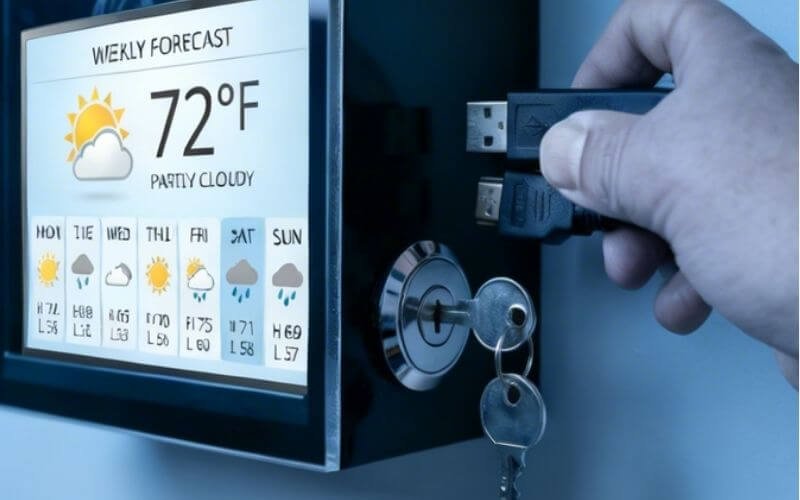
A commercial display mounted in a hallway contains multiple exposed input ports (HDMI, USB, DisplayPort) and physical control buttons.
- The Tampering Risk: In an unsupervised corridor, students can easily reach behind an unprotected display, unplug the school’s digital signage media player, and plug in a personal laptop, smartphone, or unauthorized USB drive.
- The Operational Disruption: This allows bad actors to broadcast inappropriate, disruptive, or offensive content to the entire hallway. Furthermore, exposed USB ports on modern smart displays can sometimes be used to bridge into the school’s broader network if the displays are not properly segmented.
- Hardware Theft: Additionally, students frequently steal the attached HDMI cables, USB power adapters, or streaming sticks (like Roku, ChromeOS, or Apple TV devices) attached to the rear of the screens.
Physical Access Denial
The Outvion TV box completely neutralizes this physical network vulnerability.
- Keyed Locking Mechanisms: The heavy-duty polycarbonate front bezel is secured to the steel rear backplane utilizing integrated keyed side locks.
- Port Isolation: When the cabinet is locked, the internal television, the media player, and all input ports are completely inaccessible to the student body.
- Concealed Cable Routing: Data and power cables are routed strictly through the bottom compression glands or directly into the wall behind the unit. This configuration denies students any physical access to the hardware, establishing a robust Layer 1 physical security layer that ensures the system remains configured precisely as intended by the district IT department.
ADA Compliance and Safe Corridor Mounting Protocols
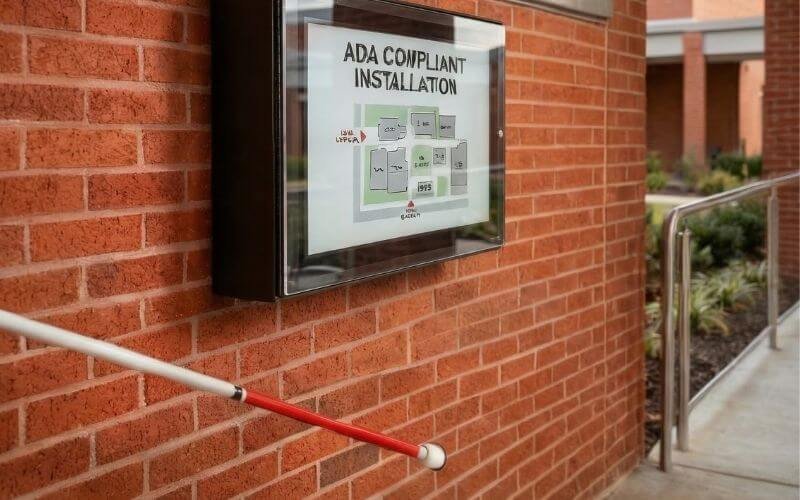
School installations must adhere to strict federal safety codes regarding pedestrian pathways. Under ADA protruding-object guidance, wall-mounted objects with leading edges between 27 inches and 80 inches above the finished floor generally may not protrude more than 4 inches into a circulation path.
When deploying heavy architectural hardware in public educational facilities, the installation must comply with strict building safety regulations, most notably the Americans with Disabilities Act (ADA) in the United States or similar international accessibility standards.
A critical, often-overlooked factor in school AV deployment is the physical footprint of the hardware in pedestrian pathways.
- The Hazard: If an enclosure protrudes too far from the wall, a visually impaired student using a white cane may not detect the object before striking their head or shoulder against it. The cane sweeps the floor, but if the object is mounted higher up, the cane misses it.
- The ADA Standard: Under ADA protruding-object guidance, wall-mounted objects with leading edges between 27 inches and 80 inches above the finished floor generally may not protrude more than 4 inches into a circulation path.
Architectural Solutions for Enclosures
Because a commercial display housed inside a heavy-duty, ventilated TV cabinet will naturally exceed a 4-inch depth, facility engineers must employ specific installation strategies during the design phase.
- Mounting Above the Zone: The enclosure can be mounted so its lowest edge is above the 80-inch height threshold, ensuring ample head clearance for all students and staff passing underneath.
- Structural Recessing: The cabinet can be structurally recessed into the wall architecture (creating an alcove) so that the front face of the enclosure does not violate the 4-inch protrusion limit into the main hallway.
- Cane-Detectable Barriers: If the screen must be mounted lower than 80 inches and cannot be recessed, facility managers can install a permanent, cane-detectable element directly beneath the enclosure (such as a structural shelf, a guardrail, or a built-in planter) that extends to the floor. This allows the sweeping cane to detect the lower barrier, preventing the student from walking into the suspended screen above.
Structural Anchoring in Schools
Furthermore, the mechanical bond between the wall mount and the facility structure must be absolute.
- Hardware Selection: In a school, displays should never be mounted using standard drywall toggles. Public schools are predominantly constructed using Concrete Masonry Units (CMU) or cinder blocks.
- CMU Anchoring: Installers must utilize heavy-duty metal expansion anchors (such as sleeve anchors) drilled directly into the solid face of the concrete block—avoiding the weaker mortar joints. This ensures the heavy cantilevered load remains secure despite the constant vibrations and occasional heavy impacts of the school environment.
Thermal Management in Gyms and Cafeterias
Gymnasiums and cafeterias are often unconditioned spaces subject to severe heat accumulation. To prevent component failure, hotter installations require ventilated configurations sized to the heat load to actively remove waste heat from the enclosure cavity.
While vandal protection and ADA compliance are critical in hallways, displays mounted in large common areas like gymnasiums, cafeterias, and semi-outdoor breezeways face additional environmental engineering challenges, primarily thermal stress.
Thermal Stratification in High-Volume Spaces
Many public school gymnasiums and older cafeterias lack comprehensive air conditioning.
- Heat Accumulation: Warm air is less dense than cold air, causing it to rise toward the ceiling. When digital scoreboards, shot clocks, or announcement screens are mounted high on the walls of a gymnasium for maximum student visibility, they are forced to operate in an elevated heat zone (thermal stratification).
- Hardware Strain: If this ambient heat is combined with the internal heat generated by the TV’s power supply inside a sealed box, the internal temperature will rapidly exceed the operational threshold of the display. This can cause the screen to darken, distort, or suffer permanent panel stress.
Active Airflow Sizing for Campuses
To combat elevated thermal loads in unconditioned spaces, the installation must utilize active, forced-air ventilation to stabilize the micro-climate.
- Evaluating the Zone: In climate-controlled interior hallways, lighter-duty enclosure configurations may be sufficient. However, unconditioned gyms, sunny cafeterias, or semi-outdoor bus-pickup breezeways should favor ventilated Pro or Ultra versions.
- Configuration Sizing: The cooling capacity must scale with the physical volume of the cabinet. In the current Outvion line, ventilated configurations use 2 fans for 28–55″ models and 4 fans for 60″+ models.
- Stabilizing the Micro-Climate: Ventilated versions use active fan airflow that helps remove waste heat from the enclosure cavity, drawing cooler ambient air in and exhausting the heated air out. This engineered airflow ensures that the internal components remain within safe operating parameters, even during crowded, unconditioned summer assemblies.
Campus Environmental & Thermal Threat Matrix
| Campus Zone | Primary Environmental Threat | Thermal Risk Level | Recommended Enclosure Configuration |
| Climate-Controlled Hallways | High kinetic impact, deliberate port tampering | Low Risk | Basic Series (Lighter-duty configurations). |
| Cafeterias / Unconditioned Gyms | Food dust, airborne chalk, elevated temperatures | Moderate Risk | Ventilated configurations (2 fans for 28–55″ models). |
| Semi-Outdoor Breezeways | Direct afternoon sun, humidity, bus exhaust fumes | High Risk | Ventilated Pro or Ultra versions (4 fans for 60″+ models). |
Washdowns, Chalk Dust, and Janitorial Safety
Schools utilize strong chemical disinfectants and floor buffers that can damage low-mounted electronics. The IP65 rating provides a dust-tight seal against airborne particulates and resistance to low-pressure water spray, protecting the hardware during intense janitorial cleaning shifts.
The maintenance of a public school involves rigorous, daily sanitation protocols. Displays mounted in cafeterias, locker rooms, or lower on hallway walls are highly vulnerable to these cleaning processes.
Protection from Janitorial Hazards
School custodial staff frequently use heavy machinery and strong chemicals to maintain sanitary conditions.
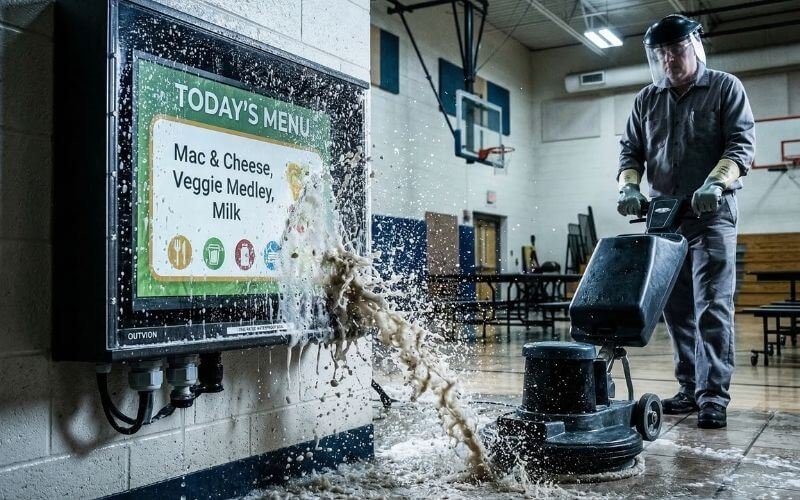
- Chemical Sprays: Desks, lockers, and walls are routinely sprayed with strong disinfectants to mitigate flu outbreaks. If incidental spray reaches the ventilation slots of an unprotected commercial monitor, the liquid can short-circuit the internal logic boards.
- Floor Buffers: Industrial floor scrubbers and buffers generate significant airborne dust and often sling dirty water and wax against the lower portions of the walls.
The IP65 Defense Mechanism
The Outvion enclosure achieves an IP65 rating, which is the precise engineering specification required for this environment.
- Dust-Tight (IP6X): The “6” rating signifies that the unit is completely “dust-tight” under testing conditions. This is highly relevant in gymnasiums (where airborne chalk is prevalent) and cafeterias, preventing fine particulates from settling on the internal heat sinks of the television.
- Water Jet Resistance (IPX5): The “5” rating confirms protection against low-pressure water jets. This means the enclosure can survive incidental splashes from floor buffers or direct hits from custodial spray bottles. Custodians can safely wipe down the exterior polycarbonate shield with mild soap and water without risking damage to the high-voltage electronics inside.
Conclusion: Future-Proofing Educational Technology
In the modern public school system, digital signage is an indispensable tool for campus communication, emergency alerting, and student engagement. However, treating a high school corridor like a corporate boardroom by deploying unprotected, fragile commercial screens is a critical failure of asset management. It turns an affordable display rollout into an unsustainable maintenance burden, draining localized OpEx funds.
Relying on naked commercial displays is financially risky, while purchasing specialized, all-in-one industrial monitors restricts budget flexibility and prevents district-wide scalability. By utilizing the decoupling strategy with an IP65 polycarbonate TV enclosure, school IT directors achieve the optimal balance. This strategy provides rugged physical security against student vandalism, establishes a Layer 1 physical security layer against unauthorized port tampering, and maintains the operational agility required by modern campus tech teams. Implementing this engineered barrier helps ensure that critical communication networks remain operational, lifecycle costs are minimized, and district-wide scalability is achieved without the constant threat of repeated hardware replacement.
K-12 Campus Display Protection FAQ
1. Does the enclosure block WiFi signals for wireless media players?
The polymer and polycarbonate enclosure design often allows wireless players to function normally, though actual Wi-Fi and Bluetooth performance still depends on building materials, signal strength, and device placement. This generally allows school IT departments to confidently use wireless digital signage players (like ChromeOS, Apple TVs, or Roku devices) locked safely inside the box behind the TV.
2. Can the polycarbonate window withstand a direct hit from a basketball?
Yes. Optical-grade polycarbonate is an engineering thermoplastic designed to yield elastically, absorbing massive kinetic energy without shattering. While extreme, deliberate force with a heavy blunt instrument may eventually scratch or dent the shield, it acts as a sacrificial layer to protect the TV and resists shattering into the dangerous, sharp glass fragments associated with standard commercial displays.
3. Do we need to hire specialized technicians to swap a broken TV inside the cabinet?
No. The primary operational advantage of the decoupling strategy is localized serviceability. If the internal commercial display eventually fails due to age, the school’s existing on-site IT staff or facility engineers can simply unlock the cabinet bezel, unbolt the failed display from the internal VESA mount, and install a new screen. It requires no specialized tools beyond standard screwdrivers and minimizes downtime.
Yes. The enclosures feature standard VESA mounting patterns on the internal steel backplane that support both traditional landscape orientation (for standard video and announcements) and portrait orientation (often used for cafeteria digital menu boards or entrance wayfinding signage), depending on your display’s capabilities and thermal venting requirements.
Recommended Technical Reading & Resources
To further understand the engineering standards, funding methodologies, and material science discussed in this guide, we recommend reviewing the following authoritative resources:
- TCO in Educational Technology:Consortium for School Networking (CoSN) – Total Cost of Ownership Strategies
- Industry guidelines for K-12 IT leaders on calculating the true lifecycle costs of educational technology deployments, balancing CapEx and OpEx.
- ADA Compliance in Corridors:U.S. Access Board – Guide to the ADA Accessibility Standards (Protruding Objects)
- The official federal guidelines defining the maximum allowable protrusion limits for wall-mounted objects in public hallways to protect visually impaired individuals.
- Material Science of Polycarbonate:Polycarbonate vs. Acrylic Impact Properties (Curbell Plastics)
- A technical breakdown explaining the modulus of elasticity and why polycarbonate yields and absorbs kinetic energy, making it a superior choice for high-impact campus environments.