
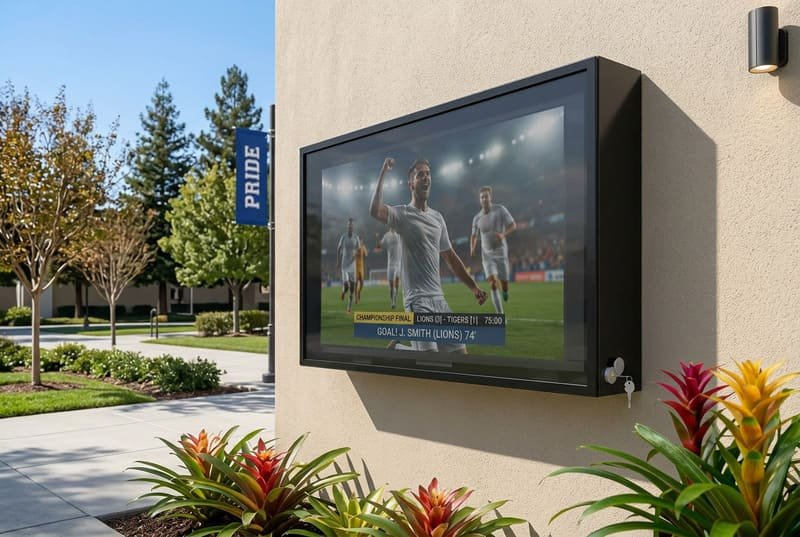
Skoler installerer digitale skjermer overalt, fra korridorer og kantiner til gymsaler, biblioteker, gårdsrom og utendørs fellesområder. Disse skjermene bidrar til å formidle kunngjøringer, nødmeldinger, timeplaner og informasjon om arrangementer. I enkelte sammenhenger med offentlige varsler påpeker også FEMA at lokale myndigheter kan bruke digital skilting for å bidra til å spre varsler og offentlig informasjon. FEMA om offentlige varsler og digital skilting
Men disse campus-skjermene er også utsatt for vær, utilsiktede støt, kabeltilgang, støv og uautorisert tukling.
Et tyverisikkert TV-kabinett beskytter campus-skjermer mot vær, fysiske støt og uautorisert tilgang i områder med mye trafikk. Dette bidrar til å redusere vedlikeholdskostnader, forhindre nedetid og holde skjermene tryggere og mer pålitelige for studenter, ansatte og besøkende på steder som gymsaler, korridorer, kantiner og utendørs fellesområder.
I mine samtaler med skolens driftssjefer og AV-integratorer dukker et felles tema opp. De investerer i lyse, vakre digitale skjermer for å kommunisere med studenter, men så innser de at disse skjermene skal inn i ganske tøffe miljøer.
En campus er ikke et stille kontorbygg. Det er et dynamisk rom fullt av bevegelse, sportsaktivitet, renholdsrutiner, studenttrafikk, offentlig tilgang, og noen ganger værpåvirkning. Den første bekymringen er ofte regn eller grunnleggende skjermskader, men de reelle risikoene er bredere.
En ting jeg alltid minner skolekjøpere om: en campus er ikke ett miljø. Et gym, en korridor, en kafeteria, et bibliotek og en utendørs gårdsplass skaper alle ulike risikoer for en skjerm. CISAs K-12 School Security Guide-ressurser understreker viktigheten av å vurdere sårbarheter og styrke sikkerhetsplanlegging på tvers av skolesamfunn. CISA K-12 School Security Guide-produktserie
Det er ikke nok å velge kabinett kun etter TV-størrelse. Du må velge etter risikonivået på plasseringen.
Vi skal bryte ned hva disse risikoene er og hvorfor et formålsbygget kabinett ofte er den mest praktiske måten å holde disse viktige kommunikasjonsverktøyene i drift.
Sist oppdatert: 28. april 2026 | Estimert lesetid: 7 minutter
Av Smith Chen, utendørs TV-kabinett-ingeniør hos Outvion
Hva er de reelle risikoene for campus-skjermer?
Du tror kanskje et enkelt værbestandig deksel er nok for en campus-skjerm. Men hva skjer når en løs basketball treffer den, en ryggsekk støter borti den, eller nysgjerrige studenter begynner å trykke på knapper og koble fra kabler?
De primære risikoene for campus-skjermer går langt utover regn. De inkluderer fysiske støt fra sport eller korridortrafikk, uautorisert tilgang til knapper og porter, støvoppbygging, fuktighetseksponering, kabelmanipulering, og sporadisk hærverk i semi-overvåkede områder. Å håndtere disse risikoene er avgjørende hvis skjermen skal forbli online, trygg og nyttig hver dag.
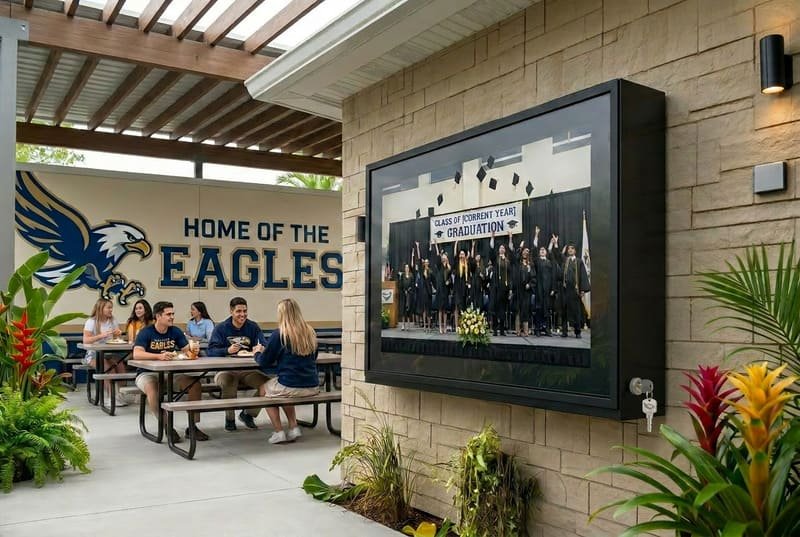
En av de største feilene vi ser i campus-display-prosjekter er å undervurdere miljøet. En skole kan være et trygt sted for mennesker, men det er ikke alltid et skånsomt sted for elektronikk.
Skjermer installeres ofte i gymsaler, kafeteriaer, korridorer, biblioteker, utendørsområder og studentsentre. Dette er alle områder med høy trafikk der skjermer kan bli støtt, berørt, utsatt for støv, eller betjent av personer som ikke bør justere innstillingene.
Problemet er ikke bare en enkelt trussel som regn. Det er en kombinasjon av risikoer som kan føre til skjermskader, feilbruk eller fullstendig nedetid. En omfattende beskyttelsesstrategi starter med å forstå de spesifikke farene som finnes i ulike deler av et campus.
Harwards beste praksis for digital skilting understreker viktigheten av å begrense administrativ tilgang og beskytte systemer for digital skilting med kontrollert tilgang og sikkerhetstiltak. Harwards beste praksis for digital skilting
Fysisk påvirkning og utilsiktet skade
På steder som gymsaler, basketballbaner, flerbruksrom og travle korridorer er den største trusselen ofte utilsiktet støt.
Vi har snakket med skoleinnkjøpere og idrettsanleggsoperatører som er bekymret for at basketballer, volleyballer, utstyrstraller, rengjøringsverktøy eller til og med en students ryggsekk skal treffe en ny skjerm. En vanlig TV-skjerm er ikke designet for den typen offentlig miljø.
Et kabinett med et slagfast, splintsikkert frontpanel fungerer som et skjold. Det bidrar til å absorbere kraften fra vanlige støt og beskytter den skjøre LCD-panelet bak. Dette kan gjøre en kostbar skjermutskifting til en mindre overflatehendelse.
Jeg unngår å bruke ordet «hærverk-sikker» for løst. Ingen kabinett kan gjøre en skjerm umulig å skade. En bedre måte å tenke på det er risikoreduksjon: gjør uautorisert tilgang vanskeligere, beskytt skjermen mot vanlige støt, sikre kablene, og reduser sjansen for nedetid.
Studenter er naturlig nysgjerrige. En ubeskyttet TV i et studentsenter, korridor, bibliotek, kafeteria eller gymsals lobby er en åpen invitasjon for noen til å trykke på knapper, endre inngangen, trekke ut en kabel eller få tilgang til TV-portene.
Dette kan høres ut som et lite problem, men for en skole kan det raskt bli et vedlikeholdsproblem. En skjerm som skal vise kunngjøringer kan plutselig vise feil inngang. En kabel kan bli dratt løs. En fjernsensor kan bli blokkert. Personalet kan måtte sende inn gjentatte serviceforespørsler.
Etter vår erfaring må skoler kontrollere tilgangen til TV-ens porter, knapper og kabler. Et godt manipulasjonssikkert kabinett bruker en låsbar struktur, beskyttet kabelruting og en frontdesign som begrenser direkte tilgang til skjermen. Dette bidrar til å holde skjermen på ønsket innhold og reduserer unødvendige servicebesøk.
Miljøfaktorer utover regn
Mange fokuserer kun på vanntetting, men skjermer på campus møter også støv, varme, fuktighet, eksponering for rengjøring og luftstrømproblemer.
I et skoleverksted, makerspace, kunstrom eller gymsal kan støv hope seg opp rundt ventiler og redusere luftstrømmen. I et svømmebassengbygg, område nær kjøkken eller fuktig utendørskorridor kan fuktighet påvirke elektronikk over tid. For skjermer plassert utendørs kan direkte sollys og varmt vær skape varmeoppbygging rundt TV-en. Sony anbefaler å bruke TV-er innenfor et temperaturområde på 0 °C til 40 °C / 32 °F til 104 °F og unngå direkte sollys. Sony TV-temperaturveiledning
Et riktig utformet kabinett bør vurdere mer enn bare et tak eller en lås. Det trenger riktig IP-klassifisering, forseglede kabelutganger, kjølevifter når nødvendig, og et materiale som tåler langvarig offentlig bruk.
Den internasjonale elektrotekniske kommisjonen forklarer at IP-klassifiseringer graderer motstanden til et kabinett mot inntrengning av støv eller væsker. IEC IP-klassifiseringer
| Plassering | Primære risikoer | Anbefalt beskyttelse |
|---|---|---|
| Gymnastikksal | Støt fra baller, støv, vibrasjoner | Slagfast frontpanel, sikker montering, forseglet design |
| Gang / Kantine | Uhellsstøt, sabotasje, kabeltilgang | Slank profil, låsbar front, strukturert kabelhåndtering |
| Utendørs Quad | Regn, sol, støv, offentlig tilgang | IP65-klassifisert kabinett, aktive kjølevifter, sikre låser |
| Bibliotek / Fellesområde | Knappetilgang, kabelutkobling, lett sabotasje | Låsbart design og beskyttede porter |
| Verksted / Maker Space | Støv, rusk, utilsiktet kontakt | Forseglet kropp og lett rengjørbar overflate |
| Basseng / Fuktig område | Fuktighet, korrosjonsrisiko, rengjøringseksponering | Ikke-metallisk kropp, forseglede kabelutganger, god ventilasjon |
For ganginstallasjoner ser jeg også på profildybde og gangavstand. Et slankt kabinett er viktig fordi skjermen ikke skal bli et nytt hinder i en travel korridor. Beskyttelse er viktig, men installasjonen må også passe naturlig inn i flyten på campus.
Er ikke en enkel låst boks god nok?
Du trenger å beskytte en TV, og en enkel metall- eller plastboks virker som en billig løsning. Men en dårlig designet boks kan fange varme, blokkere luftstrøm, gjøre vedlikehold vanskelig, eller fortsatt etterlate svake punkter rundt låser og kabler.
Nei, en enkel låst boks er vanligvis ikke nok for en campus-skjerm. Den kan beskytte mot tilfeldig berøring, men mangler ofte riktig ventilasjon, slagfast frontbeskyttelse, kabelhåndtering og anti-bruddstruktur. Et konstruert sabotasjesikkert kabinett er et komplett system designet for luftstrøm, slagbeskyttelse, kontrollert tilgang og langsiktig offentlig bruk.
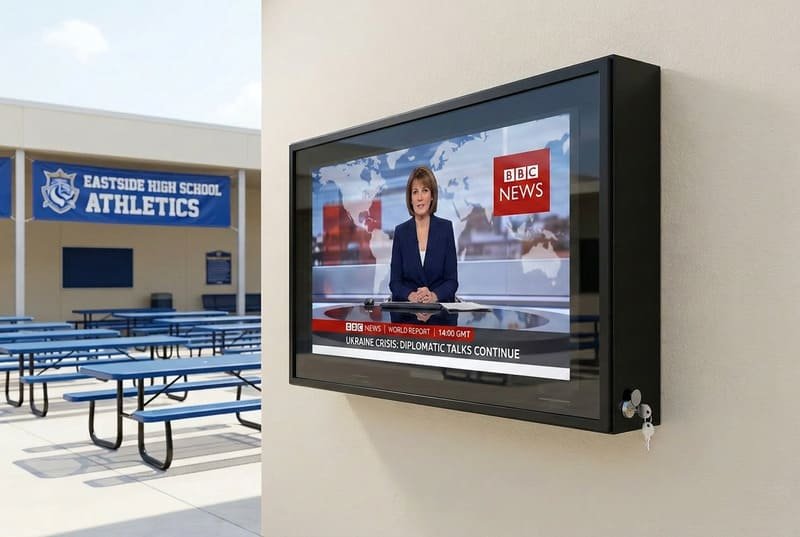
Vi får ofte henvendelser fra skolekjøpere som sammenligner våre kabinetter med grunnleggende bokser de har sett på nettet. På overflaten kan de virke like. Begge omgir TV-en. Begge kan ha en lås. Begge kan se ut som et beskyttende skall.
Men forskjellen ligger i ingeniørkunsten.
En TV er en elektronisk enhet som genererer varme. Hvis du bare setter den inn i en forseglet boks uten luftstrømplan, kan boksen fange varme rundt skjermen. Dette blir et større problem i utendørs gårdsrom, solrike ganger, idrettshaller uten sterk kjøling, eller bygninger med sesongmessige temperatursvingninger.
Et ekte kabinett er ikke bare en boks. Det er et system.
Problemet med overoppheting
En TV trenger luftstrøm. De interne komponentene genererer varme under drift, og denne varmen må ha et sted å gå.
Når du plasserer en standard TV i en dårlig ventilert boks, kan varme hope seg opp rundt skjermen og elektronikken. På en varm dag kan den interne temperaturen stige raskere enn forventet. Dette kan føre til at skjermen blir svakere, viser mørke områder, viser en temperaturadvarsel eller slår seg av.
Våre Pro- og Ultra-serier med kabinetter er designet med aktive kjølesystemer. Avhengig av størrelsen kan kabinettet bruke doble eller fire vifter for å hjelpe med å flytte varm luft ut og føre kjøligere luft gjennom kabinettets bane.
Jeg foretrekker å beskrive dette nøye. Vifter gjør ikke kabinettet kaldt, og de løser ikke alle installasjonsproblemer. Men de bidrar til å redusere varmeopphopning rundt TV-en, spesielt på varme eller solrike steder. God luftstrøm, riktig innvendig avstand, skygge og skjermstørrelse spiller alle en rolle.
Sikkerhet gjennom design
Når vi snakker om manipulasjonsmotstand, snakker vi ikke bare om en lås. Vi snakker om hele strukturen.
Mange grunnleggende bokser kan fortsatt være svake rundt døren, låsen, hengslet, kabelutgangen eller monteringspunktene. Hvis døren kan bøyes, hvis låsen bare sikrer ett lite punkt, eller hvis kabler er utsatt under, er skjermen fortsatt sårbar.
Et formålsbygget kabinett bør gjøre tilfeldig manipulasjon vanskeligere ved å kombinere:
- Låsbar fronttilgang
- Sterk hengsel- og dørstruktur
- Beskyttede kabelutganger
- Skjulte eller håndterte monteringspunkter
- Et frontpanel som beskytter skjermen
- Et kroppsmateriale egnet for offentlige miljøer
- Tilstrekkelig ventilasjon for elektronikk
Denne typen design lover ikke at skade er umulig. I stedet reduserer den vanlige feilpunkter og gjør skjermen vanskeligere å misbruke eller forstyrre.
Materialvitenskap og sikkerhet
Valget av materiale er viktig for et campusmiljø. Glass eller tynne akrylfrontpaneler kan sprekke eller knuse under støt. Metallkabinetter kan være sterke, men de kan tilføre vekt, skape skarpe kanter hvis de blir skadet, eller kreve korrosjonskontroll i fuktige eller kystnære områder.
Vi bruker polykarbonat fordi det gir en god balanse mellom slagfasthet, lavere vekt, synlighet og utendørs holdbarhet. Covestro beskriver utendørskvalitet polykarbonat som egnet for tøffe utendørsmiljøer og fremhever slagfasthet, holdbarhet og stabilitet under krevende forhold. Covestro utendørs polykarbonat
Det betyr ikke at hvilken som helst plastboks er god nok. Polykarbonat må ikke forveksles med vanlig tynn plast eller billig akryl. En TV-kabinett for campus trenger fortsatt tilstrekkelig veggtykkelse, riktig forming, UV-stabilt materiale, presise pakningskanaler og en kjøledesign som matcher TV-størrelsen.
Målet er ikke bare å beskytte TV-en. Målet er å beskytte campusmiljøet rundt den. Hvis frontpanelet på kabinettet blir truffet, bør det bidra til å redusere farlig bruddrisiko samtidig som skjermområdet holdes kontrollert og trygt.
Hvordan velger du riktig kabinett for en skole?
Du vet at du trenger et kabinett, men alternativene kan være forvirrende. Hvis du velger feil størrelse, IP-klassifisering, kjølesystem eller låstype, kan det hende det ikke passer til TV-en din eller gir den beskyttelsen campus faktisk trenger.
For å velge riktig kabinett, må du først bekrefte TV-ens dimensjoner, dybde og VESA-monteringsmønster. Deretter må du matche kabinettets IP-klassifisering med plasseringen, for eksempel IP65 for utsatte utendørsområder. Til slutt bør du vurdere aktiv kjøling, låsedesign, kabelhåndtering, slagfasthet på frontpanelet, og om installasjonen er i en gang, gymsal, bibliotek eller utendørs gårdsplass.
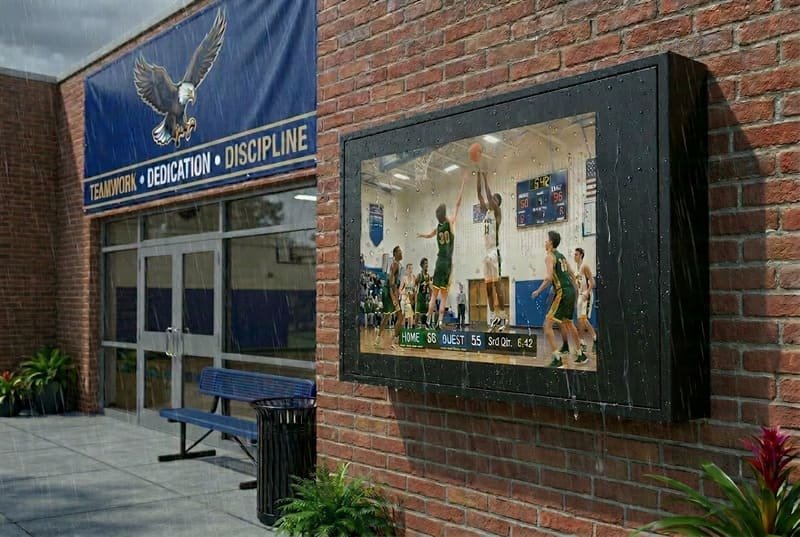
Å hjelpe skoler og deres AV-partnere med å velge riktig produkt er en stor del av det vi gjør. Målet er å finne den rette matchen for den spesifikke TV-en og det spesifikke stedet der den skal installeres.
Å få dette riktig fra starten sparer mye tid og potensielle problemer senere. Det er en enkel prosess hvis du deler den opp i noen få nøkkeltrinn: kompatibilitet, miljø og sikkerhet.
Trinn 1: Sjekk størrelse og VESA-kompatibilitet
Det aller første trinnet er å sørge for at TV-en fysisk passer.
Du må sjekke:
- Skjermstørrelse, for eksempel 43″, 55″ eller 65″
- Total TV-bredde
- Total TV-høyde
- Maksimal TV-dybde
- Kabelplassering
- Strømpluggens retning
- VESA-monteringsmønster
VESA-mønsteret er standardsettet med fire skruehull på baksiden av TV-en som brukes til montering. Ergotron forklarer at VESA-standarden definerer grensesnittet med fire hull på baksiden av skjermer og skruene som brukes til disse hullene. Ergotron VESA-monteringsguide
Våre kapslinger er designet for å støtte vanlige VESA-monteringsmønstre, men det er fortsatt viktig å bekrefte kompatibilitet før bestilling. Noen TV-er har uvanlige portplasseringer eller tykkere nedre seksjoner, som kan påvirke innvendig klaring.
Trinn 2: Match IP-klassifiseringen til miljøet
IP-klassifisering (Ingress Protection) forteller deg hvor godt en kapsling beskytter mot faste stoffer som støv og væsker som vann. Det er ikke en løsning som passer for alle.
- IP54 / IP55: Egnet for mange halvbeskyttede områder, som overbygde korridorer, støvete innemiljøer eller delvis skjermede rom.
- IP65: Bedre for helt utsatte utendørsområder der kapslingen kan utsettes for regn, støv, sprinklere eller regelmessig rengjøring.
IP65 betyr at kapslingen er støvtett og beskyttet mot vannstråler under definerte testforhold. Det betyr ikke at kapslingen er damptett, kondenssikker eller egnet for neddykking. Beskyttelse i virkeligheten avhenger også av korrekt installasjon, pakningskompresjon, låser, hengsler og forseglede kabelutganger.
Å velge riktig IP-klassifisering hjelper deg å unngå to problemer: å betale for mye for beskyttelse du ikke trenger, eller å underbeskytte en dyr skjerm i et tøft miljø.
Trinn 3: Vurder klima- og sikkerhetsbehovene dine
Til slutt, tenk på det lokale klimaet og sikkerhetskravene for området ditt.
Hvis skjermen vil være i direkte sollys eller i et område med varme somre, anbefales en kapsling med aktive kjølevifter på det sterkeste. Hvis skjermen skal være utendørs året rundt i kalde områder, må du kanskje vurdere drift ved lave temperaturer og TV-ens egne spesifikasjoner.
For sikkerhet, vurder hvem som trenger tilgang til TV-en. En skjerm i en korridor kan bare trenge sporadisk vedlikeholdstilgang. En skjerm i et treningsstudio eller en utendørs gårdsplass kan trenge sterkere låser, beskyttede kabler og et slagfast frontdeksel.
Våre doble låsesystemer er utformet for å begrense uautorisert tilgang, men ulike anlegg kan ha ulike protokoller. Planlegging for disse faktorene sikrer at skjermen forblir operativ, sikker og enklere å vedlikeholde.
| Sjekklisteelement | Hva du bør se etter | Hvorfor det er viktig |
|---|---|---|
| TV-pasning | Sjekk TV-ens dimensjoner, dybde og VESA-mønster | Sikrer at TV-en kan monteres sikkert inni |
| IP-klassifisering | IP55 for overbygde områder, IP65 for utsatte utendørsplasseringer | Hjelper med å forhindre skade fra støv, regn og sprinklere |
| Kjøling | Aktive vifter for varme eller solrike steder | Hjelper med å redusere varmeoppbygging rundt TV-en |
| Sikkerhet | Doble låser, beskyttede kabler, anti-bryt-struktur | Reduserer uautorisert tilgang og sabotasje |
| Materiale | Knusebestandig frontpanel i polykarbonat | Forbedrer slagbeskyttelse og studentsikkerhet |
| Installasjonsområde | Gang, gymsal, kantine, gårdsplass, bibliotek | Ulike steder skaper ulike risikonivåer |
| Vedlikeholdstilgang | Enkel autorisert tilgang, kontrollert kabelruting | Reduserer servicetid og unødvendig nedetid |
FAQ
Hva betyr manipulasjonssikker for et TV-kabinett?
Manipulasjonssikker betyr at kabinettet er designet for å redusere uautorisert tilgang til TV-en, kabler, knapper, porter og monteringsområdet. Det inkluderer vanligvis låsbar tilgang, beskyttet kabelruting, et sterkt frontpanel og en struktur som gjør tilfeldig innblanding vanskeligere. Det betyr ikke at skjermen er umulig å skade.
Er en låst boks nok for en skjerm på en skole?
En enkel låst boks kan hjelpe i lavrisikoområder, men den er vanligvis ikke nok for travle campusområder. Skoleskjermer trenger også luftstrøm, slagbeskyttelse, kabelhåndtering, sikker montering og stedsspesifikk værbeskyttelse. En dårlig ventilert boks kan skape varmeproblemer, selv om den har lås.
Trenger skole-TV-kabinetter IP65?
Ikke alltid. IP65 er nyttig for utendørs gårdsplasser, utsatte gangveier, områder nær sprinklere, eller steder med mye støv- og fuktighetseksponering. For overbygde korridorer eller innendørs støvete områder kan IP54 eller IP55 være tilstrekkelig. Riktig IP-klassifisering avhenger av hvor skjermen er installert.
Kan et TV-kabinett beskytte mot basketballstøt?
Et godt designet kabinett med et slagfast polykarbonat-frontpanel kan bidra til å beskytte skjermen mot vanlige utilsiktede støt, som baller eller støt i en gymsal. Imidlertid bør ingen kabinett beskrives som helt skadesikkert. Det reduserer risiko; det eliminerer ikke all mulig skade.
Hvorfor er kabelbeskyttelse viktig for campus-skjermer?
Eksponerte kabler er lette å koble ut, dra i, skade eller misbruke. I et campusmiljø hjelper beskyttet kabelruting med å holde skjermen på riktig inngang, reduserer servicehenvendelser og hindrer studenter eller besøkende i å få tilgang til porter de ikke bør røre.
Hva bør skoler sjekke før de bestiller et TV-kabinett?
Skoler bør sjekke TV-ens bredde, høyde, dybde, VESA-mønster, installasjonssted, IP-klassifiseringsbehov, kjølingskrav, låsedesign, kabelruting, veggstyrke og gangavstand. Kabinettet bør matche både TV-en og campusmiljøet.
Konklusjon
Skjermer på campusområder står overfor risikoer langt utover dårlig vær. De befinner seg i områder med høy trafikk og delvis tilsyn, hvor utilsiktede støt, uautorisert tilgang, støv, fuktighet, varme og tukling med kabler kan skape problemer.
En spesialbygd, manipulasjonssikker TV-kapsling er en smart investering fordi den beskytter skjermen, reduserer nedetid og kontrollerer langsiktige vedlikeholdskostnader. Det er ikke bare en låst boks. Det er et beskyttelsessystem som kombinerer slagfaste materialer, sikker tilgang, kontrollert luftstrøm, kabelbeskyttelse og stedsspesifikk værbestandighet.
Slik forklarer jeg det til kjøpere i skolesektoren, enkelt og greit:
En skjerm på et campusområde trenger ikke bare å være synlig. Den må tåle campusmiljøet.
For gymsal, korridorer, kantiner, bibliotek, gårdsrom og utendørs fellesområder hjelper riktig kapsling med å holde skjermen trygg, funksjonell og klar til å formidle informasjon når studenter og ansatte trenger det som mest.