
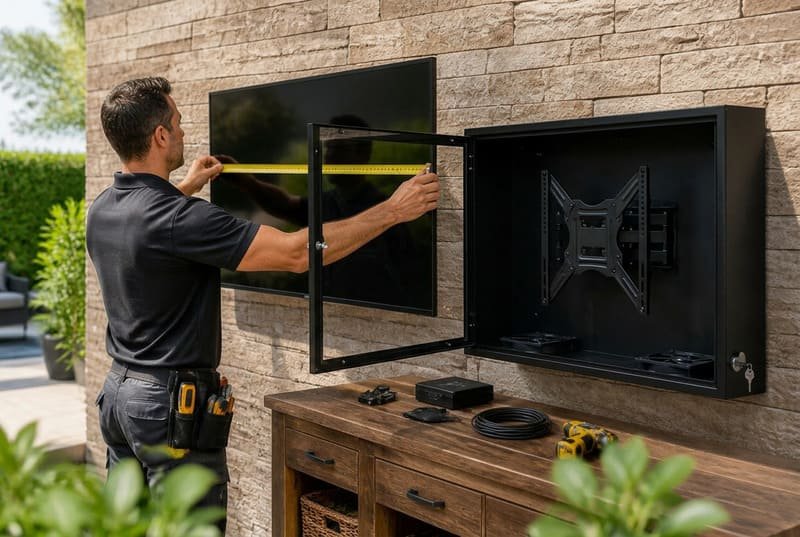
Choosing an outdoor TV enclosure seems simple, but getting it wrong can be costly. You need to protect your TV from weather, dust, heat, humidity, and impact without creating new problems around fit, airflow, cable clearance, or installation.
Buying the right outdoor TV enclosure means checking more than screen size. You need to verify the TV’s actual width, height, and depth, confirm VESA and cable clearance, match the IP rating and material to your climate, check the fan cooling system, and plan the wall installation before ordering.
In my years of manufacturing outdoor TV enclosures and speaking with customers, I have seen the same issues again and again.
A restaurant owner in a coastal town buys an enclosure for a 65-inch TV, only to find that salt air attacks the hinges and hardware after a few months. An AV integrator orders twenty units for a hotel project, then discovers the TV’s power plug does not have enough clearance inside the enclosure. A homeowner buys by screen size alone and later realizes the TV is too deep for the front cover to close correctly.
These are expensive, frustrating problems that are usually avoidable with the right pre-purchase checks.
The goal is not just to find a box that fits. The goal is to find a complete protection solution that matches your specific TV, environment, cooling needs, and installation conditions.
Let’s walk through the five critical checks we use internally to help our customers get it right the first time.
This guide is not a general introduction to outdoor TV enclosures. It is a pre-purchase checklist for buyers who already plan to buy one but want to avoid fit, cooling, IP rating, cable, and installation mistakes.
Last Updated: May 4, 2026 | Estimated Reading Time: 9 minutes
By Smith Chen, Outdoor TV Enclosure Engineer at Outvion
Is Matching the Screen Size Enough to Guarantee a Perfect Fit?
You found an enclosure that says it fits a 55-inch TV. Your TV is 55 inches, so it should fit perfectly. But what if the enclosure arrives and the TV simply will not go in?
No, matching the screen size is not enough. You must measure your TV’s exact external width, height, and depth. These physical dimensions, not the diagonal screen size, determine whether the TV will fit inside the enclosure’s usable internal space.
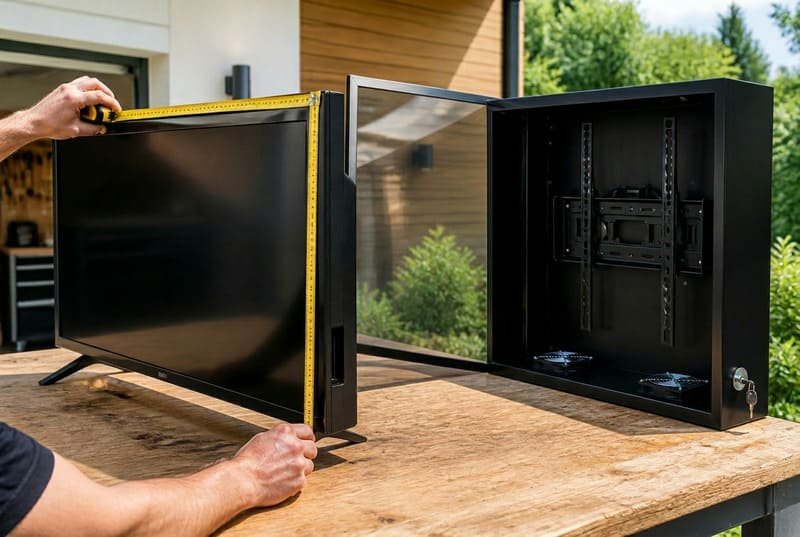
In our daily customer consultations, the first question is almost always: “I have a 65-inch TV. Which enclosure do I need?”
That is a logical starting point, but it is not enough.
The “65-inch” number is a diagonal screen measurement. It does not tell us the TV’s total width, total height, bezel size, speaker position, rear housing shape, or depth. LG’s TV size guide also reminds buyers that the screen size is measured diagonally and does not include the bezel, so the total width, height, and depth still need to be checked in the product specifications. LG TV size guide
From our manufacturing experience, relying on screen size alone is the number one cause of fit problems. Two different 65-inch TVs from two different brands can have different physical footprints. Even two TVs from the same brand may have different depths because of speakers, ports, or the rear housing.
Before you even browse for an enclosure, measure your TV and compare it against the enclosure’s internal usable dimensions, which any reputable manufacturer should provide.
The Three Measurements That Matter
| Measurement | Why It Matters for Fit |
|---|---|
| Overall Width | The TV must be narrower than the enclosure’s internal usable width. If the TV is wider than the usable space, the enclosure simply will not work. |
| Overall Height | The TV’s total height, including bezel, speakers, or branding area, must fit inside the enclosure’s internal height. |
| Overall Depth | The TV’s thickness must fit inside the enclosure, but you also need extra space for VESA mounting, cables, and airflow. |
Getting these three measurements correct before ordering can save a lot of frustration. It is the foundational check that prevents the most common fitment problem.
Will My TV’s VESA Mount and Cables Actually Fit Inside?
Your TV’s width and height fit, so you are ready to buy. But have you checked the VESA mount, screw heads, spacers, cable plugs, and power connector direction?
Not always. You must account for internal clearance around the VESA mounting bracket, screw heads, spacers, cable connectors, and the TV’s rear profile. Older, thicker TVs or TVs with uneven backs often require more depth than the basic measurement suggests.
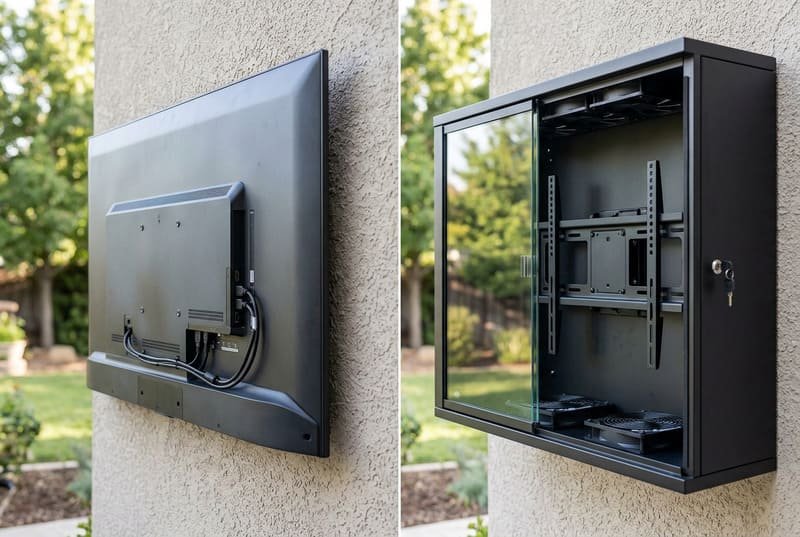
From our after-sales feedback, the second most common fit problem is not the TV’s width or height. It is the hardware and cable space behind the TV.
A TV may seem to fit based on its outer dimensions. But during installation, the customer realizes the power cable is being squeezed, the HDMI cable cannot bend, or the VESA bracket hits the back of the enclosure.
The back of your TV is not always flat. It may have a VESA mounting pattern, rear-facing ports, side-facing ports, speakers, and a thicker lower section where the power board and electronics are housed.
Ergotron explains that the VESA mount standard defines the dimensions of the four-hole attachment interface on the back of displays and the screws used for those holes. Ergotron VESA Mount Guide
Critical Clearance Checks
| Clearance Item | What to Check | Why It Matters |
|---|---|---|
| VESA Pattern | Common patterns include 200×200, 300×300, 400×400, and 600×400 mm. | The enclosure’s internal bracket must support your TV’s mounting pattern. |
| Bracket and Spacers | Check the thickness added by screws, spacers, and the bracket. | These parts increase the total depth required inside the enclosure. |
| Rear Profile | Look for a bulge or thicker section on the back of the TV. | A rear bulge may reduce usable clearance and block the front cover. |
| Cable Direction | Check whether HDMI, power, USB, and coaxial ports face backward or sideways. | Rear-facing ports often need extra space for cable bending. |
| Cable Bend Radius | Avoid forcing cables into a sharp bend. | Crushed or sharply bent cables may cause connection failures or long-term damage. |
For power connections, I prefer to be careful with the wording. I do not tell customers that every tight cable bend will cause a fire. But damaged or overloaded electrical cords can create safety risks. The U.S. Consumer Product Safety Commission warns that damaged extension cords can cause fires and that cords should be used as specified. CPSC extension cord safety
A practical tip we often share with customers is to consider right-angle HDMI, coaxial, or power adapters when space is tight. They are inexpensive and can solve many installation headaches.
Before you finalize your order, add extra clearance to your TV’s depth measurement to create a more realistic “total required depth.” This accounts for the mounting bracket, screw heads, cable connectors, and airflow space.
Is a High IP Rating the Only Thing I Need for Weather Protection?
You see an IP65 rating and feel confident your TV is safe from the elements. But what about coastal salt air, high humidity, fine dust, or a location where sprinklers or cleaning spray may reach the enclosure?
No, an IP rating is only the starting point. IP65 means the enclosure is dust-tight and protected against water jets under defined test conditions, but you still need to consider material, gasket quality, cable sealing, corrosion resistance, UV exposure, and your specific environment.
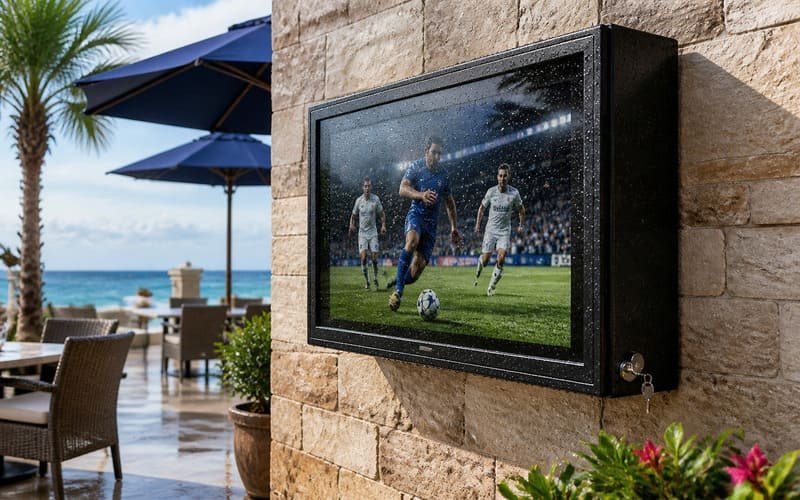
As a manufacturer, we see orders from many different climates: snowy resorts, humid patios, coastal bars, dusty courtyards, poolside hotels, and restaurant terraces exposed to daily cleaning routines.
Each environment creates a different risk.
An IP rating is important, but it does not tell the whole story. The International Electrotechnical Commission explains that IP ratings grade the resistance of an enclosure against the intrusion of dust or liquids. IEC IP Ratings
For outdoor TV enclosures, IP65 is a common and useful target. It means the enclosure is dust-tight and protected against water jets under defined test conditions. However, IP65 does not mean the enclosure is vapor-proof, condensation-proof, chemical-proof, or submersible. Real-world protection still depends on gasket compression, cable exits, lock pressure, installation angle, and maintenance.
The IP rating also does not tell you how the enclosure material will behave over time.
We have seen cases where powder-coated steel enclosures looked strong at first, but scratches, seams, screw holes, hinges, or fasteners became weak points in coastal air. FEMA’s coastal construction guidance highlights the importance of corrosion-resistant metal connectors and fasteners in coastal areas, which is a useful reminder that salt air can be aggressive on exposed metal parts. FEMA coastal corrosion guidance
For coastal areas, a polycarbonate body is often a lower-maintenance choice because the enclosure body does not rust like steel. However, locks, hinges, screws, and mounting hardware still need corrosion-resistant design.
Covestro describes Makrolon polycarbonate as robust, lightweight, glass-like in transparency, and impact resistant even at low temperatures. Covestro Makrolon polycarbonate
Matching Protection to Your Environment
| Environmental Threat | Key Protection Feature to Look For | My Experience & Recommendation |
|---|---|---|
| Heavy Rain / Snow | IP65-rated design, gasket compression, sealed cable exits | IP65 is a strong baseline for exposed outdoor areas, but installation quality still matters. |
| Coastal Salt Air | Polycarbonate body, corrosion-resistant hardware | Body rust risk is lower with polycarbonate, but hardware still needs protection. |
| Fine Dust / Sand / Pollen | Dust-tight IP6X protection and protected fan path | Dust can enter ordinary TV vents, so a sealed enclosure is valuable in dusty locations. |
| High Humidity | Sealed body, correct cable exits, airflow design | Sealing helps reduce exposure, but no enclosure should be described as vapor-proof. |
| Poolside / Cleaning Exposure | IP-rated body, easy-clean surface, sealed cable routing | Cleaning spray and pool humidity should be considered during material selection. |
| Direct Sun | UV-stable material and active cooling | Weatherproofing alone is not enough if heat is not managed. |
Your environment dictates the long-term protection you need. An IP rating is a prerequisite, but material, gasket design, cable sealing, and cooling determine whether the enclosure performs well season after season.
How Do I Stop the TV from Overheating in the Summer?
Your enclosure may protect the TV from rain, but what about heat? A dark enclosure in summer sun can trap warm air and create a new problem for the TV inside.
Look for an enclosure with an active cooling system and a planned airflow path. Fans, thermostat control, internal spacing, shade, enclosure color, and TV size all affect heat management. For larger TVs or high-heat locations, stronger fan configurations are usually safer.
This is a conversation I have all the time, especially with clients in Arizona, Texas, Florida, the Middle East, and sunny coastal locations. They are right to worry about heat.
An outdoor TV enclosure faces a double heat challenge:
- The TV generates heat during operation.
- The outdoor environment adds heat from sun, air temperature, and nearby surfaces.
Sony advises using TVs within a temperature range of 0°C to 40°C / 32°F to 104°F and avoiding direct sunlight. Sony TV temperature guidance
This is why cooling is not an optional detail. It is part of the protection system.
A passive box with only small vents may not be enough in many climates. You need controlled airflow. Siemens’ enclosure thermal design guide discusses cooling options for electronics enclosures, including passive cooling, forced convection fan cooling, sealed systems, fan selection, venting, and temperature-controlled solutions. Siemens enclosure thermal design guide
For an outdoor TV enclosure, the practical goal is not to make the inside “cold.” The goal is to reduce heat buildup around the TV.
In our pre-shipment checks, we test the fan system because we know it is a critical component. But I also explain to customers that fans are only one part of the heat strategy.
You should check:
- Number of fans
- Fan position
- Intake and exhaust path
- Thermostat control
- Internal space around the TV
- Whether the enclosure will face direct sun
- TV size and operating hours
Fan Configuration Guide
| Situation | Heat Risk | Cooling Recommendation |
|---|---|---|
| Shaded Residential Patio | Low to Medium | Fan cooling is still useful, especially in summer. |
| Standard Outdoor Use up to 55″ | Medium | Dual-fan systems are often suitable when airflow is well designed. |
| 60–65″ TV or Larger | Higher | More airflow is usually needed because larger TVs generate more heat. |
| High-Heat Regions | High | Quad-fan configuration can provide stronger airflow when paired with a good air path. |
| Commercial Patio / Sports Bar | Very High | Strong fan system, shade planning, and longer-duty operation should be considered. |
When you speak with a manufacturer, do not only ask, “Does it have fans?” Ask:
- How many fans does it use?
- Are they thermostat-controlled?
- Where are the intake and exhaust paths?
- Is there enough internal clearance behind the TV?
- Is the fan setup different for 50–55″, 60–65″, and larger sizes?
This shows you understand that cooling is an engineering issue, not a sales feature.
Is Installing the Enclosure a Simple DIY Job?
You have checked the fit, weather protection, and cooling. Now you are ready to mount it. But have you considered the wall type, total weight, lifting process, and cable routing?
It depends on the size and installation location. Smaller enclosures may be manageable for an experienced installer, but larger enclosures usually require at least two people. You also need to confirm that the wall structure, anchors, and mounting hardware can support the combined weight of the TV and enclosure.
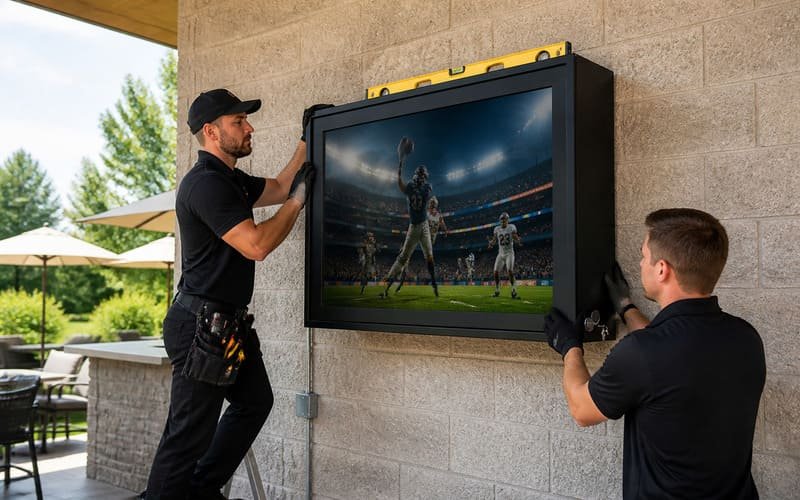
Based on feedback from AV integrators and experienced homeowners, underestimating the physical installation is the final common pitfall.
The installation process is usually straightforward in concept:
- Mount the back section of the enclosure.
- Install the TV on the internal VESA bracket.
- Connect power and signal cables.
- Check airflow and cable clearance.
- Attach and secure the front cover.
But the weight and bulk of larger models make careful planning important. A great enclosure is useless if it is mounted on the wrong surface or lifted unsafely.
Think of installation readiness as the final spec check before purchase.
Pre-Installation Checklist
| Installation Check | What to Confirm | Why It Matters |
|---|---|---|
| Wall Structure | Brick, concrete, wood studs, reinforced wall, or proper mounting frame | The wall must support the combined weight safely. |
| Total Weight | Enclosure weight + TV weight + mounting hardware | Anchors and wall mount should be rated above the total load. |
| Manpower | One person may handle smaller models; larger sizes need help | Large enclosures are bulky and difficult to align alone. |
| Mounting Height | Viewing height, safety, and access for maintenance | Prevents awkward viewing and difficult service access. |
| Cable Routing | Power, HDMI, network, and sealed cable exits | Poor routing can create weak points in weather protection. |
| Service Access | Can authorized staff open and maintain it safely? | Important for commercial sites, hotels, schools, and bars. |
For 60-inch and larger enclosures, I strongly recommend at least two people for lifting and alignment. A 65″, 75″, or 85″ enclosure can be bulky and awkward, even when the installation steps are simple.
If the wall is drywall, do not mount only into the drywall surface. You need structural support, such as studs or a reinforced mounting surface. If you are unsure, consult a professional installer or contractor.
Treating installation as a critical planning step helps protect the TV, the enclosure, and the people installing it.
Quick Summary: The 5 Checks Before You Buy
Before ordering an outdoor TV enclosure, use this table as a final review.
| Check | What to Confirm | Why It Matters |
|---|---|---|
| 1. TV Dimensions | Width, height, and depth | Prevents the most common fit problems. |
| 2. VESA & Cables | Mounting pattern, bracket depth, port direction, cable bend space | Prevents installation conflicts and cable damage. |
| 3. IP Rating & Material | IP65, gasket quality, polycarbonate or corrosion-resistant design | Matches the enclosure to rain, dust, salt air, humidity, and cleaning exposure. |
| 4. Cooling System | Fan count, thermostat control, airflow path, internal clearance | Helps reduce heat buildup in summer or long-hour operation. |
| 5. Installation Plan | Wall type, total weight, manpower, maintenance access | Prevents unsafe mounting and installation delays. |
If you only remember one thing, remember this: an outdoor TV enclosure is not just a size-matched box. It is a protection system that must match your TV, your climate, and your installation site.
Frequently Asked Questions
Can I use a dedicated outdoor TV inside an enclosure?
Yes, you can, as long as the outdoor TV’s width, height, depth, VESA pattern, and cable layout fit within the enclosure’s internal specifications. Some customers do this to add impact protection or locking security. However, it is often more common to use a standard indoor TV inside a suitable enclosure.
Does the enclosure’s front panel affect the picture quality?
A high-quality enclosure should use a clear front panel designed for outdoor viewing. There may still be some reflection, especially in direct sunlight. Placement, shade, screen brightness, and viewing angle all matter. I recommend avoiding direct sun on the screen whenever possible.
What size enclosure do I need for my TV?
Do not choose only by diagonal screen size. Measure the TV’s full width, height, and depth without the stand. Then compare those measurements with the enclosure’s internal usable dimensions. Also check VESA pattern, port position, and cable clearance.
Is IP65 enough for outdoor TV protection?
For many outdoor TV enclosure applications, IP65 is a strong and practical rating because it indicates dust-tight protection and protection against water jets under defined test conditions. But it does not mean vapor-proof, condensation-proof, chemical-proof, or submersible. Installation quality still matters.
Do all outdoor TV enclosures need fans?
Not every installation has the same heat risk, but fans are strongly recommended for direct sun, hot climates, larger TVs, and commercial locations where the TV runs for many hours. A sealed enclosure without airflow can trap heat.
Can I install a large outdoor TV enclosure by myself?
For small models, experienced installers may manage the job alone. For 60-inch and larger enclosures, I strongly recommend at least two people. Larger units are bulky, and lifting, leveling, and securing them safely is much easier with a helper.
What should I ask the manufacturer before buying?
Ask for internal dimensions, supported VESA patterns, maximum TV depth, fan configuration, IP rating, material details, cable exit design, installation weight, and recommended wall mounting method. A good supplier should be able to answer these clearly.
Conclusion
Buying an outdoor TV enclosure is not just about finding a box that fits your screen size. It is about matching the enclosure to your TV, your climate, your cooling needs, and your installation structure.
From my experience, the five checks that prevent most problems are simple:
Measure the TV correctly.
Check VESA and cable clearance.
Match IP rating and material to the environment.
Confirm cooling and fan configuration.
Plan the installation before the enclosure arrives.
The way I explain it to customers is this:
A good outdoor TV enclosure should fit the TV, survive the weather, manage heat, and install safely. If one of those checks fails, the whole project can become frustrating.
For homeowners, hotels, restaurants, bars, schools, resorts, and AV integrators, doing these checks before buying can save time, money, and installation headaches.