
A commercial digital signage screen has a job to do before anyone notices the hardware.
It may show a menu, wayfinding message, promotion, safety notice, event schedule, queue information, brand content, or live sports. If the screen is dark, unreadable, overheated, blocked, or hard to service during the message window, the signage system has failed — even if the product was sold as an outdoor TV.
Commercial digital signage needs more than an outdoor TV because the business is not only buying a screen. It is buying message uptime: visibility, runtime, weather protection, heat control, physical protection, service access, and a recovery path when the display eventually needs maintenance or replacement.
When I review a commercial signage project, I do not start with the TV label.
I start with the message window.
- When must the message be visible?
- How many hours will the screen run each day?
- Who can reach the screen?
- Is the site hot, humid, coastal, dusty, or public-facing?
- Can staff reset the media device or replace the screen without rebuilding the installation?
A backyard outdoor TV is mainly about entertainment.
Commercial digital signage is about communication.
That difference changes the buying decision.
Last Updated: June 2, 2026 | Estimated Reading Time: 8 minutes
By Smith Chen, Outdoor TV Enclosure Engineer at Outvion
Why Should Digital Signage Start With Message Uptime?
A commercial display is not judged only by whether it turns on. It is judged by whether the message stays visible and useful when customers, guests, students, staff, or visitors need it.
Commercial digital signage should start with message uptime. The screen must stay readable, protected, serviceable, and recoverable during the hours when the business depends on it. That means runtime, brightness, heat, weather, impact, cables, media devices, and maintenance access all matter before the final screen choice.
This is where many buyers choose too quickly.
They search for an outdoor TV, compare price and brightness, and assume the display problem is solved. That approach may work for light patio entertainment, but commercial signage has a different job.
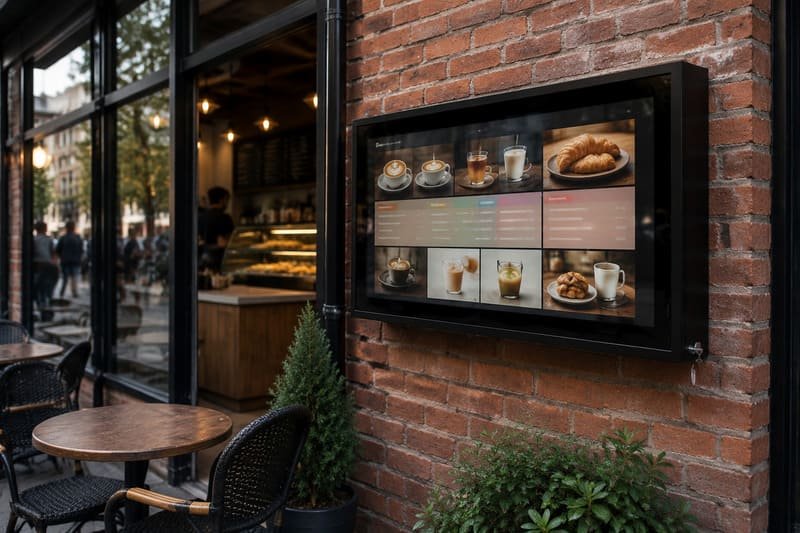
- A restaurant menu board must be readable during service.
- A hotel pool sign must stay visible when guests are moving around.
- A campus notice screen must stay protected in a public area.
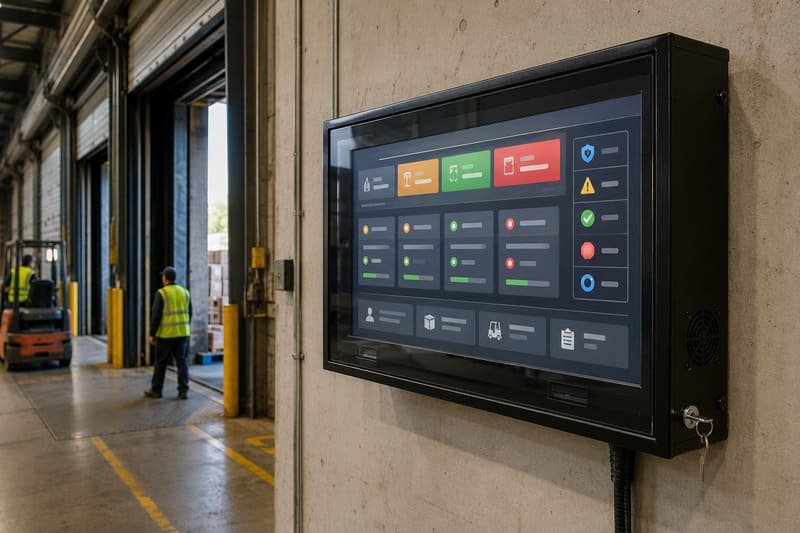
- A warehouse instruction display must keep working through long shifts.
- A resort promotion screen must look clean enough for a customer-facing environment.
The screen is only one part of the system.
Message Uptime Stack
| Uptime Layer | What Can Fail | What to Check |
|---|---|---|
| Visibility | Glare, low brightness, poor viewing angle, dirty front panel | Sun path, brightness need, viewing distance, front-panel clarity |
| Runtime | Overheating, wrong duty cycle, long daily operating hours | Daily schedule, TV/display rating, fan path, operating hours |
| Weather Protection | Rain, dust, humidity, splash, cable exposure | IP rating, gasket, cable exits, mounting angle |
| Physical Protection | Impact, tampering, guest contact, public access | Front shield, lock, mounting height, cable routing |
| Service Recovery | Screen hard to reset, remove, or replace | Door access, TV fit, media device access, spare parts |
| Content Continuity | Media box, network, HDMI, or power interruption | Protected cable route, accessible media player, power plan |
This is the main difference between a screen purchase and a signage system.
A screen purchase asks: “Which display can I buy?”
A signage system asks: “How do I keep the message working?”
Is an Outdoor TV Label Enough for Commercial Signage?
An outdoor TV can be a good product, but the label alone does not answer all commercial signage questions. Buyers still need to check runtime, heat, brightness, service access, replacement path, physical exposure, and installation risk.
An outdoor TV label may confirm that a screen is designed for certain outdoor conditions, but it does not automatically confirm that the display is right for long commercial runtime, high-traffic public spaces, coastal exposure, media-device service, or multi-screen signage programs. The actual datasheet and installation plan matter more than the label.
I do not like saying “outdoor TV is wrong.”
That is too simple.
Some outdoor TVs are well designed and can be a good choice for specific projects, especially when the buyer wants one integrated outdoor-rated product. But commercial digital signage has more variables than a normal TV viewing setup.
- The screen may run longer.
- The message may be time-sensitive.
- The location may be public-facing.
- The display may need to look clean in a hotel, restaurant, or retail environment.
- The media player and cables may need regular access.
- The replacement plan may matter as much as the first installation.
Outdoor TV ratings also vary by model. A buyer should check the actual IP rating and product datasheet instead of relying only on the phrase “outdoor TV.”
The International Electrotechnical Commission explains that IP ratings grade the resistance of electrical and electronic enclosures against dust and liquid intrusion. IEC IP Ratings
That makes IP rating useful, but it is not a full signage specification.
Outdoor TV Thinking vs. Commercial Signage Thinking
| Buying Question | Basic Outdoor TV Thinking | Commercial Signage Thinking |
|---|---|---|
| What works outdoors? | Weather-rated TV | Screen + enclosure + airflow + cable + service plan |
| How long will it run? | Occasional or scheduled viewing | Daily commercial runtime and message window |
| What if it fails? | Replace or repair the TV | Keep message downtime short and recovery path clear |
| What protects it? | TV housing | Weather barrier, front shield, lock, cable protection |
| What matters most? | Screen specs and price | Uptime, readability, maintenance, replacement workflow |
| Who uses it? | Homeowner or viewer | Staff, guests, customers, visitors, public users |
| What needs access? | TV settings | TV, media player, HDMI, power, network, remote control |
This is why I prefer to define the project first.
- Entertainment screen?
- Commercial sign?
- Menu board?
- Public information screen?
- Wayfinding display?
- Outdoor promotion wall?
The answer changes the protection system.
Why Do Runtime, Heat, and Visibility Change the Buying Decision?
Commercial signage often runs longer than a home TV. Longer runtime means more heat, more maintenance demand, and more pressure on the screen to stay readable during business hours.
Runtime changes the buying decision because commercial signage is expected to work on schedule. A screen used for signage may run many hours each day, so buyers should check duty cycle, brightness, heat exposure, sun direction, airflow, and service access before assuming a normal outdoor TV setup is enough.

Commercial display manufacturers often list operating schedules such as 18/7 or 24/7 as part of product positioning. Hisense lists digital signage models with 18/7 and 24/7 operation, and ViewSonic lists commercial display models with 24/7 operation. Hisense Digital Signage / ViewSonic Digital Signage Displays
That does not mean every project must buy a dedicated commercial panel. It does mean runtime should be part of the decision.
A signage screen in a shaded hotel corridor is different from a screen on a sunny pool deck.
A bar promotion screen running six evening hours is different from a campus notice display running all day.
A factory information screen with long shifts is different from a backyard TV used on weekends.
Heat deserves careful planning. Sony advises using TVs within a temperature range of 0°C to 40°C / 32°F to 104°F and avoiding direct sunlight. Sony TV temperature guidance
A fan-assisted enclosure can help move warm air away from the TV, but it is not air conditioning. Shade, airflow path, internal clearance, TV model, daily runtime, and vent maintenance still matter.
Runtime and Visibility Checklist
| Factor | Why It Matters | What to Check |
|---|---|---|
| Daily Runtime | Longer use increases heat and service demand | 6-hour, 12-hour, 18/7, or 24/7 expectation |
| Message Window | The screen must work during the most important hours | Service time, event time, guest flow, opening hours |
| Brightness Need | A visible sign may need more brightness than a casual TV | Shade, sun direction, front panel, viewing angle |
| Heat Path | Long runtime plus sun can create thermal stress | Fan path, internal clearance, wall heat, vent cleaning |
| Front Panel Clarity | A dirty or reflective panel can reduce readability | Cleaning access, optical clarity, glare control |
| Media Device Heat | Players, adapters, or receivers add heat | Mounting space and airflow around accessories |
| Remote Service | Staff may need to reset content or devices | Access door, cable labels, media player position |
For commercial signage, visibility is not a decorative issue.
If the customer cannot read the message, the display is not doing its job.
What Protection Layers Does Commercial Signage Need?
A commercial signage setup usually needs more than weather resistance. It needs layered protection for water, dust, heat, impact, tampering, cable exposure, and maintenance.
Commercial digital signage needs a protection stack. Weather sealing helps with rain and dust. Fan-assisted airflow helps manage heat. A clear front shield helps reduce direct screen contact. Lockable access helps control cables and media devices. Service access helps staff recover faster when something needs attention.
This is where an enclosure system can become useful.
A commercial enclosure is not only a box around a TV. In a good project, it becomes a controlled protection layer around the signage system.
- It protects the TV.
- It protects the cable route.
- It protects the media device area.
- It protects the front viewing surface.
- It limits casual access.
- It creates a service path.
Polycarbonate can be useful for commercial front protection because it combines transparency and impact resistance. Covestro describes Makrolon polycarbonate as robust, lightweight, glass-like in transparency, and impact resistant even at low temperatures. Covestro Makrolon polycarbonate
But material name alone is not enough. Actual protection depends on thickness, optical quality, UV stability, coating, mounting, gasket design, frame support, and installation.
For coastal or poolside signage, hardware details also matter. A polycarbonate body does not rust like steel, which removes one corrosion pathway. But locks, hinges, screws, anchors, brackets, cable exits, and wall mounts still need corrosion-resistant design and inspection.
FEMA guidance on coastal construction notes that salt accumulation and high humidity can accelerate corrosion of untreated steel connectors and fasteners. FEMA coastal corrosion guidance
Commercial Signage Protection Stack
| Protection Layer | What It Helps With | What Still Needs Planning |
|---|---|---|
| IP-Rated Sealing | Rain, dust, splash, windblown debris | Cable exits, gasket compression, installation angle |
| Fan-Assisted Airflow | Heat buildup during long runtime | Shade, vent clearance, fan cleaning |
| Clear Front Shield | Direct contact, splash, casual impact | Optical clarity, glare, cleaning routine |
| Lockable Access | Media player, ports, power, unauthorized access | Key control and staff routine |
| Cable Management | HDMI, LAN, power, media box stability | Bend space, labeling, strain relief |
| Service Door | Reset, replacement, inspection | Clearance to open and work safely |
| Corrosion-Aware Hardware | Coastal and humid locations | Screws, hinges, locks, anchors, inspection |
This layered view is more useful than asking only:
“Is the screen outdoor-rated?”
For signage, the better question is:
“Can this installation keep the message visible and serviceable?”
How Should Buyers Plan Service Access and Replacement?
A commercial signage display will eventually need attention. The important question is whether the system can be serviced quickly without turning a small issue into a full installation problem.
Service access is part of commercial signage design. Buyers should plan how staff will reset the media device, inspect cables, clean the front panel, check fans, open the enclosure, and replace the TV or display module later. A display that is hard to service can create more downtime than the screen price suggests.
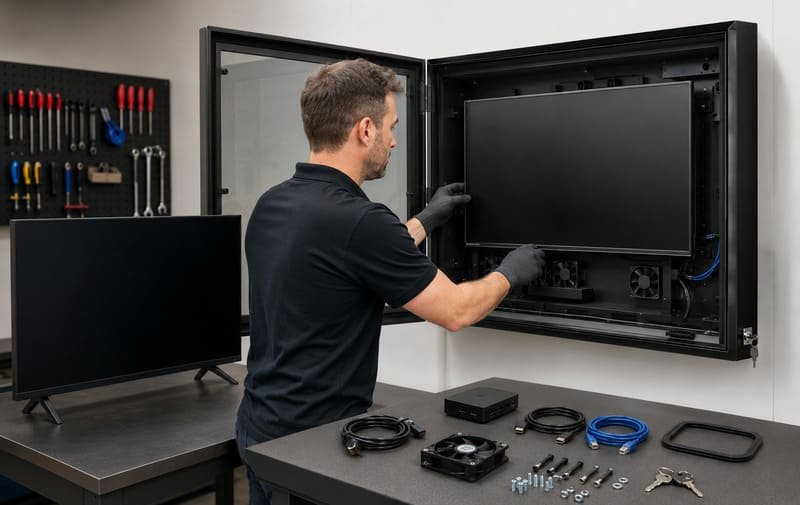
This is one of the most practical differences between a simple screen and a signage system.
If a home TV has a problem, the family may wait until the weekend.
If a commercial signage screen has a problem, the business may lose menu visibility, wayfinding clarity, promotion time, event information, or customer-facing communication.
CIPS defines Total Cost of Ownership as an end-to-end cost view that includes purchase price, acquisition cost, usage cost, and end-of-life cost. CIPS Total Cost of Ownership
For digital signage, I apply that thinking to downtime and recovery.
The first price matters, but so do:
- technician time
- replacement screen availability
- media player access
- cable troubleshooting
- urgent freight
- customer-facing downtime
- repeated installation labor
- whether the enclosure can be reused
This is why I do not like “sealed forever” thinking. A signage system should be protected, but it should also be serviceable.
Service Recovery Checklist
| Service Question | Why It Matters |
|---|---|
| Can staff open the enclosure safely? | Reduces small issues becoming service calls |
| Can the media player be reached? | Useful for resets, HDMI checks, network changes |
| Are cables labeled and protected? | Reduces troubleshooting time |
| Can fans and vents be cleaned? | Supports long-runtime reliability |
| Can the front panel be cleaned properly? | Keeps the message readable |
| Can the TV be replaced later? | Supports faster recovery after screen failure |
| Does the replacement TV fit the same enclosure? | Protects long-term service value |
| Can the site remain visually clean after service? | Important for hotels, resorts, restaurants, and retail |
A serviceable enclosure does not guarantee zero downtime.
But it can make the recovery path clearer.
For commercial signage, that matters.
What Should Commercial Buyers Ask Before Ordering?
Before ordering, commercial buyers should define the message, not only the screen. The project should start from use case, runtime, exposure, access, maintenance, and replacement workflow.
Before ordering outdoor digital signage, buyers should confirm what message the screen must show, when it must be visible, how long it will run, who can reach it, how the media device is protected, what weather and heat it faces, and how the system can be serviced or replaced later.
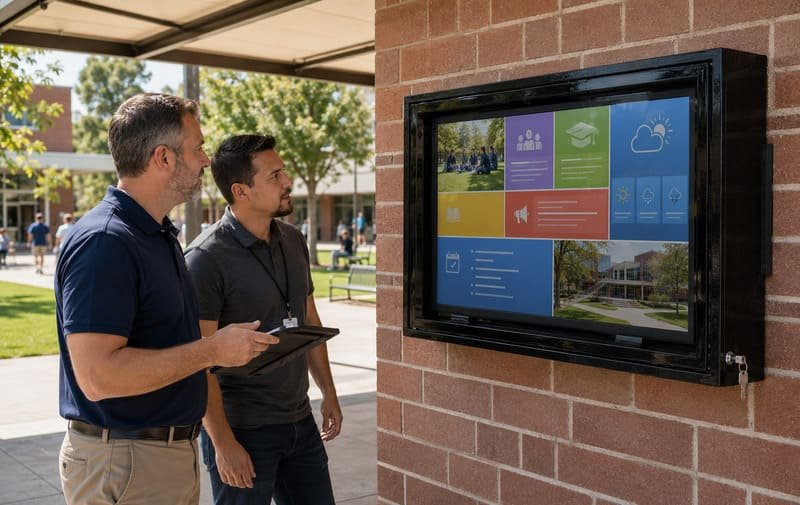
When I review a signage inquiry, I want to know the business role of the display.
- Is it entertainment?
- Is it a menu?
- Is it wayfinding?
- Is it a safety notice?
- Is it an event screen?
- Is it customer-facing advertising?
- Is it operational information for staff?
Those are different jobs.
A sports bar screen can tolerate a different visual standard than a hotel resort brand display. A factory information screen has different priorities from a poolside promotion screen. A campus notice display has different access risks from a private patio TV.
Commercial Signage Buyer Questions
| Question | Why It Matters |
|---|---|
| What message will the screen show? | Menu, promotion, safety, wayfinding, entertainment, operations |
| When must the message be visible? | Defines the message window and downtime tolerance |
| How many hours will it run daily? | Affects runtime rating and heat planning |
| Is the display shaded or in direct sun? | Affects brightness, glare, and temperature |
| Who can physically reach it? | Determines front protection and lock need |
| Is the site coastal, poolside, dusty, or humid? | Affects material and hardware plan |
| Where are the media player and cables? | Affects service access and content continuity |
| Can staff reset or inspect the system? | Reduces avoidable downtime |
| Can the display be replaced later? | Affects enclosure size, VESA, and cable clearance |
| Is the display part of a multi-site rollout? | Standardization may matter more than one-unit price |
This checklist keeps the project grounded.
It also helps the supplier recommend the right configuration instead of guessing from a screen size and a photo.
Frequently Asked Questions for the Buyer
Can I use an outdoor TV for commercial digital signage?
Yes, in some projects. An outdoor TV may work for light commercial use, shaded locations, shorter runtime, or entertainment-focused spaces. But for serious digital signage, buyers should check runtime, brightness, heat exposure, service access, media player protection, physical exposure, and replacement workflow before assuming it is enough.
What is the difference between an outdoor TV and a commercial signage setup?
An outdoor TV is a screen product designed for certain outdoor viewing conditions. A commercial signage setup is a complete communication system. It includes the screen, protection, brightness, runtime, content device, cables, service access, physical security, and recovery plan.
Does commercial signage need 24/7 operation?
Not always. Some displays only need to run during business hours, while others may require 18/7 or 24/7 operation. The important point is to define the real runtime before buying. If the screen must run all day or all night, choose the display and enclosure plan around that schedule.
Is IP65 enough for outdoor digital signage?
IP65 can be a useful baseline for dust and water-jet protection under defined test conditions. But it does not cover every signage risk. Heat, condensation, salt air, impact, tampering, media-device access, and maintenance still need separate planning.
How important is heat management?
Very important, especially for long-runtime signage, direct sun, hot walls, or enclosed installations. Fan-assisted airflow can help reduce heat buildup, but it is not air conditioning. Shade, clearance, vent cleaning, and the TV or display manufacturer’s temperature guidance still matter.
Can I use a standard indoor TV inside an outdoor enclosure?
Yes, in some projects, a standard indoor TV inside a suitable enclosure can be practical. But the TV must fit, airflow must be planned, cables must be protected, and the enclosure does not change the TV manufacturer’s original outdoor-use rating or warranty terms.
When is a dedicated commercial outdoor display better?
A dedicated commercial outdoor display may be better when the project requires high brightness, long rated runtime, brand-standard hardware, remote device management, full-sun visibility, or a single integrated commercial display product. It can also be better for mission-critical signage where uptime requirements are strict.
What should I ask a supplier before ordering?
Ask about the exact TV or display model, enclosure internal dimensions, VESA compatibility, cable direction, fan system, IP rating, front-panel material, lock access, media player placement, service clearance, lead time, spare parts, and how the setup should be maintained after installation.
Conclusion
Commercial digital signage should not start with the question:
“Which outdoor TV should I buy?”
It should start with a different question:
“What message must stay visible, and what can stop it from being seen?”
That question changes the project.
A dark screen can stop the message.
Glare can hide the message.
Heat can interrupt the message.
Water can damage the system.
A loose cable can break content continuity.
A locked but unserviceable box can slow recovery.
A screen that is hard to replace can turn a small failure into a long outage.
For commercial signage, the screen is only the visible part.
The real system includes the message window, runtime, brightness, airflow, weather protection, physical protection, cable plan, media device access, and recovery path.
That is why commercial digital signage needs more than an outdoor TV.
It needs a system designed to keep the message visible, readable, protected, serviceable, and recoverable when the business depends on it.