
Outdoor digital signage has one job: keep the message visible when people need it.
A digital menu board that goes black at lunch, a safety screen that fails during a shift, or a wayfinding display that disappears during bad weather does not only create a hardware problem. It creates a communication problem.
A weatherproof TV enclosure protects outdoor digital signage by protecting message uptime. It helps shield the display from rain, dust, heat, humidity, salt air, insects, public-area contact, and service-access problems, while still allowing many businesses to use standard indoor TVs in outdoor signage projects.
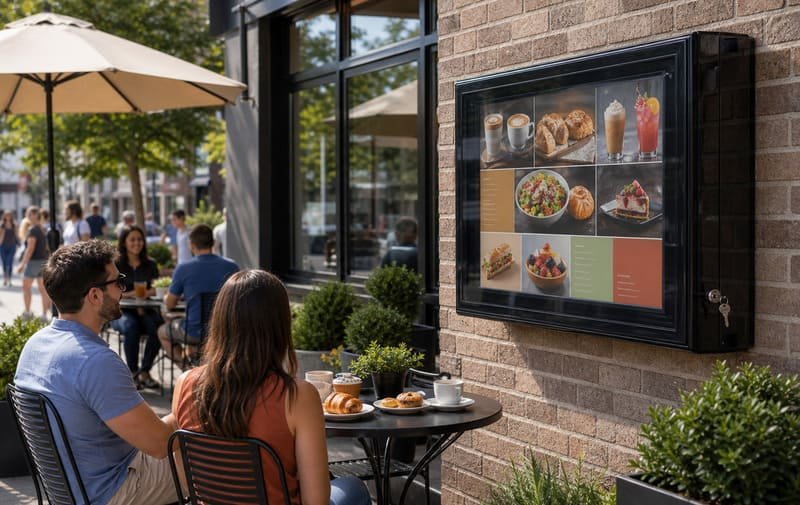
When a buyer asks me about outdoor digital signage, I first ask what happens if the screen goes black.
- For a cafe, the failure may be a lost digital menu board.
- For a school, it may be a silent announcement screen.
- For a warehouse, it may be a missing safety or loading instruction.
- For a resort, it may be a guest-facing screen that stops working during peak service hours.
That is why I do not treat outdoor digital signage as entertainment hardware only. In many business spaces, the screen is part of the information system.
The real product is not just the TV.
The real product is message uptime.
A weatherproof enclosure does not make every indoor TV suitable for every outdoor environment. But when the TV, enclosure, site, cable route, heat plan, and maintenance plan are matched correctly, it can become a practical way to keep outdoor messages visible without always buying a dedicated outdoor commercial display.
Last Updated: May 17, 2026 | Estimated Reading Time: 9 minutes
By Smith Chen, Outdoor TV Enclosure Engineer at Outvion
Why Is Message Uptime More Important Than Simple Waterproofing?
Rain is easy to see, so many buyers start there. But outdoor signage can fail or become useless even on a dry day if heat, glare, dust, cable exposure, or service access is ignored.
For outdoor digital signage, waterproofing is only one part of uptime protection. A weatherproof TV enclosure should help reduce water and dust intrusion, protect the screen from public contact, support heat management, keep cable exits controlled, and allow staff to service the display when needed. The goal is not just to survive rain. The goal is to keep the message visible.
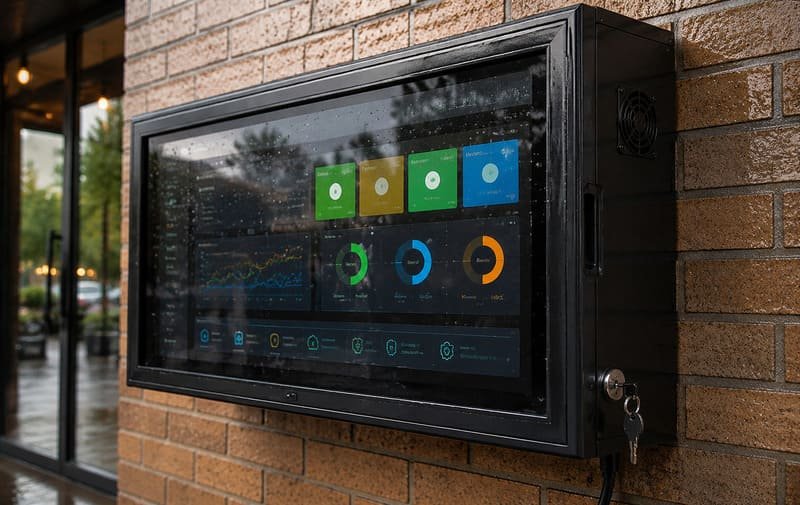
From my experience, the word “waterproof” often makes buyers stop thinking too early.
They imagine rain hitting the screen. That is important, but outdoor signage usually faces a wider set of problems:
- Heat buildup from the TV and the sun
- Dust entering vents
- Moisture around cable exits
- Salt air near coastal sites
- Guests or workers touching the screen
- Staff needing quick access to reset or replace a device
- Glare making the sign hard to read
- Poor fit causing cable and airflow problems
An IP rating is useful because it makes protection more specific. The International Electrotechnical Commission explains that IP ratings grade the resistance of an enclosure against the intrusion of dust or liquids. IEC IP Ratings
For outdoor TV enclosures, IP65 is often a strong baseline because it means dust-tight protection and protection against water jets under defined test conditions.
But I always explain the limits carefully.
IP65 does not mean vapor-proof, condensation-proof, chemical-proof, salt-proof, flood-proof, grease-proof, or maintenance-free. It also does not mean the installation no longer matters.
Cable exits, gasket compression, lock pressure, mounting angle, wall position, fan clearance, and maintenance all affect real-world performance.
From Waterproofing to Message Uptime
| Protection Area | What It Helps With | Why It Matters for Digital Signage |
|---|---|---|
| Water and Dust Protection | Reduces rain, splash, dust, insects, and particles entering the TV area | Keeps the display more reliable outdoors |
| Heat Management | Fans and airflow help move warm air away from the TV | Reduces heat buildup during long operating hours |
| Front Shield Protection | Adds a barrier against touch, impact, dirt, and cleaning exposure | Helps protect public-facing screens |
| Cable Exit Control | Keeps power and signal routes more organized and protected | Reduces weak points around wiring |
| Lockable Access | Limits casual access to ports, controls, media devices, and cables | Useful in schools, restaurants, warehouses, and public spaces |
| Service Access | Allows staff or installers to clean, reset, inspect, and replace parts | Downtime is easier to manage |
That is the shift I want buyers to understand.
A weatherproof enclosure is not only a rain cover. It is a protection system for outdoor message uptime.
What Outdoor Risks Can Make Digital Signage Fail?
Outdoor signs do not fail from one risk only. In real projects, the problem is usually a combination of water, heat, dust, public access, sunlight, and poor installation details.
The most common outdoor signage risks are rain, dust, heat buildup, glare, humidity, salt air, public contact, and cable exposure. A weatherproof enclosure helps reduce these risks, but it should be matched to the actual site instead of chosen only by screen size or IP rating.
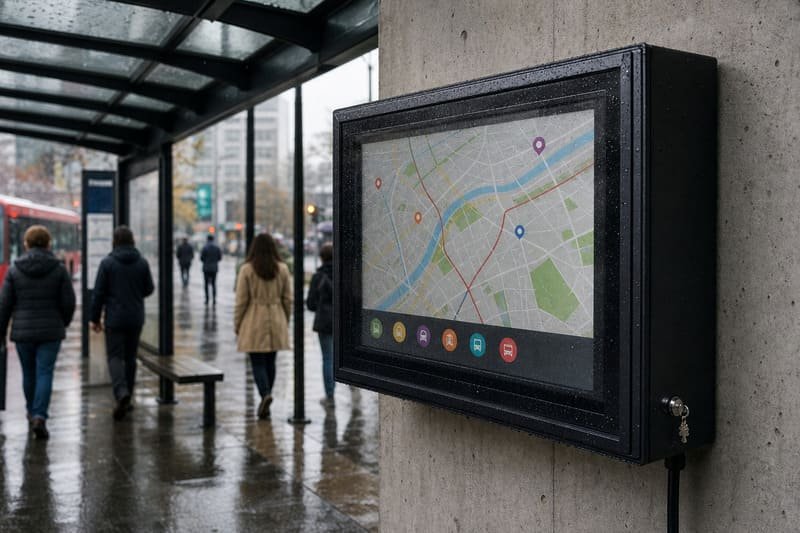
I do not like one-size-fits-all advice for outdoor signage. A cafe menu board, a school announcement screen, and a factory loading display may all use a TV, but the failure risk is not the same.
Heat and Sun
A TV generates heat during operation. Direct sun adds more heat. If the enclosure has poor airflow, heat can build up around the TV and shorten useful service time or trigger shutdown behavior.
Sony advises using TVs within a temperature range of 0°C to 40°C / 32°F to 104°F and avoiding direct sunlight. Sony TV temperature guidance
That does not mean every outdoor installation must be cold. It means heat planning matters. For outdoor signage that runs many hours per day, I check sun exposure, fan paths, vent clearance, TV model, screen brightness, and whether any media player or power adapter will be inside the enclosure.
Fans help move warm air away from the TV. They are not air conditioning. Shade and airflow planning still matter.
Dust and Particles
Dust is not only a cosmetic issue. In warehouses, factories, farms, workshops, mines, and logistics areas, airborne particles can block vents, increase heat buildup, and create maintenance problems for electronics.
An enclosure helps by separating the TV from the surrounding air. But if fan vents, filters, cable exits, or service doors are poorly designed or never maintained, dust can still become a long-term problem.
Humidity and Condensation
High humidity is harder to see than rain. A poorly sealed enclosure, weak cable entry, or sharp temperature swing can create moisture problems.
I avoid saying that fans “prevent condensation.” They can help reduce stagnant warm air, but condensation still depends on humidity, temperature changes, enclosure sealing, cable exits, and installation conditions.
Salt Air
Coastal air can be tough on metal parts. A polycarbonate body does not rust like steel, which removes one corrosion pathway. However, locks, hinges, screws, brackets, anchors, wall mounts, and cable exits still need corrosion-resistant design and regular inspection.
FEMA guidance on coastal construction notes that salt accumulation and high humidity can accelerate corrosion of untreated steel connectors and fasteners. FEMA coastal corrosion guidance
Material and Front Panel
For many enclosure bodies and clear front panels, polycarbonate can be a useful material. Covestro describes Makrolon polycarbonate as robust, lightweight, glass-like in transparency, and impact resistant even at low temperatures. Covestro Makrolon polycarbonate
But material choice should still be specific. Thickness, UV stability, coating, hardware quality, gasket design, and installation all matter.
Outdoor Signage Risk Summary
| Risk | Short-Term Effect | Long-Term Concern | Enclosure Planning Point |
|---|---|---|---|
| Rain / Splash | Screen or wiring exposure | Corrosion, failure, service calls | IP rating, gasket, cable exits |
| Heat | Shutdown, dimming, unreliable operation | Shorter TV life, repeated downtime | Fans, airflow, shade, internal clearance |
| Dust / Particles | Dirty front panel, clogged vents | Heat buildup, service issues | Sealing, vent design, cleaning plan |
| Humidity | Moisture around cables or inside the case | Condensation and corrosion risk | Sealing, installation angle, inspection |
| Salt Air | Sticky residue, hardware corrosion | Locks and fasteners may deteriorate | PC body, protected hardware, maintenance |
| Glare | Message becomes hard to read | Lower communication value | Placement, shade, screen brightness |
| Public Contact | Touch damage, tampering, unplugged cables | Screen downtime and safety concerns | Lockable front, protected cable route |
The more important the message, the more seriously these risks should be planned.
How Do Signage Roles Change the Protection Priority?
Not every outdoor sign has the same job. A menu board, wayfinding screen, safety display, queue screen, and event display all fail differently.
The protection priority should follow the message role. If the screen is only decorative, downtime may be inconvenient. If it shows menus, wayfinding, safety information, or loading instructions, downtime affects business communication, guest flow, or operations.
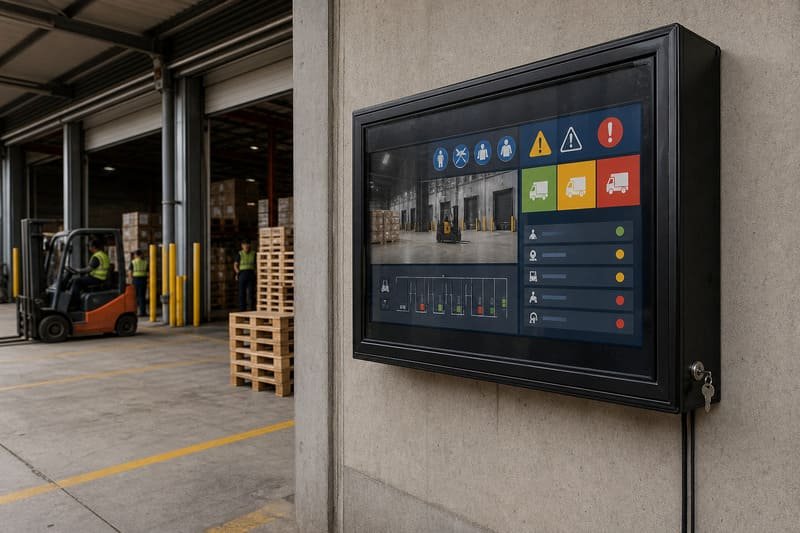
When I help a buyer choose an enclosure, I ask one question early:
What disappears if this screen goes black?
That answer tells me more than the screen size.
If a digital menu board fails at lunch, the business may lose its specials, pricing, and ordering flow.
If a wayfinding display fails, visitors may lose direction.
If a safety screen fails, workers may miss instructions.
If a warehouse loading screen fails, operations may slow down.
If a resort event screen fails, guest experience suffers.
That is why I prefer to map the enclosure to the signage role.
Signage Role vs. Failure Cost
| Signage Role | What Happens If It Fails? | Enclosure Priority |
|---|---|---|
| Digital Menu Board | Customers cannot see specials, prices, or ordering prompts | Visibility, heat control, easy staff access |
| Wayfinding Screen | Visitors lose directions or event guidance | Uptime, glare control, tamper resistance |
| Safety Display | Warnings or shift instructions disappear | Dust sealing, lockable access, reliability |
| Queue / Loading Display | Operations slow down or staff need manual workarounds | Industrial sealing, service access, network reliability |
| Event Screen | Guest experience drops during peak moments | Cooling, screen size, sound and placement planning |
| Public Notice Screen | Information becomes unavailable | Weather protection, front shield, secure controls |
| Retail Promotion Screen | Offers and brand messages disappear | Front clarity, cleaning, content access |
This table is the main difference between choosing a TV enclosure for entertainment and choosing one for outdoor digital signage.
For signage, the TV is often part of a workflow.
That workflow might be ordering, navigation, safety, scheduling, logistics, or promotion. The enclosure should protect that workflow, not just the hardware.
Should Businesses Use Dedicated Outdoor Displays or Indoor TVs With Enclosures?
Dedicated outdoor displays can be strong solutions, especially for full-sun, high-brightness, or enterprise signage projects. But they are not the only path.
Businesses should compare dedicated outdoor displays and indoor TVs with weatherproof enclosures by looking at screen role, brightness needs, operating hours, service access, replacement flexibility, and total cost. A dedicated outdoor display may be better for full-sun flagship signage. A standard TV inside an enclosure can be practical for shaded or semi-outdoor signage where cost control and replacement flexibility matter.
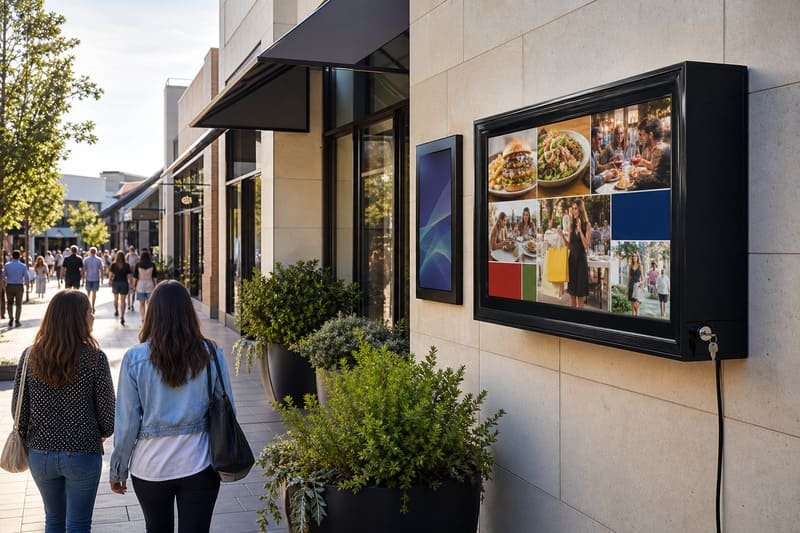
I do not like giving one answer for every project.
A dedicated outdoor display may be the better choice when:
- The screen is in direct sun for many hours.
- Very high brightness is required.
- The business wants one integrated commercial signage product.
- The screen is mission-critical and budget allows for commercial-grade display hardware.
- A slim finished display is more important than replacement flexibility.
An indoor TV with a suitable weatherproof enclosure may be practical when:
- The location is shaded or partially shaded.
- The business needs several screens.
- Standard TVs are easier to replace locally.
- The signage role does not require full-sun commercial brightness.
- The buyer wants to separate the long-term protection asset from the replaceable TV inside.
CIPS defines Total Cost of Ownership as an estimate that helps buyers determine the end-to-end cost of providing a product or service, including purchase price, acquisition cost, usage cost, and end-of-life cost. CIPS Total Cost of Ownership overview
That matters for signage because the screen cost is not the only cost.
There is installation labor.
There is downtime.
There is replacement time.
There is service access.
There is shipping.
There is the cost of losing the message when the screen fails.
Display Strategy Comparison
| Situation | Better Fit May Be | Why |
|---|---|---|
| Full-sun flagship sign | Dedicated outdoor display | Brightness and integrated outdoor design may matter most |
| Shaded digital menu board | Indoor TV with enclosure | Cost and replacement flexibility can be easier |
| Warehouse information screen | Enclosure or industrial display | Dust, uptime, and service access matter |
| School outdoor announcement screen | Enclosure or commercial outdoor display | Safety, tamper resistance, and budget matter |
| Coastal hospitality screen | Enclosure or mixed plan | Salt air and hardware inspection matter |
| Multi-screen rollout | Often enclosure or mixed plan | Standardized fit and replacement control can help |
The best answer is often a mixed plan.
A business may use a dedicated outdoor display for one full-sun flagship location and weatherproof enclosures for lower-risk shaded signage zones.
What Should Buyers Check Before Installing Outdoor Digital Signage?
A good outdoor signage project starts before the screen is mounted. The buyer should confirm the message role, site condition, TV fit, enclosure rating, heat plan, cable route, network, service access, and maintenance routine.
Before installing outdoor digital signage, buyers should check what the screen will display, what happens if it fails, where it will be installed, how much sun and rain it receives, whether the TV physically fits, how heat will escape, and how staff will access the screen later. The enclosure should support daily operation, not only first-day appearance.
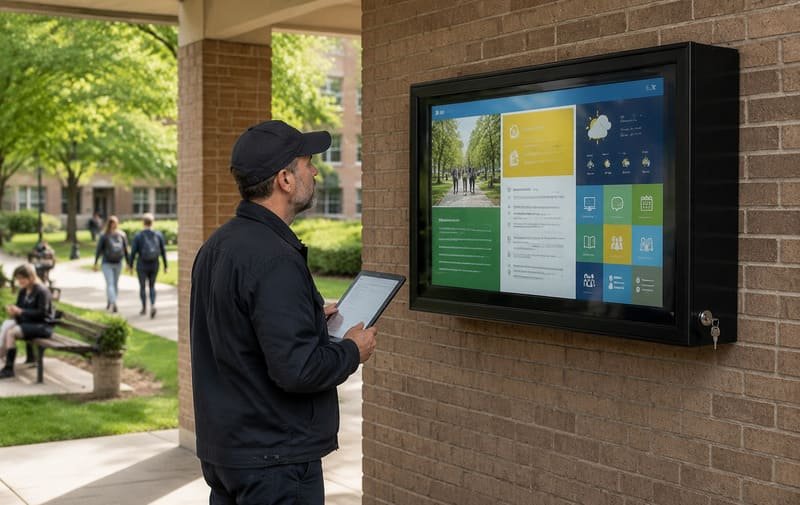
This is the practical checklist I use before recommending a weatherproof TV enclosure.
Outdoor Digital Signage Buyer Checklist
| Check | What to Confirm | Why It Matters |
|---|---|---|
| Message Role | Menu, wayfinding, safety, queue, promotion, event | Determines uptime priority |
| Failure Impact | What happens if the screen goes black? | Helps define protection level |
| TV Dimensions | Width, height, depth without stand | Confirms internal enclosure fit |
| VESA Pattern | Mounting hole layout | Ensures secure internal mounting |
| Cable Direction | HDMI, power, USB, network, media player | Prevents crushed cables and weak exits |
| IP Rating | IP65 or suitable protection for the site | Helps reduce dust and water intrusion |
| Heat Plan | Fans, airflow path, shade, operating hours | Reduces heat buildup |
| Public Access | Can people touch ports, buttons, or cables? | Determines lock and front shield needs |
| Glare Risk | Sun direction, glass, water, white walls | Affects message readability |
| Network Plan | Wi-Fi strength or wired connection | Supports stable content delivery |
| Service Access | Cleaning, unlocking, reset, replacement | Reduces downtime after installation |
The TV fit check is especially important.
A “55-inch TV” or “65-inch TV” label is not enough. LG explains that TV size is measured diagonally, and the screen size does not include the borders or bezels, so buyers should also check total width, height, and depth in the product specifications. LG TV size guide
For signage enclosures, I also check cable clearance, power plug direction, media player position, airflow gap, and whether the front panel can close without pressure.
A tight fit is usually a bad fit.
Frequently Asked Questions
Can I use an indoor TV for outdoor digital signage?
Yes, in many projects, but only with the right enclosure and site conditions. The TV must fit the enclosure, have enough airflow space, and be protected from rain, dust, heat, and public access. The enclosure does not change the TV manufacturer’s original outdoor-use rating or warranty terms, so always check the TV manual and warranty.
Is IP65 enough for outdoor digital signage?
IP65 is often a strong starting point because it means dust-tight protection and protection against water jets under defined test conditions. But it is not the whole answer. IP65 does not mean vapor-proof, condensation-proof, chemical-proof, salt-proof, flood-proof, or maintenance-free. Site conditions, cable exits, installation quality, and maintenance still matter.
Does a weatherproof enclosure prevent overheating?
Not by itself. A sealed box can protect against water and dust, but it can also trap heat if airflow is poor. Fan systems help move warm air away from the TV, but they are not air conditioning. Shade, internal clearance, vent position, operating hours, and TV heat output all matter.
Will the front panel affect screen visibility?
A high-clarity polycarbonate front panel is designed to keep the screen visible while adding impact and weather protection. However, any transparent front shield can create some reflection outdoors. Visibility still depends on screen brightness, front-panel clarity, sun angle, viewing distance, and glare sources.
Will the enclosure affect Wi-Fi or remote control?
In many installations, Wi-Fi and remote control can work normally, but performance depends on router distance, wall materials, TV antenna location, enclosure structure, sensor position, and installation angle. For important signage, I prefer testing Wi-Fi or planning a wired network before final installation.
What should I check before ordering a signage enclosure?
Check the exact TV model, outside TV dimensions, VESA pattern, cable positions, installation site photos, sun exposure, operating hours, IP rating, fan system, front-panel type, lock design, and service access. For multi-screen projects, use one confirmed TV model and one confirmed enclosure configuration where possible.
When should I choose a dedicated outdoor display instead?
A dedicated outdoor display may be better when the screen is in full sun, needs very high brightness, runs long hours every day, or is mission-critical. A weatherproof TV enclosure may be better when the sign is shaded, the budget is tighter, several screens are needed, or replacement flexibility is important.
Is a polycarbonate enclosure body corrosion-proof?
A polycarbonate body does not rust like steel, which removes one corrosion pathway. But the full system is not automatically corrosion-proof. Locks, hinges, screws, anchors, brackets, cable exits, and wall mounts still need corrosion-resistant design and inspection, especially near the coast.
Conclusion
Outdoor digital signage is not only about putting a screen outside.
It is about keeping the message visible.
- A digital menu board needs to show the menu.
- A wayfinding display needs to guide visitors.
- A safety screen needs to show instructions.
- A warehouse display needs to support operations.
- A hospitality screen needs to support guest experience.
The enclosure protects the screen, but the larger goal is message uptime.
That means planning for rain, dust, heat, humidity, salt air, glare, public contact, cable routing, network stability, and service access before the screen is mounted.
The way I explain it to signage buyers is simple:
For outdoor digital signage, the real product is not the TV. The real product is message uptime.
A weatherproof TV enclosure helps protect that uptime by reducing environmental and operational risks around the display. When the enclosure, TV, site, airflow, and maintenance plan are matched correctly, the screen has a much better chance of staying visible, serviceable, and useful in the real outdoor world.