
Hot-climate outdoor TV problems rarely come from one heat source. The TV generates its own heat, the sun adds radiant heat, the wall or enclosure absorbs heat, and poor airflow traps that heat around the screen.
To prevent an outdoor TV from overheating in hot climates, you need to manage the full heat load: TV heat, direct sun, enclosure airflow, internal clearance, screen size, wall surface, operating hours, and local climate. A fan-cooled outdoor TV enclosure can help, but it works best when combined with shade, smart placement, enough breathing room, and regular maintenance.

When I review a hot-climate installation, I do not start with the fan count. I first look at the heat sources.
- Where does the afternoon sun hit?
- Is the TV under shade or exposed?
- Is the wall dark or light-colored?
- How many hours will the TV run each day?
- Is the enclosure large enough for airflow?
- Are the fan vents blocked by a wall, plant, or cabinet?
- Is the project in dry heat, humid heat, or coastal heat?
These questions matter because outdoor TV overheating is not just a fan problem. It is a heat-load problem.
For Middle East, Arizona, Texas, Florida, Southern Europe, and other hot-climate projects, I treat shade as part of the cooling system, not as decoration. A strong fan system helps, but if the screen sits in direct afternoon sun with blocked airflow, even a good enclosure can struggle.
This article explains how I think about outdoor TV heat protection before recommending an enclosure.
Last Updated: May 18, 2026 | Estimated Reading Time: 8 minutes
By Smith Chen, Outdoor TV Enclosure Engineer at Outvion
Why Does Outdoor TV Overheating Start Before the TV Turns On?
Many buyers only notice overheating when the screen dims, shuts down, or develops dark areas on a hot day. But the real problem usually starts much earlier, during installation planning.
Outdoor TV overheating starts before the TV turns on because the site already has a heat profile. Direct sun, wall color, enclosure color, air movement, shade, and operating hours all determine how hard the TV and enclosure must work before any fan starts spinning.
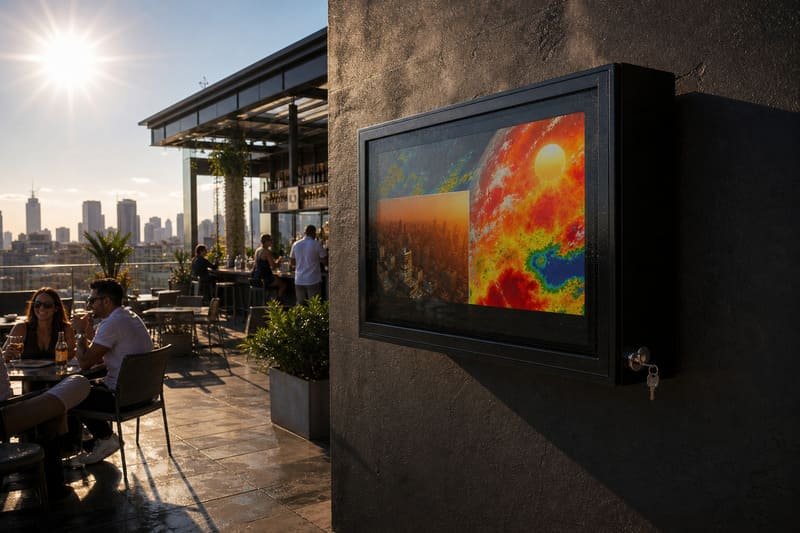
On hot days, an outdoor TV may dim, shut down, show temporary dark areas, or become difficult to watch, depending on the TV model, sun exposure, and operating conditions.
Sony advises using TVs within a temperature range of 0°C to 40°C / 32°F to 104°F and avoiding exposure to direct sunlight. Sony TV temperature guidance
That guidance is important because many outdoor projects are planned as if the weather forecast is the only temperature that matters.
It is not.
A wall in direct sun can get hotter than the air.
A dark enclosure can absorb heat.
A TV produces heat while operating.
A tight enclosure can restrict airflow.
A media player or receiver inside the enclosure can add more heat.
A long commercial operating schedule can keep the system warm for hours.
This is why I avoid saying “just add fans” as the first answer. Fans are part of the solution, but they need a good installation environment to work properly.
Outdoor TV Heat Load Map
| Heat Source | Why It Matters | How to Reduce It |
|---|---|---|
| TV Internal Heat | The TV produces heat during operation | Use airflow clearance and fan-assisted ventilation |
| Direct Sun | Adds radiant heat to the screen and enclosure | Use shade, roof cover, awning, or better orientation |
| Dark Wall or Surface | Can absorb and radiate heat around the screen | Avoid mounting against very hot surfaces where possible |
| Tight Enclosure Fit | Blocks air movement around the TV | Choose enough internal clearance |
| Long Operating Hours | Heat accumulates during extended use | Plan fans, vents, and maintenance |
| Extra Devices Inside | Media players and adapters add heat | Keep accessories minimal and ventilated |
| Humid or Coastal Air | Adds moisture and corrosion concerns | Use protected hardware and regular inspection |
The goal is to lower the total heat load, not simply react after the screen becomes unstable.
What Heat Sources Should You Control First?
When a buyer asks me how many fans an outdoor TV enclosure needs, I often ask about shade first. Reducing heat at the source is usually more effective than trying to fight all of it inside the box.
The first heat source to control is direct sun. Shade, screen orientation, and installation location usually reduce the thermal burden more effectively than fan cooling alone. After that, you can plan airflow, internal clearance, fan layout, and maintenance.
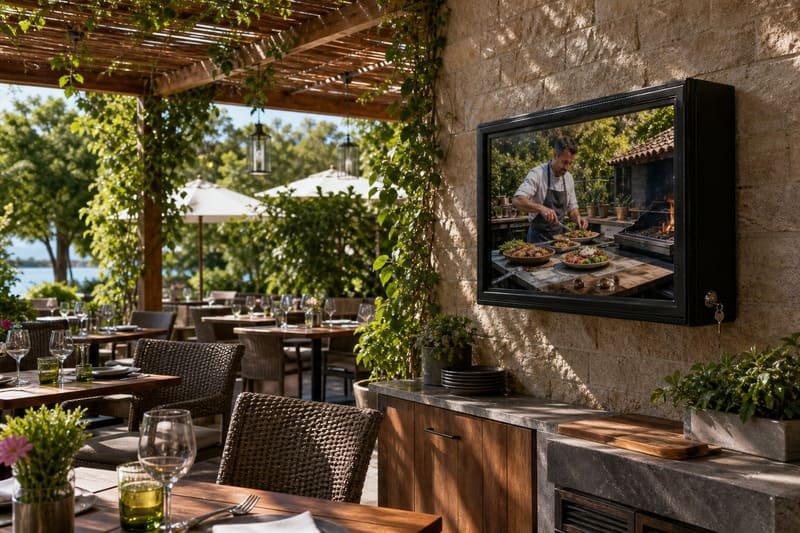
A fan-cooled enclosure helps move warm air away from the TV, but it cannot remove all the heat created by bad placement.
If the screen faces direct afternoon sun, the TV may have two problems at the same time:
- Heat stress
The screen, enclosure, and wall all absorb heat. - Visibility loss
The screen may look washed out or reflective.
That is why shade is not only about comfort. It is part of the thermal plan.
For hot-climate projects, I usually suggest checking the site at the time when the TV will actually be used. A patio that feels comfortable in the morning may become difficult at 3 p.m. A screen that looks clear in the evening may be almost unreadable during lunch service.
Heat Control Priority
| Priority | What to Do | Why It Helps |
|---|---|---|
| 1. Add Shade | Use roof cover, pergola, awning, cabana, or wall recess | Reduces solar heat before it reaches the screen |
| 2. Avoid Direct Afternoon Sun | Choose a better wall or orientation | Reduces peak heat and glare |
| 3. Keep Air Moving | Use a fan-cooled enclosure with clear vent paths | Helps remove stagnant warm air |
| 4. Leave Internal Clearance | Do not force the TV into a tight enclosure | Allows air to move around the TV |
| 5. Match TV Size and Cooling | Larger TVs need more airflow planning | Larger screens often generate more heat |
| 6. Inspect Fans and Vents | Keep vents clear of dust, pollen, insects, and debris | Maintains airflow over time |
This order matters. If shade and placement are ignored, the enclosure must work harder than necessary.
Can a Fan-Cooled Enclosure Help Without Becoming a Heat Trap?
Some buyers worry that placing a TV inside an enclosure will trap heat and make overheating worse. That can happen if the enclosure is poorly designed or installed without airflow planning.
A fan-cooled outdoor TV enclosure can help reduce overheating risk when it creates a clear airflow path around the TV. It should not be treated as a sealed hot box. The enclosure needs intake and exhaust paths, internal clearance, open vents, and enough space behind the TV for air to move. Fans help reduce heat buildup, but they are not air conditioning.
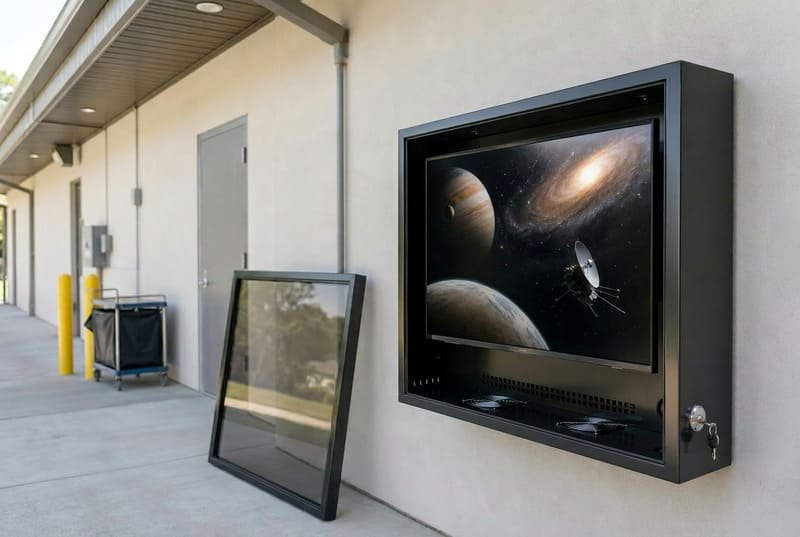
When I evaluate an enclosure for hot climates, I look for airflow logic.
- Where does air enter?
- Where does warm air leave?
- Are the fans blocked?
- Is the TV too close to the back panel?
- Can air move behind the TV?
- Are accessories creating dead zones?
- Can the enclosure be opened for cleaning and fan inspection?
A dark, poorly ventilated enclosure in direct sun can allow heat to build up around the TV, increasing the risk of unstable operation or shorter service life. A ventilated enclosure does the opposite: it helps reduce stagnant hot air around the screen.
Poor Heat Trap vs. Ventilated Enclosure
| Feature | Poorly Planned Heat Trap | Fan-Cooled Outdoor TV Enclosure |
|---|---|---|
| Airflow | Little or no circulation | Planned intake and exhaust airflow |
| TV Fit | TV is squeezed tightly inside | Clearance around the TV supports airflow |
| Fan Vents | Blocked by wall, dust, or poor location | Clear vent paths and service access |
| Accessory Space | Media devices packed behind the TV | Accessories placed with heat in mind |
| Heat Behavior | Warm air stays trapped | Warm air is moved away from the TV |
| Maintenance | Hard to clean or inspect | Fans and vents can be checked |
For large screens, this matters even more.
A 50-inch TV and an 85-inch TV should not be treated the same way. Larger TVs generally have larger screen area and often higher power draw, so heat planning becomes more important as screen size increases. ENERGY STAR’s television criteria use viewable screen area as part of on-mode power calculations, which is a useful reminder that screen size and power planning are connected. ENERGY STAR television criteria
In our own enclosure planning, smaller models may use fewer fans, while larger 60–85 inch enclosures often need stronger airflow. But fan count should still depend on TV size, climate, sun exposure, vent layout, internal clearance, and operating hours.
How Do Dry Heat, Humid Heat, and Coastal Heat Change the Plan?
Not all hot climates are the same. A dry desert patio, a humid Florida bar, and a coastal resort can all be hot, but the failure risks are different.
Dry heat usually requires stronger sun and airflow planning. Humid heat adds moisture and condensation concerns. Coastal heat adds salt-air corrosion risks around metal parts. The enclosure strategy should match the actual site, not just the temperature on the weather app.
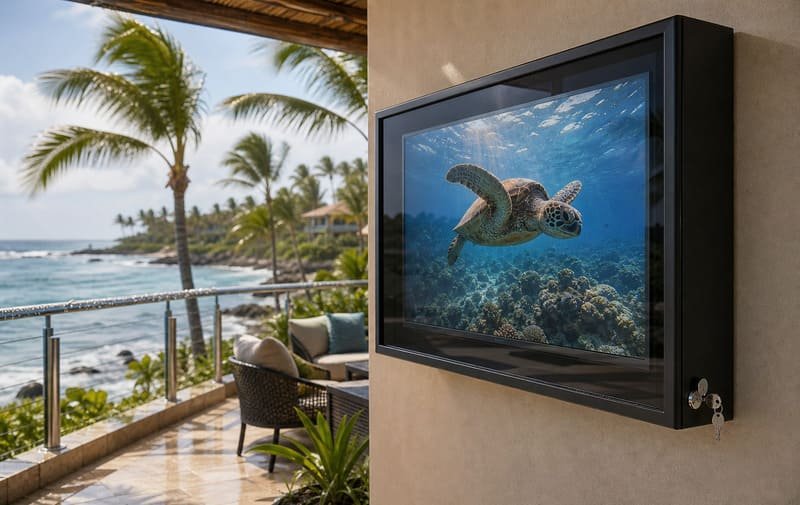
For desert-climate projects, I focus on direct sun, air temperature, wall heat, and how long the TV runs during the day. Shade and airflow are the two most important planning points.
For humid-climate projects, I still care about heat, but I also pay more attention to moisture, cable exits, gaskets, and whether the enclosure can be inspected. High humidity and airborne contaminants can increase corrosion and reliability risks over time, especially around connectors, boards, and metal parts.
For coastal projects, I look at salt air. A polycarbonate body does not rust like steel, which removes one corrosion pathway. However, the full system is not automatically corrosion-proof. Locks, hinges, screws, brackets, anchors, cable exits, and wall mounts still need corrosion-resistant design and inspection.
FEMA guidance on coastal construction notes that salt accumulation and high humidity can accelerate corrosion of untreated steel connectors and fasteners. FEMA coastal corrosion guidance
Material choice matters too. Covestro describes Makrolon polycarbonate as robust, lightweight, glass-like in transparency, and impact resistant even at low temperatures. Covestro Makrolon polycarbonate
Hot Climate Planning Guide
| Climate Type | Main Heat Challenge | Extra Risk | Practical Planning Focus |
|---|---|---|---|
| Dry Desert Heat | Strong sun and high ambient temperature | Direct solar load | Shade, airflow, orientation, vent clearance |
| Humid Heat | Heat plus moisture | Condensation and corrosion risk | Sealing, cable exits, inspection, fan airflow |
| Coastal Heat | Sun, humidity, and salt air | Hardware corrosion | PC body, corrosion-resistant hardware, maintenance |
| Urban Rooftop Heat | Reflected heat from walls and surfaces | Wind and access issues | Mounting strength, shade, service access |
| Poolside Heat | Sun reflection and humid air | Glare and splash | Placement, IP rating, electrical safety, airflow |
I do not recommend choosing an enclosure by temperature alone. The local climate tells only part of the story. The site photo usually tells the rest.
Why Do Larger TVs Need More Thermal Planning?
A larger screen can make an outdoor space feel premium, but it also creates more thermal planning work. The enclosure is larger, the TV may draw more power, and airflow must reach a wider surface area.
Larger outdoor TVs usually need more thermal planning because they often have larger screen area, more heat-producing components, and less tolerance for tight installation. For 65-inch, 75-inch, and 85-inch outdoor TV enclosures, internal clearance, fan layout, cable space, and service access become more important.
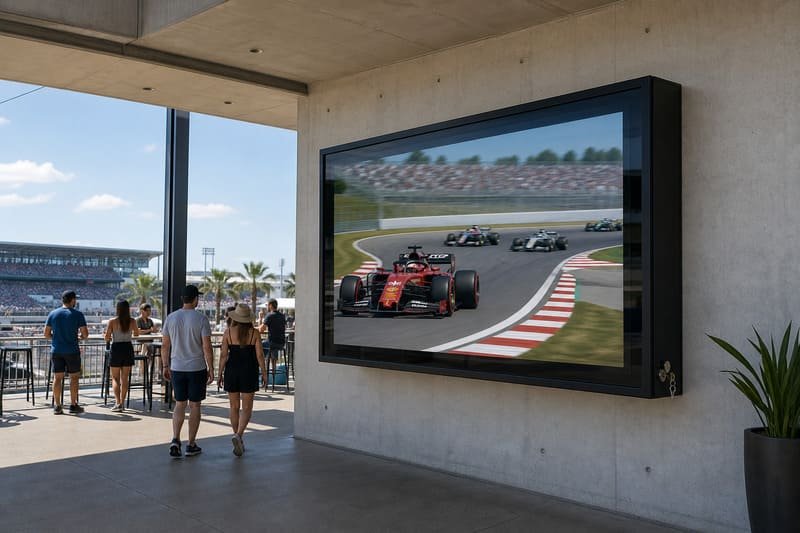
For large 75–85 inch screens, I do not trust “fits inside” as a cooling answer.
A TV can fit physically but still have poor airflow.
This is why I check more than width and height. I check TV depth, rear housing shape, VESA position, cable direction, media player space, and how much air can move behind the TV.
LG’s TV size guide explains that TV size is measured diagonally, while buyers still need to check the TV’s width, height, and depth in product specifications. LG TV size guide
That is very important for enclosures. A 75-inch TV label does not tell you how much heat clearance is available inside the cabinet.
Large-TV Thermal Checklist
| Check | Why It Matters |
|---|---|
| TV Width and Height | Confirms the screen fits the internal enclosure space |
| TV Depth | Prevents rear housing or plugs from blocking airflow |
| VESA Pattern | Keeps the TV mounted in the correct position |
| Cable Direction | Prevents HDMI or power cords from being crushed |
| Accessory Space | Media players and adapters can add heat |
| Airflow Gap | Allows fan airflow to move behind the TV |
| Fan Access | Allows cleaning and inspection later |
| Vent Clearance | Prevents outside obstructions from blocking airflow |
Always follow the enclosure manufacturer’s internal clearance guidance first. As a practical rule, I prefer not to make the TV fit too tightly, especially for larger screens and hot climates.
A tight fit is not a premium fit.
For thermal planning, a tight fit can be a risk.
What Should Buyers Check Before Installing an Outdoor TV in a Hot Climate?
A good hot-climate installation is planned before the TV arrives. The buyer should think about shade, wall orientation, power, cable exits, vent clearance, screen size, operating hours, and maintenance access.
Before installing an outdoor TV in a hot climate, buyers should check sun exposure, viewing time, TV size, enclosure clearance, fan path, wall material, cable route, dust exposure, maintenance access, and local climate. The goal is not only to protect the TV from weather. The goal is to reduce heat buildup during real daily use.
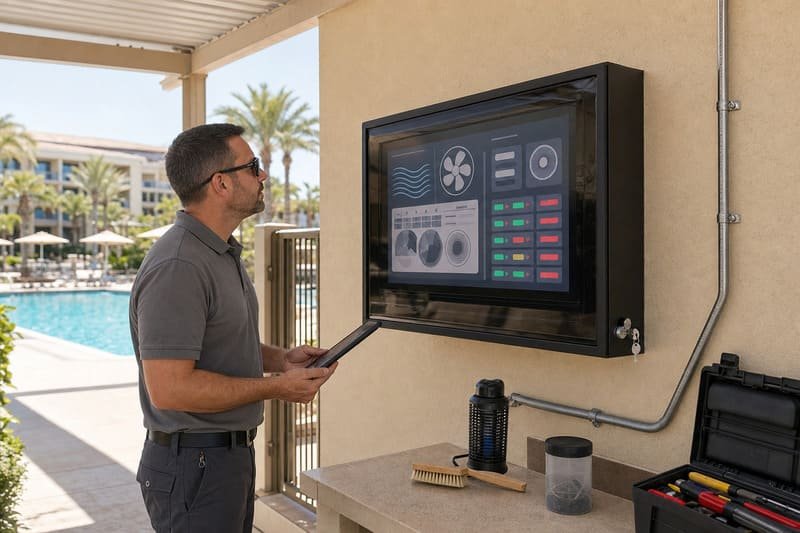
For hot-climate commercial projects, I like to review the whole installation path.
- If the TV is for a sports bar, I ask when the screen will run and whether the main use happens during direct sun.
- If the TV is for a hotel pool, I ask about shade, splash, and glare.
- If the TV is for a restaurant patio, I ask whether staff can clean and inspect the enclosure.
- If the TV is for a Middle East courtyard, I ask about operating hours and afternoon sun exposure.
Total cost also matters. CIPS defines Total Cost of Ownership as an end-to-end cost view that includes purchase price, acquisition cost, usage cost, and end-of-life cost. CIPS Total Cost of Ownership overview
That is relevant because overheating problems do not only affect the TV. They can create service calls, downtime, replacement costs, customer complaints, and installation changes.
Hot-Climate Installation Checklist
| Check | What to Confirm | Why It Matters |
|---|---|---|
| Sun Exposure | Morning, midday, and afternoon sun | Direct sun increases heat and glare |
| Shade Plan | Roof, awning, pergola, cabana, wall recess | Reduces heat before it reaches the screen |
| TV Size | 50–55, 60–65, 70–75, 80–85 inch | Larger screens need more airflow planning |
| TV Dimensions | Width, height, depth, rear housing | Confirms fit and clearance |
| Fan System | Fan count, airflow direction, vent position | Helps reduce stagnant hot air |
| Vent Clearance | Space around fan openings | Prevents airflow blockage |
| Cable Route | Power, HDMI, network, media devices | Reduces weak points and service issues |
| Operating Hours | Short evening use or all-day commercial use | Longer use increases heat load |
| Dust and Insects | Local dust, pollen, insects, debris | Vents and fans need inspection |
| Maintenance Access | Can staff open, clean, and inspect? | Keeps cooling performance stable |
For hot climates, maintenance is part of the cooling plan. Fans and vents cannot help if they are blocked by dust, pollen, insects, or debris.
Frequently Asked Questions
Why does my outdoor TV go black or shut off on hot days?
Heat may be one reason, but the exact cause depends on the TV model and conditions. On hot days, a TV may dim, shut down, show temporary dark areas, or become difficult to watch if direct sun, high air temperature, poor airflow, and long operating hours combine. Check the TV manual and installation conditions before assuming one cause.
Do outdoor TV enclosures make overheating worse?
A poorly ventilated enclosure can trap heat. A properly designed fan-cooled enclosure can help reduce heat buildup by moving warm air away from the TV. The difference is airflow design, internal clearance, vent clearance, and installation location.
Are cooling fans enough to protect an outdoor TV?
Not by themselves. Fans help move warm air, but they are not air conditioning. Shade, TV size, airflow clearance, sun direction, enclosure design, operating hours, and maintenance all affect heat performance.
Is shade more important than fan cooling?
In many hot climates, shade is one of the most important first steps because it reduces solar heat before it reaches the screen and enclosure. Fan cooling is still important, but it works better when the installation is not fighting direct sun all day.
Do larger TVs overheat more easily outdoors?
Larger TVs often need more thermal planning because they have larger screen area, may draw more power, and require more airflow space. The risk depends on the specific TV model, brightness, enclosure design, climate, and operating hours.
Can I use a regular indoor TV in a fan-cooled outdoor enclosure?
Yes, many buyers use a standard indoor TV inside a suitable fan-cooled outdoor TV enclosure. However, the enclosure does not change the TV manufacturer’s original outdoor-use rating or warranty terms. You still need to check fit, airflow, heat exposure, brightness, and maintenance access.
How much clearance should I leave around the TV?
Follow the enclosure manufacturer’s clearance recommendation first. In hot climates, I prefer extra internal space rather than a tight fit. The TV needs enough room for cables, airflow, fan circulation, and service access.
Should I use an outdoor TV instead of an indoor TV with an enclosure in very hot climates?
Sometimes, yes. A dedicated outdoor TV may be better for full-sun or high-brightness locations. An indoor TV with a fan-cooled enclosure may work well for shaded or partially shaded areas where replacement flexibility and cost control matter. The best choice depends on sun exposure, operating hours, brightness needs, and budget.
Conclusion
Preventing an outdoor TV from overheating is not about one product or one fan.
It is about managing the full heat load.
- The TV creates heat.
- The sun adds heat.
- The wall may radiate heat.
- The enclosure may absorb heat.
- A tight fit can block airflow.
- Long operating hours can increase stress.
- Dust and insects can reduce fan
- erformance over time.
The way I explain it to hot-climate buyers is simple:
Outdoor TV overheating is not just a fan problem. It is a heat-load problem.
A good hot-climate installation should combine:
Shade.
Smart orientation.
A properly sized enclosure.
Internal clearance.
Fan-assisted airflow.
Clear vent paths.
Climate-specific material choices.
Regular fan and vent inspection.
If you plan the installation this way, your outdoor TV has a much better chance of staying visible, stable, and serviceable during real hot-weather use.