
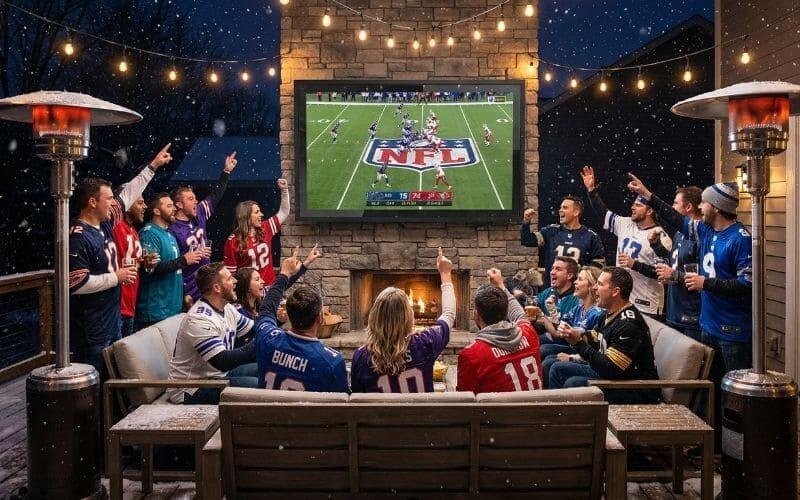
It is the single biggest day of the year for American hospitality. The Super Bowl isn’t just a game; it’s a cultural monolith. You have the brisket smoking, the beer on ice, and the prop bets placed. But year after year, hosts make the same fatal error: they try to cram 20 screaming fans into a 15×15 living room.
This is the “Container Theory” of failure. A house is a pressurized container. When you pack it with bodies, body heat rises, oxygen depletes, and the vibe turns from “party” to “rush hour subway car.”
We’ve all lived the nightmare. You’re holding a plate of nachos, but you can’t move because your neighbor is blocking the hallway. Uncle Bob is standing directly in front of the TV, obliterating the view of the interception. Someone spills chunky salsa on your white rug. The room is 80 degrees, humid with stress, and loud—but not the good kind of loud. It’s a cacophony of side conversations drowning out the commentary.
It’s time to call an audible.
Unlock the sliding glass door. Step outside. Breathe the fresh air. Look at the expanse of your patio, your deck, your backyard. This isn’t just a yard; it’s your VIP Box Seat. You have the grill right there. You have endless seating capacity. You have acoustics that don’t shatter eardrums.
The only thing missing is the visual anchor. You can’t ask 20 people to crowd around a laptop or a spare 32-inch screen dragged into the window. That’s amateur hour. To host a legendary party, you need a setup that rivals the Jumbotron itself. You need to build a stadium in your backyard.
Last Updated: Jan 17th. 2026 | Estimated Reading Time: 10 minutes
The “Jumbotron” Rule: Go 85″ or Go Home
The Budget Play: The Outvion Hack
Here’s the play that electronics retailers don’t want you to know. A dedicated 85-inch “Outdoor TV” from a specialty brand costs upwards of $8,000. That is not a typo.
The Hack: You buy a standard 85-inch Samsung Crystal UHD or Sony X85K for roughly $1,200. You protect it with an Outvion 85-inch Enclosure for $900.
The Score: Total cost is $2,100. You just saved $6,000—that’s your Wagyu beef budget for the next decade.
If you are hosting a crowd of 20+ people, size is not a luxury; it is a mathematical necessity. In the world of outdoor viewing, “Big” is relative, and “Massive” is mandatory.
The Psychology of Size: Immersion vs. Observation
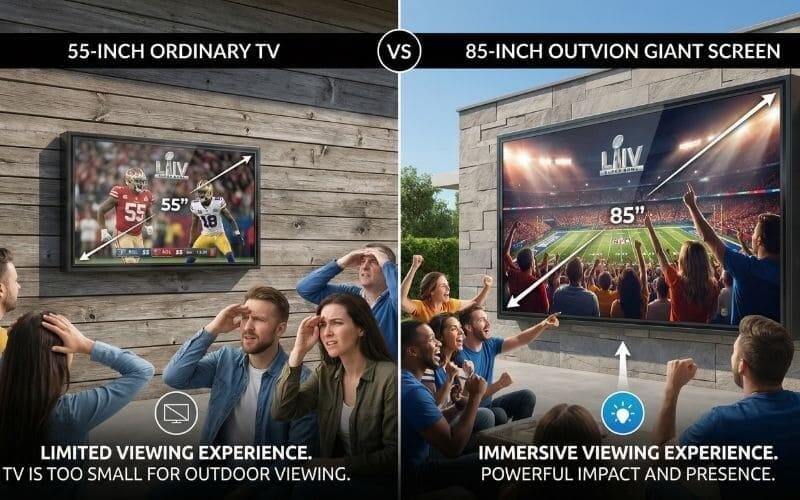
When you watch TV alone on a couch, a 55-inch screen feels large because it occupies 30-40 degrees of your field of vision. This is Immersion. When you move that same 55-inch TV outside, two things happen:
- The Reference Points Change: Against the backdrop of a house, trees, and the open sky, a 55-inch TV looks like a postage stamp.
- The Crowd Dynamic: People do not sit in a neat row 6 feet from the screen. They stand. They cluster around the cooler. They hang back by the grill. The average viewing distance pushes back to 15 or 20 feet.
At 20 feet, a 55-inch screen is just “Observation.” You are watching a box in the distance. You cannot see the score ticker. You cannot see the ball. The energy of the room dissipates because people have to squint to engage.
The Math: The 10-Inch Rule
To recreate the “Stadium Vibe” where the game dominates the party, follow this rule of thumb: For every 5 feet of viewing distance, you need 10 inches of screen diagonal.
- 10 Feet Away: 65-inch Minimum.
- 15 Feet Away: 75-inch Minimum.
- 20 Feet Away: 85-inch Minimum.
This is why the 85-inch class is the new standard for the “Alpha Host.” An 85-inch screen is nearly 6 feet wide and 4 feet tall. It is a monolith. When a player breaks a tackle, he looks life-sized. It creates a “Colosseum Effect,” acting as a magnetic force that pulls every set of eyes toward the action. When the room cheers, they cheer in unison because they are all seeing the same detail at the same time.
Why Outvion is the MVP
Trying to mount a naked 85-inch indoor TV outside is suicide. One errant football pass, one sudden rain shower, or even just the morning dew will destroy a $1,200 asset in seconds. The Outvion Enclosure is the exoskeleton. It allows you to take that affordable, commodity 85-inch Samsung from Best Buy and deploy it into a combat zone. It provides the mounting structure (these units are heavy), the impact protection, and the weatherproofing required to keep the game going through overtime, regardless of what Mother Nature throws at you.
Screen Size vs. Crowd Capacity Calculator
| Guest Count | Typical Viewing Distance | Minimum Screen Size | The “Stadium Vibe” Size | Recommended Outvion Enclosure |
|---|---|---|---|---|
| 5-10 People | 6 – 8 Feet | 55 Inches | 65 Inches | Outvion 55-65″ Series |
| 10-20 People | 10 – 15 Feet | 65 Inches | 75 Inches | Outvion 70-75″ Series |
| 20+ People | 15 – 25 Feet | 75 Inches | 85+ Inches | Outvion 80-85″ Giant Series |
Fighting the Elements: The Winter Offensive
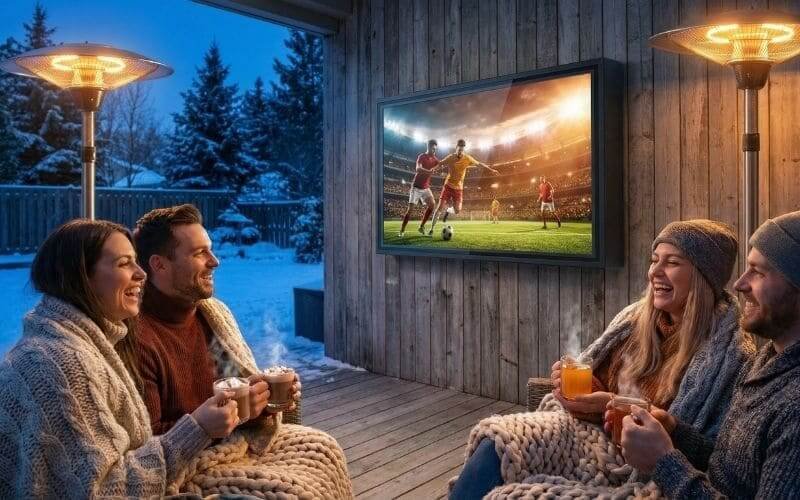
The Defense Strategy: The “BYOB” Protocol Winter hosting is all about managing expectations. Don’t let the cold be a surprise; make it the theme. On your digital invite, include this line: “Dress Code: NFL Sideline Gear / Apres-Ski. Bring Your Own Blanket (BYOB).” This turns the weather into a fun, cozy challenge rather than a hardship. Plus, when everyone is wrapped in blankets cheering, the camaraderie goes through the roof.
Let’s address the elephant in the room. The Super Bowl happens in early February. If you live in Phoenix or Miami, enjoy your 70-degree weather. For the rest of us in Chicago, New York, London, or Berlin, we are battling the elements. It might be 30°F (-1°C). It might be raining. It might be snowing.
Can you really host outside in winter? YES. In fact, it is the ultimate flex. Think about the actual NFL games. The most iconic moments happen in the “Frozen Tundra” of Green Bay. Fans stand outside for 4 hours in sub-zero temps because the collective energy keeps them warm. You can recreate that magic—but with better food and heaters.
The Tech Defense: The Micro-Climate
Your guests can wear parkas. Your TV cannot. This is where the Outvion Enclosure earns its paycheck. A common myth is that electronics die in the cold. False. Electronics generally run more efficiently in the cold because electrical resistance drops. The enemy isn’t the temperature; it is the moisture.
- Condensation: If you take a naked TV outside in the cold, the heat from the internal components clashes with the freezing glass, creating internal condensation that shorts out the motherboard.
- The Outvion Fix: The enclosure creates a sealed “Micro-Climate.” The heat generated by the TV’s power supply is trapped inside the polycarbonate shell, keeping the internal air warm and dry.
- IP65 Rating: Whether it is a freezing drizzle or a heavy snow squall, the IP65 rating means the unit is sealed against “Water Jets.” You could literally let snow pile up on the roof of the enclosure, and the pixels will keep firing.
The Guest Comfort System
You have protected the hardware; now you must protect the people. You need a defensive line against the wind chill.
1. The “Mushroom” Heater Strategy (Rent vs. Buy) Propane patio heaters (the tall mushrooms) are the MVP of winter hosting.
- The Math: One heater effectively warms a 10-foot radius. For 20 people, you need at least two, ideally three.
- The Play: Don’t buy them if you only host once a year. Go to your local party rental store. You can usually rent commercial-grade heaters for $50–75 per day. They put out way more BTUs than the cheap ones from Home Depot.
- Pro Tip: Have backup propane tanks. Running out of gas in the 3rd Quarter is a party foul.|
2. Wind Blockers Wind chill is what kills the vibe. If you have an open patio, you need to create a windbreak.
- Gazebos: A pop-up 10×10 tailgate tent with sidewalls is excellent. Place the TV on one side and the tent opening facing it. It creates a tunnel of warmth.
- Wind Screens: Even hanging a heavy canvas drop cloth or a specialized wind screen on one side of your pergola can raise the ambient temperature by 10 degrees.
3. The Internal Fuel Adjust your menu for the weather. Cold beer makes people cold.
- The Menu: Serve hot, heavy calories. Chili, brisket, hot wings.
- The Drinks: Keep a crockpot of Mulled Wine or Hot Apple Cider (spiked or virgin) going. Putting a warm mug in someone’s hands instantly makes them feel 20% warmer.
The Winter Defense Checklist
| Gear Item | Estimated Cost | Purpose | The “Alpha Host” Move |
|---|---|---|---|
| Propane Heaters | $150 (Buy) / $50 (Rent) | Radiant Heat | Rent 3 Commercial Units |
| Pop-Up Gazebo | $100–$200 | Wind Block / Rain Cover | Get one with Sidewalls |
| Stadium Blankets | $10 each (buy in bulk) | Guest Comfort | Buy a bulk pack of fleece throws |
| Fire Pit | $0–$200 | Ambiance | Keep it 10ft away from the TV |
| Hot Hands | $20 (Box of 40) | Hand/Foot Warmers | Put a bowl of them by the door |
Audio: Creating the “Roar”
The Audibles: Lip Sync Adjustment Nothing kills immersion faster than “The Godzilla Effect”—seeing the referee’s lips move and hearing the whistle 0.5 seconds later. This is common with Bluetooth setups. The Fix: Before guests arrive, go into your TV’s Sound Settings -> Expert Settings -> Audio Delay (sometimes called “Lip Sync” or “AV Sync”). Adjust the slider (usually in milliseconds) until the sound of the tackle matches the visual impact perfectly.
Here is the scenario that creates a “dead” party: It’s 4th and Goal. The crowd is screaming. The burgers are sizzling loudly on the grill. A wind gust blows through the trees. And nobody can hear what the announcer is saying.
The Physics of Sound Dissipation Sound follows the Inverse Square Law. Every time you double the distance from the speaker, you lose 6dB of sound pressure. Indoors, walls bounce that sound back to you. Outdoors, there are no walls. The sound simply travels away into your neighbor’s yard or vanishes into the sky. The built-in 10-watt speakers on the back of your TV are pointing backwards. They are functionally useless outside. You need to push air forward.
The Wiring Guide (Deep Dive)
How do you get the sound from the TV to your speakers? You have three options, ranked by reliability.
Option 1: HDMI ARC (The Gold Standard)
- How: Connect an HDMI cable from the TV’s “ARC” (Audio Return Channel) port to the Soundbar.
- Why: This allows you to control the soundbar volume using your TV remote. No juggling two remotes. It creates a seamless experience.
Option 2: Optical Audio (The Old Reliable)
- How: Connect a TOSLINK (Optical) cable from the TV to the speaker.
- Why: It is bulletproof digital audio. It rarely suffers from interference. The downside is you usually need the speaker’s specific remote to change volume.
Option 3: Bluetooth (The Hail Mary)
- How: Pair the TV wirelessly to a Bluetooth speaker.
- Why: No wires. Convenient.
- Risk: Latency (lag) and connection drops. If someone walks between the TV and speaker with a phone in their pocket, the signal might stutter. Only use this if you cannot run a wire.
Hardware Tiers: Bringing the Noise
Tier 1: The Soundbar Mount (Good)
- The Setup: Mount a robust 2.1 channel soundbar (with a wireless subwoofer) directly below the Outvion enclosure. Most Outvion enclosures allow you to bolt a universal soundbar bracket to the bottom frame.
- The Result: Directed, forward-firing audio that cuts through the wind. The sub adds the rumble.
Tier 2: The Daisy-Chain (Better)
- The Problem: A single source is too loud for the front row and too quiet for the back row.
- The Solution: Use portable speakers that support “Party Mode” linking (like JBL Connect+ or Sony Party Chain). Place one speaker near the TV and one speaker back by the grill/cooler. Link them wirelessly. This blankets the zone in even sound.
Tier 3: The PA System (Legendary)
- The Setup: Rent or buy a portable PA speaker (like a JBL PartyBox 310 or Bose S1 Pro). Run a 3.5mm Aux cable from the TV’s headphone jack to the “AUX IN” on the speaker.
- The Result: Chest-thumping bass. Stadium-level volume. This is how you make the neighbors jealous (or angry).
Glare Management: The Calibration Game
The Technical Timeout: Vivid Mode is Mandatory Indoors, calibration experts tell you to use “Movie” or “Cinema” mode for accurate colors. Outdoors, throw accuracy out the window. You need raw power. The Setting: Go to Picture Settings. Select “Dynamic” or “Vivid.” Turn “Backlight” to 100%. Turn “Contrast” to 100%. Turn OFF “Eco Mode” (which dims the screen). You are fighting the sun; you need every Nit of brightness the panel can produce.
Time Zone Strategy The Super Bowl kickoff is usually around 6:30 PM EST.
- East Coast: It’s dark. You’re fine.
- West Coast: It’s 3:30 PM. The sun is blazing low in the sky.
If you are hosting in the PST or MST time zones, you have to battle the sun for the first half of the game.
The Tilt Hack Every Outvion enclosure comes with an internal tilting mount capable of a 15-degree downward angle. USE IT.
- The Physics: By tilting the screen down, you change the angle of incidence. Instead of reflecting the bright white sky, the screen reflects the dark grass or patio pavers. This one adjustment can increase perceived contrast by 50%.
The Orientation Rule If you haven’t mounted the TV yet, check your compass.
- North Facing: Best. The sun is always behind the TV.
- East Facing: Good. The sun is behind the house by afternoon.
- West Facing: The “Death Zone.” The setting sun hits the screen directly. If you must face West, you absolutely need a shade structure (pergola/awning) or the screen will be unwatchable until sunset.
The Zone Defense: Layout & Logistics
The Safety Call: Protecting the Asset Touchdown! High fives! Someone jumps up and spills a full pint of beer into the air. In a living room, that beer hits your drywall and your TV, possibly shorting it out. Outdoors, with an Outvion Enclosure, the beer hits the polycarbonate shield and drips off. You wipe it down later. The Rule: Despite this protection, establish a “No Touching” zone. Use patio furniture to create a natural barrier 3 feet from the screen to prevent enthusiastic fans from crashing into the wall.
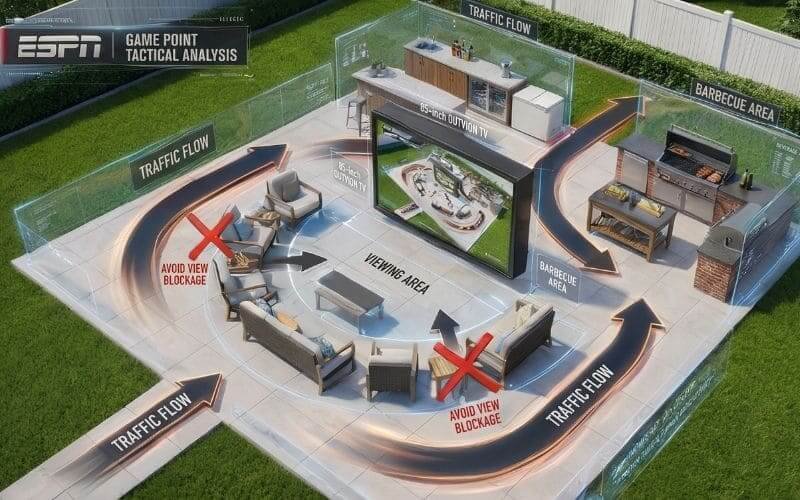
You are the General Manager of this stadium. You need to manage the flow of traffic to keep the focus on the game. A bad layout creates bottlenecks that frustrate guests.
1. The Red Zone (Viewing Area) This is the sacred ground directly in front of the TV.
- Seating Only: Do not put the cooler or the food table here. If you do, people will stand around it, blocking the view for everyone seated behind them.
- The Formation: Arrange chairs in a semi-circle. Leave a central aisle clear for bathroom runs so people don’t have to shimmy past viewers.
2. The Concession Stand (Food) The food should be accessible, but not intrusive.
- Line of Sight: The Chef (Griller) needs to see the TV. Do not punish the cook by putting the grill around the corner.
- Traffic Flow: Place the food table on the periphery of the viewing angle. Guests should be able to load a plate without walking in front of the screen.
3. The Hydration Station (Beer/Drinks) This is the highest traffic node in the party.
- The Mistake: Placing the cooler right next to the TV.
- The Fix: Place the drink station in the back of the room (Ring 3). This forces people to move away from the screen to get a drink, reducing congestion in the front row. It also creates a natural “standing/chatting” zone in the back for casual fans.
The Network Backbone: Don’t Fumble the Stream
The Nightmare: It is 2 minutes left in the 4th Quarter. Tie game. The quarterback drops back to pass. The ball is in the air… And the spinning wheel of death appears. Buffering… 99%… The groans of 20 people will haunt your dreams forever.
Wi-Fi is fickle outdoors. Stucco walls (which contain wire mesh) and brick block signals. Plus, having 20 guests with 20 smartphones in their pockets congests the network.
The Fix: The Hardwire Option (Bulletproof) If you want to be a legend, do not rely on Wi-Fi.
- The Gear: Buy a 50ft or 100ft flat white Ethernet cable (Cat6).
- The Route: Run it from your router, out a window, along the siding, and plug it directly into the TV (or Roku/Apple TV) inside the enclosure.
- The Result: Zero lag. Zero buffering. Perfect 4K bitrate regardless of how many people are using the Wi-Fi.
The Mesh Option If you must use Wi-Fi:
- Move the Node: Take one of your Mesh Wi-Fi nodes (Eero, Orbi, Google Nest) and plug it into an outlet as close to the patio door as possible.
- Speed Test: Run a speed test on your phone standing next to the outdoor TV. You want at least 25 Mbps for a stable 4K stream.
The App Strategy
- Cable: If you have a cable box, running a long HDMI cable is the safest bet.
- Streaming: Use reliable apps like YouTube TV, Hulu Live, or the dedicated Sports App (Fox/CBS/NBC). These generally have better Content Delivery Networks (CDNs) than illegal streams or smaller apps.
Conclusion: Be the Legend
This year, don’t just host a party. Host an event.
There is a difference between “watching the game at Dave’s house” and “The Super Bowl Party at Your House.” One is a passive activity; the other is a core memory for your friend group.
By moving the chaos outside, going massive with an 85-inch screen, and bulletproofing the setup against winter weather and rowdy guests, you elevate yourself from a casual host to a legendary one. You become the destination for March Madness, the World Cup, the Olympics, and every Fight Night in between.
But remember: Logistics matter. The Super Bowl is the busiest time of year for TV sales and logistics. Stock for large-format enclosures (75″-85″) is limited, and freight shipping takes 5-7 days.
FAQ for the Host
1. How do I get a TV signal outside?
Streaming is King. The easiest way is to use a Smart TV (or a Roku/Fire Stick plugged inside the enclosure) connected to your home Wi-Fi. Apps like YouTube TV, Hulu Live, or the Fox Sports App stream the game in 4K. Hardline Option: If your Wi-Fi is weak, buy a long (50ft) flat Ethernet cable or HDMI cable and run it through a window just for the party. A hardwired connection is bulletproof against buffering.
2. Is an 85-inch setup too heavy for my siding?
It is heavy, but manageable. An 85″ TV weighs ~90-100 lbs. The Enclosure weighs ~60 lbs. Total load: ~160 lbs.
- Vinyl Siding: You must hit the studs. Use a stud finder. Do not mount to the siding itself.
- Brick/Stucco: Use masonry sleeve anchors.
- The Rule: Two people are required to lift it. Do not try to solo mount an 85-inch unit.
3. Can I leave it up after the game?
Yes! That’s the point. This isn’t a temporary rental. The Outvion enclosure is a permanent infrastructure upgrade for your home. It stays up year-round, ready for summer movie nights, morning news with coffee, or next year’s season opener.
4. What if it snows during the game?
Let it snow. The enclosure is sealed (IP65). The heat from the TV will likely melt any snow that hits the front glass, keeping the view clear. Your guests might need a pop-up tent or umbrellas, but the TV will be the happiest thing in the yard.
5. I have an audio delay with my Bluetooth speakers. How do I fix it?
This is common. Go into your TV’s Audio Settings. Look for an option called “Audio Delay,” “Lip Sync,” or “AV Sync.” Adjust the slider (usually in milliseconds) until the sound of the tackle matches the video perfectly. Test this before the guests arrive!
6. What are the best TV settings for Sports?
- Picture Mode: Vivid / Dynamic (for brightness).
- Motion Smoothing: This is controversial. For movies, turn it off (“Soap Opera Effect”). For Sports, many people prefer it ON. It makes the ball movement look smoother and less blurry during fast pans. Test it and see what you prefer.
- Color Temp: Cool (bluer) looks brighter outdoors than Warm (yellower).
Recommended Technical Reading
- Outdoor Audio Science: Dolby Guide to Outdoor Sound – Understanding dispersion and bass loss in open-air environments.
- Winter Weather Safety: Weather.gov Winter Preparation – Tips for staying warm and safe during outdoor winter activities.
- Wi-Fi Optimization: Wi-Fi Alliance Mesh Networking – How to extend your signal to the backyard for buffer-free streaming.